
Genspark AI
Genspark is an all-in-one AI workspace that turns one-line prompts into slides, spreadsheets, research and images across 100+ models. Capable, but export is paid-only.

A genuinely capable all-in-one AI workspace with strong slides and research, walled off by a free tier that builds polished work and then locks the file behind payment.
Should you use Genspark AI?
People who want one tool for slides, research and data and are willing to pay, so the decks and spreadsheets they build can actually leave the platform.
You want free, usable output or a reliable autonomous agent for complex multi-step jobs. Export is paid and the Super Agent stumbles on hard tasks.
The free Standard Mode builds work but exports nothing. Downloading your files starts at $19.99/mo billed annually , and credits run down fast.
Credits expire monthly with no rollover , free images carry a centered watermark, and plan terms have shifted on existing users before.
What is Genspark AI?
Genspark replaces the stack of single-purpose AI tools you would otherwise pay for separately. It is a web-based all-in-one workspace, also on iOS and Android, that turns a one-line prompt into slide decks, spreadsheets, documents, images, video and research reports, and it routes each job to one of 100+ models from Claude, OpenAI, Google and others rather than locking you to a single engine. The defining move is that it runs live research before it writes, so a deck or a report arrives built from current data with source links attached.
It is aimed at professionals and small teams who would rather drive many kinds of work from one chat box than juggle a presentation maker, a spreadsheet generator and a separate research tool. Everything it produces stays editable after generation. The practical catch sits at the end of that flow: the free tier lets you create freely but gates the download, so Genspark is best understood as a paid product with a generous preview rather than a free one.
Key features & how they perform
Each feature rated from hands-on testing and aggregated review sentiment.
AI Slides
Builds full decks with real charts from live-researched data, and users agree the output actually looks designed, though layouts repeat over heavy use.
Agent research
Runs a live research pass and returns sourced reports with working citation links, consistently rated one of its strongest capabilities.
AI Sheets
Generates live spreadsheets with real formulas, variance columns and charts, not static tables, so the model recalculates when you edit it.
AI Image
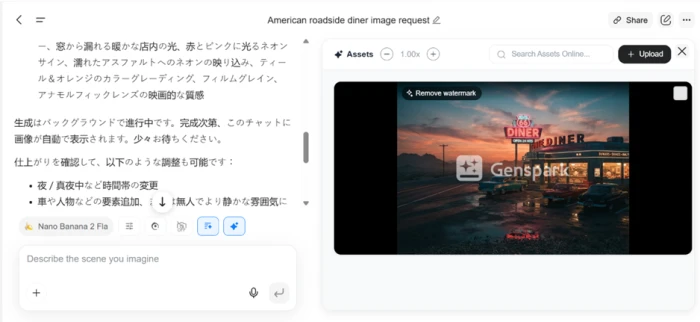
Composition and lighting are good on the Nano Banana model, but free output lands a large centered watermark that makes it unusable as it stands.
All-in-one breadth
Slides, sheets, docs, images, video, code and phone-call agents in one place, with free model switching across 100+ engines.
Super Agent autonomy
Capable on contained tasks, but users report it failing on complex multi-step jobs and sometimes breaking work when credits run out mid-task.
Feature ratings blended from Trustpilot, Reddit & aggregated review patterns + hands-on testing.
Four tasks and the wall at the end
A deck, a research trip, an image, a spreadsheet, and what happened when I tried to download any of it.
Building a 10-slide investor deck
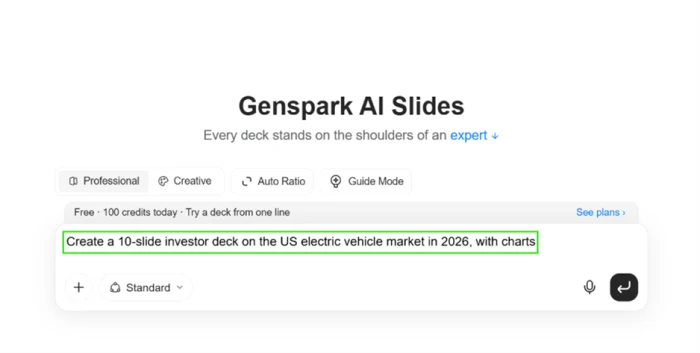
AI Slides is the tool Genspark leans on hardest in its marketing, so I started there with a single line of instruction and let it run.
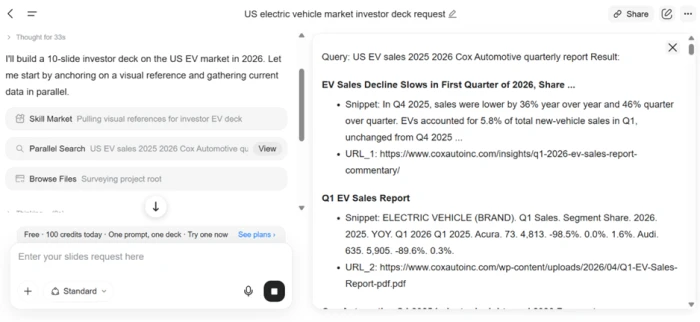
What caught my attention was the process, not the prompt box. Genspark did not drop text into a template. It ran a live research pass, pulled Q1 2026 EV figures from Cox Automotive, and thought for 33 seconds before building a single slide.
Below the prompt, the live research pass showed its working before any writing began.
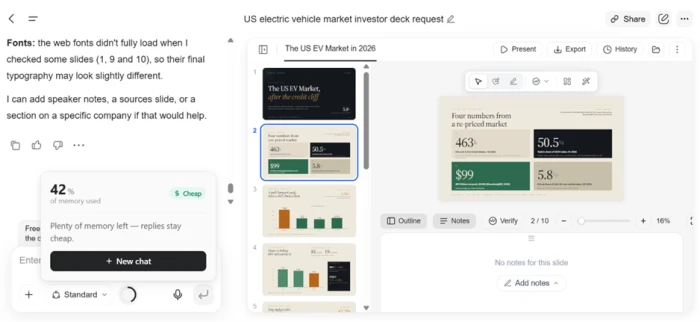
The finished deck came out at a full ten slides with a consistent theme and real charts built from the data it found, including the 50.5% share figure and the $99 number on slide two. Everything stayed editable: I could click into any slide and change text or rework a layout.
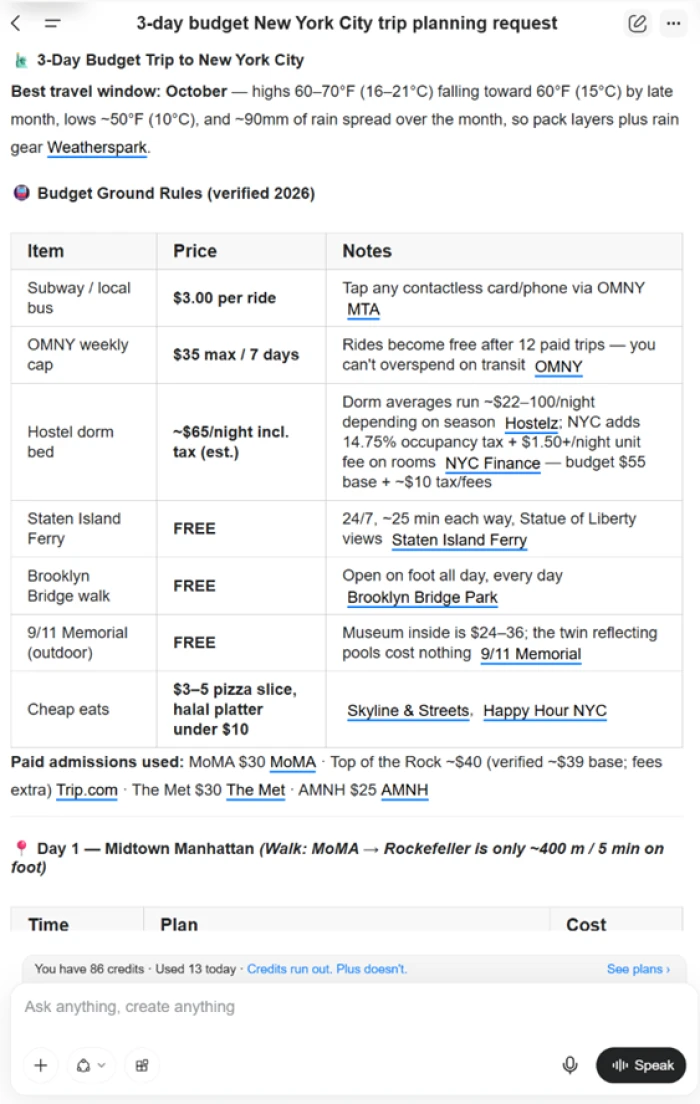
Researching a budget trip in Workspace
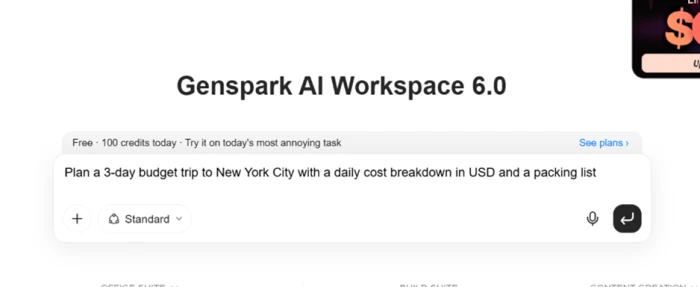
Next I handed the agent a planning task inside Workspace 6.0 to see how the research side held up on something practical rather than a sales deck.
The answer read like the work of a careful travel writer. It opened with October weather in both Fahrenheit and Celsius, then a budget table pricing out subway fares and hostel nights with the NYC occupancy tax broken out, then a separate block of free attractions. Every number carried a source link, citing MTA, OMNY, Hostelz and the official 9/11 Memorial page among others.
Generating an image on Nano Banana
AI Image runs on a model Genspark calls Nano Banana. I gave it a short scene description and waited for the result.

The picture that came back was strong on composition, with cinematic lighting and a glowing neon sign reflected on wet asphalt. Two problems appeared right away.
Testing AI Sheets
The last task checked whether the spreadsheet tool builds anything real or just prints a formatted grid. I asked for a budget tracker and left the structure up to it.
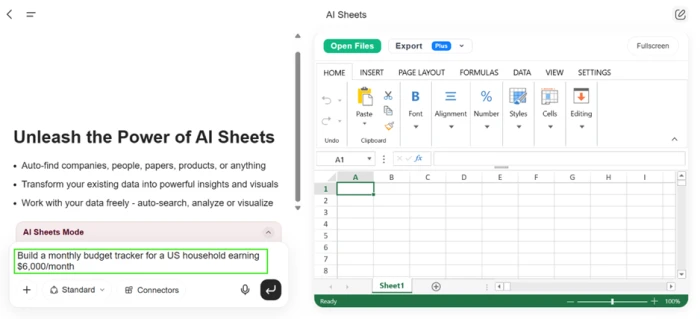
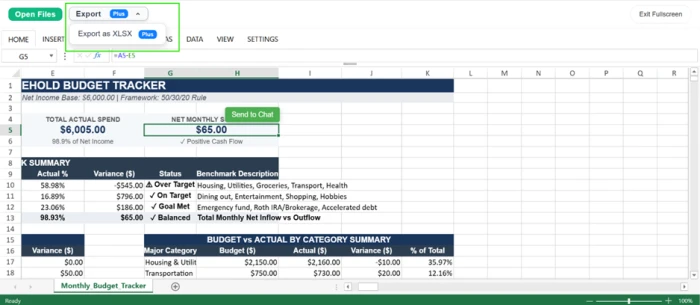
It produced a working budget model rather than a static table. The sheet carried a live formula (=A5-E5 showed in the formula bar), a 50/30/20 planning framework, variance percentages, status flags such as Over Target and Goal Met, and a donut chart at the foot of the page.
The export wall
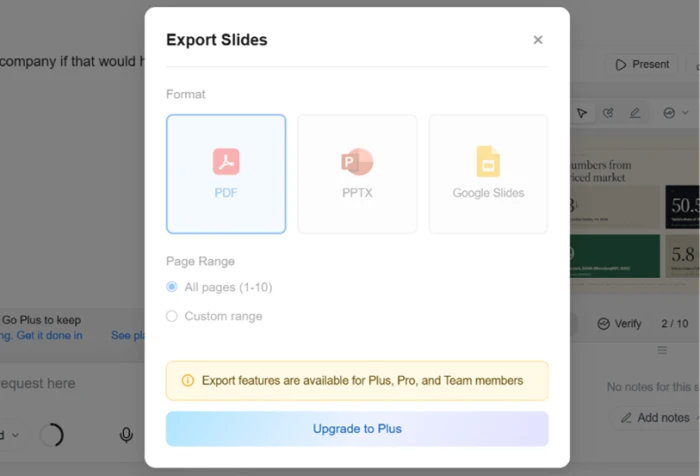
This is the finding that matters most for anyone weighing the paid plan. I could create all of this for free. I could not get any of it off the platform.
When I clicked Export on the deck, every format sat behind an upgrade prompt.
Genspark AI pricing
Figures taken from the official Genspark pricing page (annual billing shown).
| Plan | Price | What's included |
|---|---|---|
| Free | $0 | Standard Mode, no credits · create slides, sheets and research · no export · watermarked images |
| Plus Entry paid | $19.99 /mo | $239.99/year · 10,000 credits/mo · 100+ models · full export unlocked (save $60 vs monthly $24.99) |
| Pro | $39.99 /mo | $479.99/year · 21,000 credits/mo · same model access · export (save $120 vs monthly $49.99) |
| Max | $199.99 /mo | $2,399.99/year · 125,000 credits/mo · same model access · export (save $600 vs monthly $249.99) |
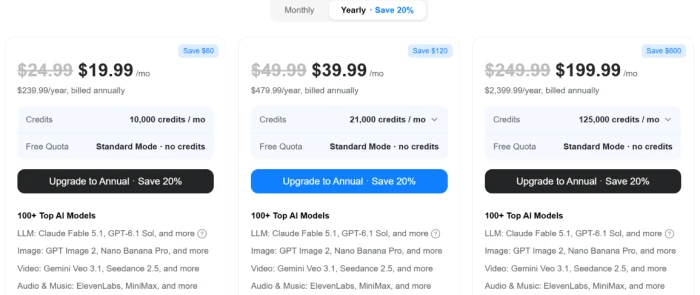
Annual billing shown. Each paid tier unlocks the same 100+ models and the same export formats. Only the monthly credit allowance changes.
Pros & cons
Specific conclusions from testing and real user reviews, not generic filler.
✅ Pros
- Runs a live research pass and cites real sources before writing a deck
- Slide decks come out structured enough that reviewers say they look designed
- Spreadsheets ship with working formulas and charts, not static grids
- Free model switching across 100+ engines from Claude, OpenAI and Google
- Replaces several single-purpose AI subscriptions with one workspace
- Support reliably refunds credits when video or image jobs fail to render
⛔ Cons
- Credits expire at month-end with no rollover
- Image and video tasks drain credits far faster than chat or research
- Super Agent fails on complex multi-step jobs and can break existing work
- Slide layouts grow repetitive across heavy, extended use
- Plan terms have changed on existing users, including a new weekly chat cap
- Usage analytics too shallow to audit which model spent which credits
Synthesized from real reviews on Trustpilot, Reddit & aggregated review sources · paraphrased, not quoted
Genspark AI scorecard
Rated against what an all-in-one AI workspace is actually built to do.
| Dimension | Verdict | Score |
|---|---|---|
| Breadth of tools Range of work in one place | Excellent |
9.0
|
| Slide generation quality Design, charts, editability | Good |
8.0
|
| Research & citations Live sourcing and accuracy | Good |
8.0
|
| Spreadsheet & data generation Live formulas and charts | Good |
7.5
|
| Ease of use One-line prompts, navigation | Good |
7.5
|
| Generation speed Time to a finished output | Average |
5.5
|
| Agent reliability Autonomy on multi-step tasks | Average |
5.5
|
| Image generation Quality and free-tier usability | Weak |
4.5
|
| Credit system & value Allowance, rollover, drain rate | Weak |
4.5
|
| Export & output ownership Getting files off the platform | Weak |
3.5
|
| Scrutool Score Equal-weight average of all 10 dimensions |
6.4
|
What users say about Genspark AI
The themes reviewers raise most often, by share of analysed reviews.
% = share of analysed reviews mentioning each theme (Trustpilot, Reddit, review aggregators)
A capable workspace that lets you build for free, then charges you to own the result
Genspark is better than its category usually is. The research-first approach means decks and reports arrive sourced rather than invented, the spreadsheets carry real formulas, and the breadth across 100+ models genuinely replaces a handful of separate subscriptions. The problems cluster around money and trust. The free tier builds polished work and then locks every export behind a paid plan, free images land a watermark across the middle, credits expire monthly and drain fast on media jobs, and the Super Agent still stumbles on hard multi-step tasks. Professionals who will pay the $19.99 annual entry and mainly want slides, research and data will get real value and real file ownership. Anyone hoping to use it meaningfully for free, or counting on a reliable autonomous agent, will hit a wall faster than the marketing suggests.
Discussion
Join the discussion and share your perspective.