
Ideogram AI
Ideogram is a design-focused AI image generator built around legible in-image typography, now running on the open-weight 9.3B Ideogram 4.0 model. Free accounts get weekly slow credits, but downloads, deletion and private output all require a paid plan.

The most accurate in-image typography available, wrapped in a free tier that will not let you download, delete or hide anything you make.
Should you use Ideogram?
Designers and marketers shipping text-heavy creative : posters, packaging mockups, ad units and word-based logos where the copy has to be legible and correctly spelled.
You want a free plan you can actually work in , or you need the model to add nothing you did not ask for. It makes design decisions on your canvas.
Free gives you roughly one batch of four images a week. Working use starts at Plus, $15/mo on annual billing or $20 month to month.
Free generations are public, undownloadable and undeletable . Priority credits on paid plans also expire at the end of every billing cycle.
What is Ideogram?
Type is the entire pitch. Ideogram is a text to image platform built so that words inside the picture come out spelled correctly and sitting where you put them, which is the thing most generators still fumble. The current model, Ideogram 4.0, was trained on structured JSON captions with bounding boxes, so a headline, a credit block and a logo can each be placed by coordinate rather than described in a sentence and hoped for. Output is native 2K, up to 2048 pixels on the long side, with no upscale round trip.
It runs in the browser, on an iPhone app (there is no official Android build), through a public API priced from $0.03 an image, and now as downloadable weights, since the 9.3B model was released openly in June 2026. Alongside generation sits Image Studio for background removal, object removal, reframing and editable text layers. The catch is the free tier: it hands you a weekly trickle of slow credits, publishes everything you make to the community gallery, and blocks downloading and deletion until you subscribe.
Key features & how they perform
Each feature rated from hands-on testing and aggregated review sentiment.
In-image text rendering
Holds four separate type tiers in one poster, down to a three-line credit block and a URL that stays legible at the smallest size in the frame.
Bounding box layout control
JSON prompts place each element in normalized coordinates, which is why type curves correctly around a badge instead of drifting off the arc.
2K output and quality export
One checkpoint spans 256 to 2048 pixels per side across ratios up to 6:1, though quality export is a paid-plan feature.
Image Studio editing
Background remover, object remover, reframe and layerize work well, but every AI edit needs priority credits and none of them run in the slow queue.
API, MCP and open weights
One endpoint covers image and video models at $0.03 to $0.10 an image, and the 4.0 weights run locally on a single 24GB GPU.
Credit system and queues
Costs shift with model and rendering setting, free requests wait behind paying users, and subscription credits vanish at the end of each cycle.
Feature ratings blended from Trustpilot, Reddit, App Store, G2 & Product Hunt review patterns + hands-on testing.
What Happened When We tested It
A four-tier poster, a coffee bag, and everything the free plan refuses to let you do afterwards.
The first prompt, and the image count you cannot change
The test was designed to break things. A film festival poster with four separate tiers of type, the smallest being a three-line credit block set at body-copy size.
Most generators handle a headline and then turn the small print into decorative noise. If Ideogram holds the hierarchy, the typography claim is real.
The sidebar showed 12 credits at the start. Aspect ratio was open, so I set 16:9.
"Vintage-style film festival poster, deep teal and cream palette. Large headline text reads "NORTHERN LIGHT". Below it a subhead reads "International Short Film Festival". Below that, a smaller line reads "March 14-21, 2027 · Rialto Theatre, Portland". At the bottom, a three-line credit block reads "Presented by Rialto Arts Council / Curated by Mira Halvorsen / Tickets at northernlightfest.org". Clean geometric sans-serif typography, strong vertical hierarchy, subtle paper grain."
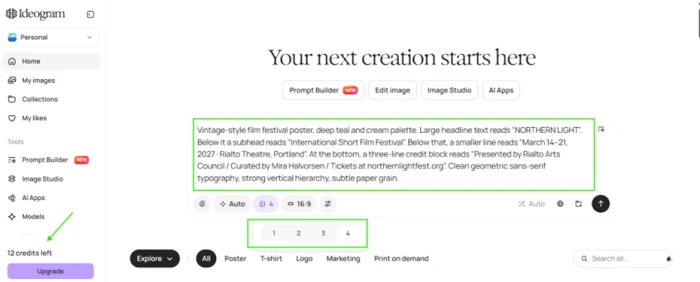
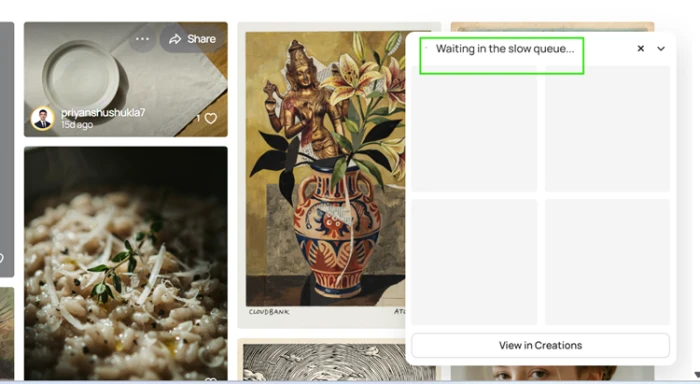
Submitting does not start the job. Free requests join a shared queue that sits behind every paying user, and the four output slots stay empty until capacity frees up.
Four posters back, and what that costs
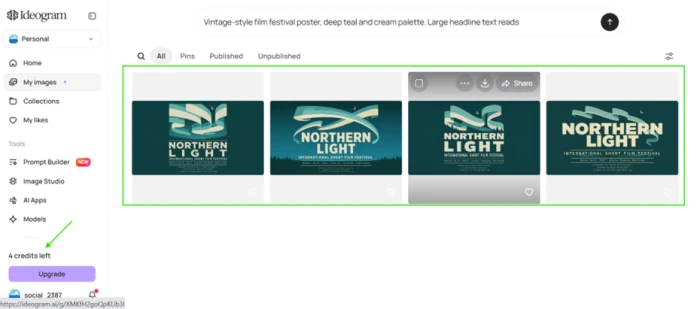
The batch returned four variations of the same brief, which is useful given that the first option is rarely the strongest.
The number that matters is in the sidebar, not the grid. Credit cost varies by model and rendering setting, and on the default settings this single run was expensive.
Reading the small print, then trying to keep the file
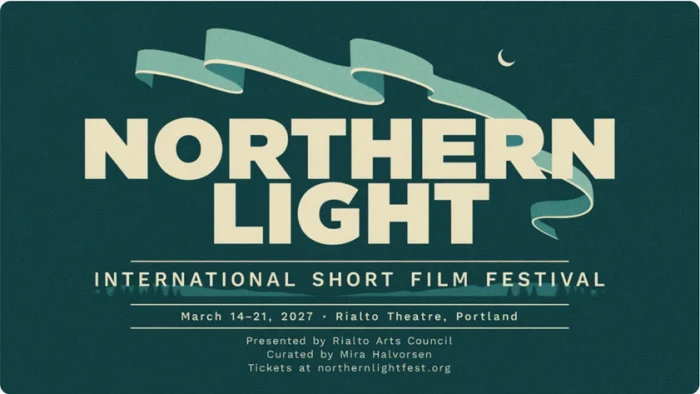
This is the part Ideogram is built for, so I opened the strongest of the four at full size to check every string.
The headline sets NORTHERN LIGHT across two lines. The subhead carries even letter-spacing. The date line keeps the venue and the city intact, and the three-line credit block at the foot holds together with the URL still readable.
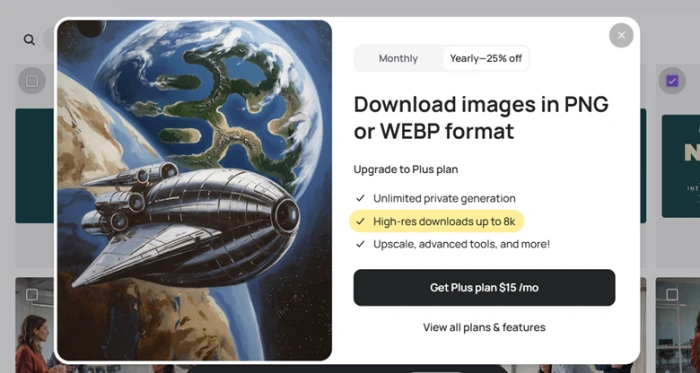
Then I tried to take the file with me. The download button does not open a format menu, it opens a sales page.
Second test: who writes the copy when you do not
For the packaging test I described positions instead of words. Brand name at the top, tagline in the middle, roast details along the bottom.
I supplied no actual copy at all, which is the fastest way to find out how much editorial licence the model takes.
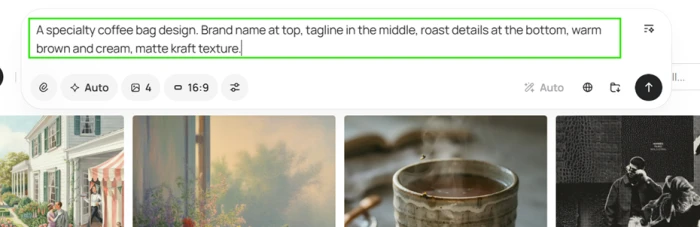
"A specialty coffee bag design. Brand name at top, tagline in the middle, roast details at the bottom, warm brown and cream, matte kraft texture."
What came back is cleaner layout work than the poster: type curving in both directions around a circular badge, and a specification bar split into ruled cells.
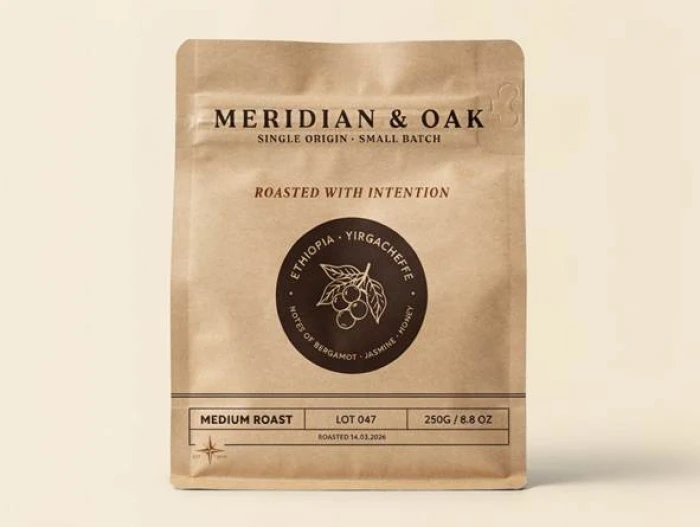
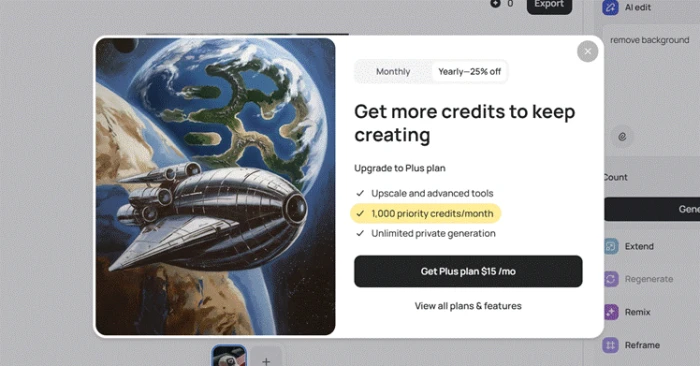
Image Studio, with the counter at zero
Image Studio is the editing half of the product: background removal, object removal, extend, remix, reframe and layerized text.
It looks fully available. The panel loads, the tools list out, and the instruction box accepts input.
"remove background"
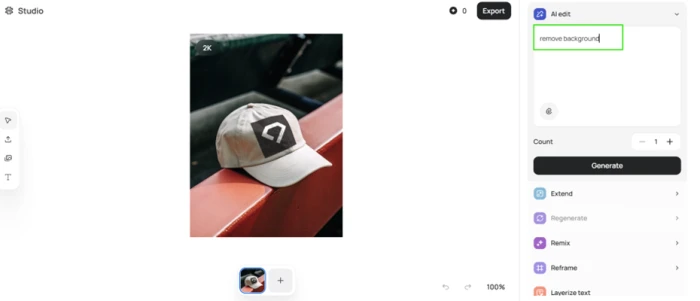
Pressing generate produced the same modal as the download button, worded differently and priced the same.
The restriction I did not expect
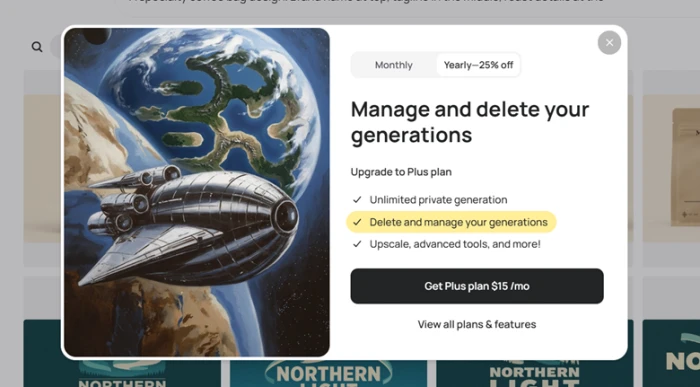
Everything generated on a free account publishes to the community gallery by default, prompt included, and other people can remix it.
So I went back to my library to clear out the test generations. That turned out to be a subscription feature too.
Ideogram pricing
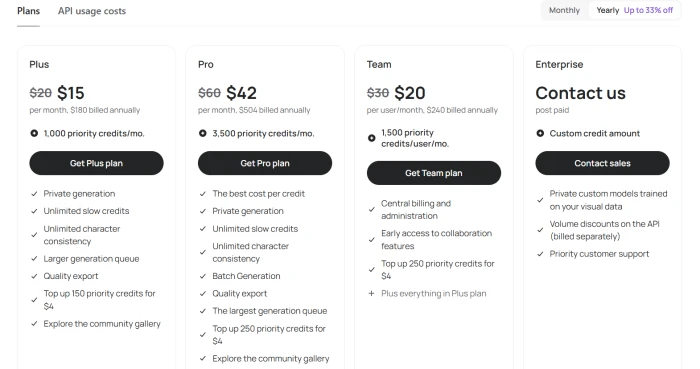
Figures taken from the official Ideogram pricing page.
| Plan | Price | What's included |
|---|---|---|
| Free | $0 | Weekly slow credits for eligible accounts · 1 running or queued generation · public output only · no downloads, no deletion |
| Plus Popular | $15 /mo | $180 billed annually ($20 monthly) · 1,000 priority credits/mo · unlimited slow credits · private generation · quality export · 8 queued generations |
| Pro | $42 /mo | $504 billed annually ($60 monthly) · 3,500 priority credits/mo · batch generation · largest queue · 32 queued generations |
| Team | $20 /user/mo | Billed annually ($30 monthly) · 1,500 priority credits per user · central billing · collaboration features · minimum 2 users |
| Enterprise | Custom | Post paid, contact sales · custom credit amount · private custom models trained on your data · volume API discounts · priority support |
Pros & cons
Specific conclusions from testing and real user reviews, not generic filler.
✅ Pros
- Rendered all four type tiers in one poster, credit block included
- Curved badge type read correctly on both the top and bottom arcs
- Scores 0.97 on English OCR, highest of any open-weight model
- Native 2K output up to 2048px, no generate-then-upscale step
- Bounding box JSON prompting places elements by coordinate
- API starts at $0.03 per Turbo image with no subscription
- 9.3B weights published on Hugging Face and GitHub
- Support is praised by name in over half of Trustpilot reviews
⛔ Cons
- Free tier forces batches of four at 8 credits per run
- PNG and WEBP downloads require the $15 Plus plan
- Deleting your own generations is also paid-only
- Free output publishes to the community gallery with the prompt
- Subscription priority credits expire monthly with no rollover
- Invents brand names and taglines when copy is unspecified
- Image Studio edits fail entirely at zero priority credits
- Slow queue waits reported at up to 20 minutes per generation
- iPhone app only, with no official Android build
Synthesized from real reviews on Trustpilot, Reddit, the App Store, G2 & Product Hunt · paraphrased, not quoted
Ideogram scorecard
Rated against what a design-focused image generator is actually built to do.
| Dimension | Verdict | Score |
|---|---|---|
| Text rendering accuracy Spelling, hierarchy, small type | Excellent |
9.5
|
| Layout & composition control Bounding boxes, element placement | Excellent |
8.5
|
| Image quality & realism Finish at 2K across styles | Excellent |
8.5
|
| Prompt adherence Doing what was asked, nothing more | Good |
7.5
|
| Editing & Studio tools Background removal, reframe, layers | Average |
6.5
|
| Free tier usability What you can do without paying | Weak |
3.5
|
| Value for money Credits and plan pricing | Average |
6.5
|
| Speed & queue performance Slow queue and priority handling | Average |
6.0
|
| Privacy & content control Public defaults, deletion, ownership | Average |
5.5
|
| Platform reach & developer access Apps, API, MCP, open weights | Good |
7.5
|
| Scrutool Score Equal-weight average of all 10 dimensions |
7.0
|
What users say about Ideogram
The themes reviewers raise most often, by share of analysed reviews.
% = share of analysed reviews mentioning each theme (Trustpilot, Reddit, App Store, G2, Product Hunt)
The best typesetter in AI imaging, sold behind the meanest free tier in it
On the one job it was built for, Ideogram is not close to being beaten. A poster with four tiers of type came back with the headline, the subhead, the date line and a three-line credit block all intact, and the URL at the bottom was still readable. The coffee bag was better still, with type curving correctly around a badge and a ruled specification bar underneath. The problems are structural rather than technical. Free accounts are locked to batches of four at 8 credits a run, everything publishes to the gallery with its prompt attached, and downloading, deleting or hiding any of it needs the $15 Plus plan. Even paying does not settle it, since subscription credits expire every cycle and only $4 top-ups roll over. Designers and marketers producing text-heavy creative at volume should subscribe and stop shopping around, because nothing else renders type this reliably. Anyone hoping to work seriously on the free plan, or who needs a model that adds nothing beyond the brief, should test it for one week and then decide.
Discussion
Join the discussion and share your perspective.