
Leonardo AI
Leonardo AI is a web-based image and video generator with 80+ models, from its own Lucid line to hosted Veo, Sora and Nano Banana. Free daily tokens, with paid tiers for private, higher-volume work.

The broadest model lineup in AI image generation and a genuinely usable free tier, undercut by an opaque token economy, an aggressive content filter, and rough billing.
Scrutool Score = equal-weight average of the 10 tested dimensions in the scorecard below. The six shown here are highlights.
Should you use Leonardo AI?
Designers, game and product teams, and creators who want frontier models (Veo 3.1, Sora 2, Nano Banana, Lucid Origin) and real-time iteration in one web app, without juggling five subscriptions.
You need predictable per-image costs or a heavy video pipeline. The GPU-based token math and premium-model surcharges add up fast.
The free tier is fine for testing but public with no IP rights. Private work needs Essential at $12/mo , and serious use lands on Premium at $30/mo.
The content filter blocks harmless prompts , failed generations still burn tokens, and reviewers report refund and cancellation friction.
What is Leonardo AI?
Leonardo AI is a web-based platform for generating and editing images and video from text prompts, built by the Australian studio Leonardo Interactive and acquired by Canva in July 2024. It started as a game-asset tool and now runs more than 80 models in one workspace: its own Lucid Origin, Lucid Realism and Phoenix lines, plus hosted frontier models like Google Veo 3.1, Sora 2, Nano Banana and GPT Image. The audience is broad: digital artists, marketers, game and product designers, and hobbyists who want more control than a single-engine tool like Midjourney or DALL-E gives. Apps run on web, iOS and Android.
Two things define it for a buying decision. First, the multi-model breadth means you rarely leave the app to try whatever model is trending, and the Canva ownership funds hosting all of them. Second, everything runs on a token currency priced by GPU load rather than a fixed cost per image, and the free tier keeps your outputs public unless you pay. That combination makes Leonardo powerful and flexible, but harder to budget than its marketing suggests.
Key features & how they perform
Each feature rated from hands-on testing and aggregated review sentiment.
80+ models in one workspace
First-party Lucid and Phoenix models sit next to hosted Veo 3.1, Sora 2, Kling, Nano Banana and GPT Image, and you switch between them instantly. In practice you rarely need a second tool.
Lucid Origin and realism models
The flagship Lucid Origin is a solid all-rounder in Full HD and even handles text and layout. Photorealism is strong, though some older models still produce a noticeably plastic look.
Real-time generation & Flow State
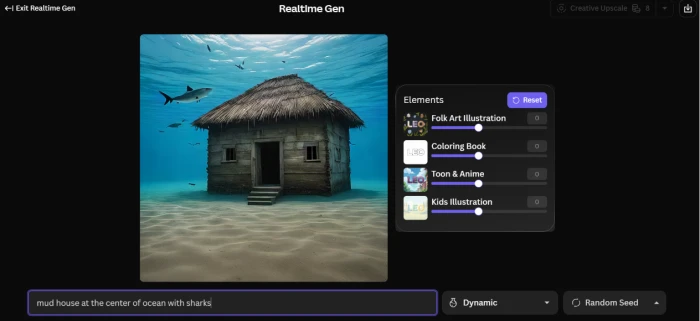
Realtime Canvas renders as you sketch or type, updating within a couple of seconds per stroke, and Flow State fans a single prompt into dozens of style directions for fast ideation.
AI video (Veo, Sora, Motion)
Cinematic clips from Veo 3.1, Sora 2 and Leonardo's own Motion models look good, but they burn tokens hard, and premium third-party video stays outside the unlimited relaxed queue.
Blueprints & canvas editing
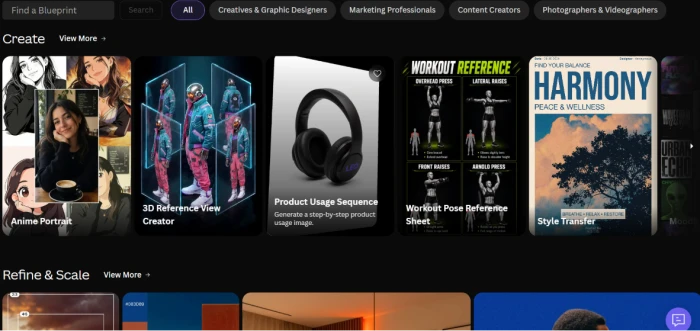
Blueprints chain steps like generate, upscale and style transfer into a repeatable recipe, backed by inpainting, outpainting and a Universal Upscaler. Useful for consistent production runs.
Content filter & moderation
The moderation layer is the weak spot: it blocks harmless prompts unpredictably, it is the single most-cited complaint in reviews, and blocked attempts still deduct tokens with no refund.
Feature ratings blended from Trustpilot, G2, Capterra, App Store & Play Store review patterns + hands-on testing.
Testing Leonardo AI: from first prompt to a shareable video
A run through the dashboard, image generation, video, Flow State, Blueprints and the real-time canvas.
Land on the homepage and open the dashboard
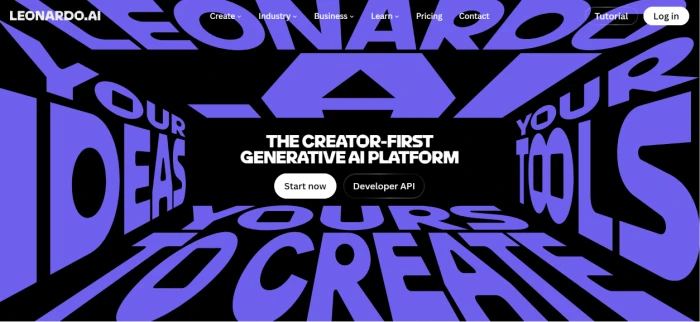
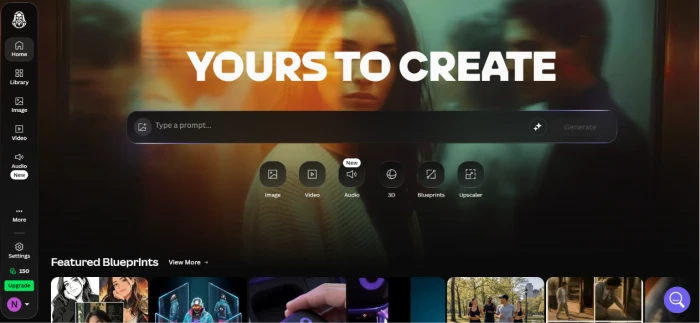
The marketing homepage leads into an account signup, and once you log in you land on a dashboard that puts image, video and editing tools in the left sidebar with a community feed of recent generations.
Generate the first image on Lucid Origin
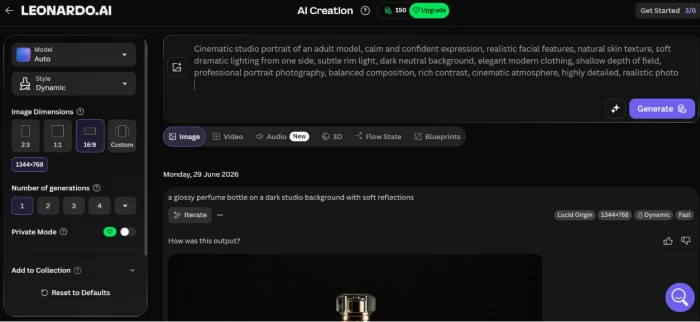
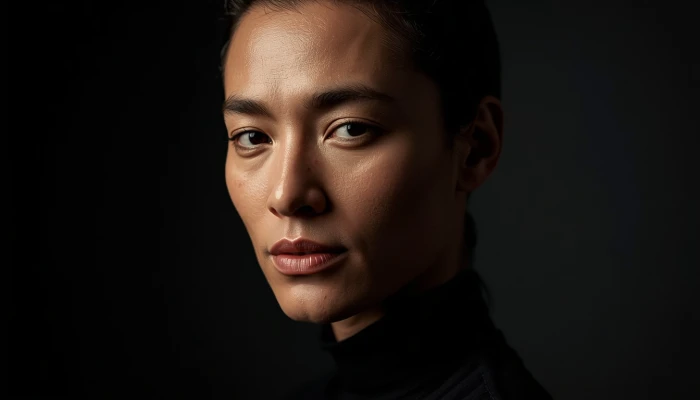
The image tool sits at the top of the dashboard. You pick a model, type a prompt, and set quality and dimensions before generating. I ran a cinematic portrait on Lucid Origin.
Try video generation
Switching to the video tool lets you write a prompt or anchor a start frame, then pick a video model. I generated a short product-style clip of a rotating wristwatch.
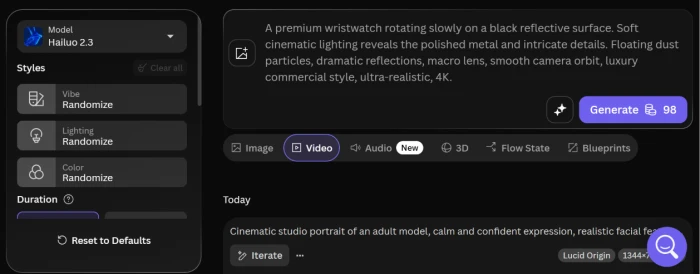
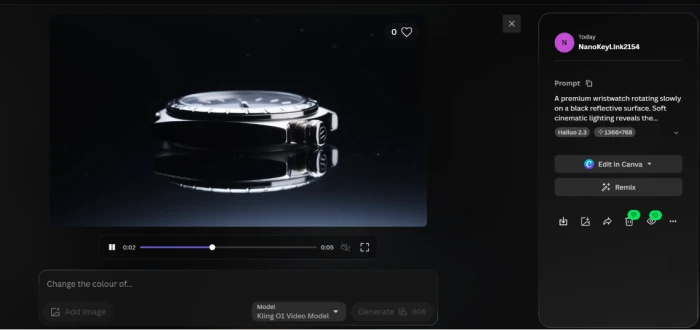
A slow cinematic orbit around a premium wristwatch on a black reflective surface, rendered from a single text prompt. Watch how it handles the metal reflections and floating dust.
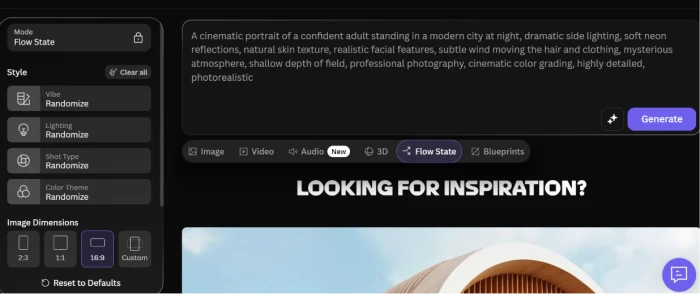
Explore Flow State for fast ideation
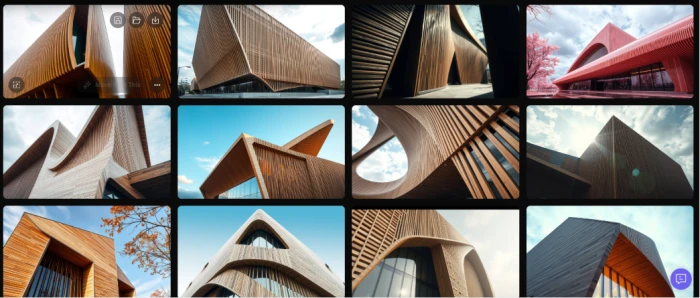
Flow State takes one prompt and keeps generating variations as you scroll, so you can compare many directions before committing to a single look.
Open the Blueprints library
Blueprints are pre-built workflow recipes for common jobs like mood boards, product mockups and upscaling, so you can start from a working example instead of a blank canvas.
Watch the real-time canvas render live
Real-time generation renders the image as you type and keeps updating with every change to the prompt, which makes prompt tweaking feel interactive rather than a wait-and-see cycle.
Leonardo AI pricing
Solo plans from the official pricing page. Team and API tiers are noted below.
| Plan | Price | What's included |
|---|---|---|
| Free | $0 | 150 tokens/day · no rollover · basic quality · generations are public · no IP ownership · Flow State + Lucid Origin access |
| Essential | $12 /mo | 8,500 tokens/mo · private generations · core models · ~$9.60/mo billed annually · no relaxed generation |
| Premium Popular | $30 /mo | 25,000 tokens/mo · token rollover · unlimited relaxed generation on first-party models · Motion video · ~$24/mo annually |
| Ultimate | $60 /mo | 60,000 tokens/mo · larger rollover bank · higher concurrency · relaxed video on Leonardo models · ~$48/mo annually |
Pros & cons
Pulled from real user reviews and hands-on testing, the specific conclusions, not generic filler.
✅ Pros
- 80+ models under one login, first-party Lucid plus hosted Veo 3.1, Sora 2, Nano Banana Pro and GPT Image, so you rarely leave for the model of the week
- Real-time canvas renders as you sketch or type, roughly two seconds per stroke, and updates live as the prompt changes
- Flow State fans a single prompt into dozens of style directions for quick ideation
- 150 free tokens a day is one of the more usable free tiers, enough for roughly 30 to 50 standard images
- Support is genuinely responsive: Trustpilot agents like Mark G. are named across dozens of positive reviews, with most replies inside 24 hours
- Commercial use is allowed on generated images, and the whole thing runs in the browser
⛔ Cons
- Token cost runs on GPU load with no per-model price table on the pricing page, so budgeting is guesswork
- Failed generations still burn tokens, the loudest 1-star theme on Trustpilot, and those credits are not returned
- The content filter blocks harmless prompts inconsistently and is the single most-cited complaint across review sites
- Free outputs are public and you do not own the IP; private generation starts at the $12 Essential plan
- Reviewers report refund and cancellation friction, including a missing Cancel button, unflagged renewals, and 100,000+ unused tokens deleted on refund
- One 8-second Veo 3.1 clip costs about the same as 300+ images, and premium third-party video sits outside unlimited relaxed generation
Synthesized from real reviews on Trustpilot, G2, Capterra, Reddit, the App Store & Play Store · paraphrased, not quoted
Leonardo AI scorecard
Rated against what a modern AI image and video platform is actually built to do.
| Dimension | Verdict | Score |
|---|---|---|
| Model range & frontier access Breadth of first-party and hosted models | Excellent |
9.0
|
| Image output quality Fidelity, realism, prompt adherence | Excellent |
8.5
|
| Editing & canvas tools Inpaint, outpaint, upscaler, Blueprints | Good |
8.0
|
| Real-time generation & Flow State Live rendering and rapid ideation | Good |
8.0
|
| Ease of use & onboarding Signup, navigation, model switching | Good |
7.5
|
| Video generation Quality and cost of motion output | Good |
7.0
|
| Privacy & content ownership Public feed defaults and IP rights | Average |
6.0
|
| Token value & cost transparency Predictability of per-generation cost | Average |
5.5
|
| Content filter consistency How reliably moderation behaves | Average |
5.5
|
| Billing & cancellation experience Refunds, renewals, cancel flow | Average |
5.0
|
| Scrutool Score Equal-weight average of all 10 dimensions |
7.0
|
What users say about Leonardo AI
The themes reviewers raise most often, by share of analysed reviews.
% = share of analysed reviews mentioning each theme (Trustpilot, G2, Capterra, Play Store, App Store) · illustrative sample, replace with your counts
The broadest AI image studio you can buy, if you can stomach the token math
Leonardo AI earns its standing on range and control: more than 80 models in one place, strong photorealism from Lucid Origin, a real-time canvas that renders as you type, and one of the more usable free tiers in the category. Under Canva's ownership it hosts nearly every frontier model, so you stop hopping between tools. The frustrations are just as consistent across reviews, though. The token economy is priced by GPU load with no clear per-image cost, failed generations still drain credits, the content filter blocks harmless prompts, and Trustpilot is full of refund and cancellation complaints. Free outputs are public and unowned unless you pay. For designers, marketers and creators who want maximum model choice and can budget in tokens, it is worth a try; if you need predictable costs, private-by-default outputs, or a heavy video pipeline, look closely at the fine print first.
Discussion
Join the discussion and share your perspective.