
MagicLight AI
MagicLight AI turns scripts and story ideas into narrated animated videos up to 50 minutes long, with characters that stay consistent across scenes. Strong output, held back by fast credit burn and billing complaints.

Genuinely good long-form output and character consistency, undermined by fast credit burn, an aggressive paywall and widely reported billing and cancellation problems.
Should you use MagicLight AI?
Solo creators making narrated story videos who want consistent characters across a long clip and do not want to touch traditional editing software.
You need talking characters with lip sync , predictable costs, or a clean way to cancel. The free tier has no lip sync at all.
300 free credits is about five one-minute videos. Regular use starts at Plus from $14/mo annually , and credits burn fast on longer projects.
Trustpilot skews heavily negative on billing and cancellation : disputed charges, hard-to-cancel subscriptions and credits vanishing after purchase.
What is MagicLight AI?
What you actually end up holding after a MagicLight session is a narrated animated video, up to 50 minutes long on paid plans, built from a script or a one-line story idea. That length is the whole pitch. Most AI video tools cap out at short disconnected clips, and MagicLight is built instead to string dozens of scenes into one piece with the same characters running through all of them. On the free output, though, the characters do not speak: lip sync is a paid feature, so the default result is narration over moving stills rather than a talking cartoon.
It runs on web, iOS and Android, and it aims at creators making kids stories, faith videos, explainers and faceless YouTube content without any animation skills. The workflow moves through four stages (Content, Cast, Storyboard, Edit) and taps a long list of third-party models including Veo, Sora, Kling and Nano Banana. The catch that runs through every honest review is the credit system: it depletes faster than people expect, and the billing around it has drawn a lot of complaints.
Key features & how they perform
Each feature rated from hands-on testing and aggregated review sentiment.
Long-form video generation
Builds coherent videos up to 50 minutes across dozens of scenes, the one thing that sets it apart from short-clip generators.
Character consistency
Holds a character's face and outfit across shots reliably in single-character scenes; two people in one frame can still drift.
Four-stage storyboard flow
Content, Cast, Storyboard and Edit turn a prompt into a numbered shot list with per-shot prompts you can rewrite before rendering.
Model library
Routes to Veo, Sora, Kling, Seedance, Hailuo and Nano Banana, so you pick the engine per project instead of being locked to one.
Voiceover, subtitles & lip sync
Narration and subtitles work across 30+ languages, but lip sync is paid-only and disabled on the free tier entirely.
Credit & billing system
Per-action credits drain quickly, failed generations still cost, and cancellation draws the loudest complaints in public reviews.
Feature ratings blended from Trustpilot, Reddit, App Store & GeniusFirms review patterns + hands-on testing.
Building a one-minute narrated story in MagicLight, start to finish
One project on a brand new free account: signup, script, storyboard, render and the credit bill at the end.
Sign up and collect the free credits
Account creation is quick and asks for no card. The moment you are in, 300 free credits land in the balance, which is what the whole free trial runs on.
The first thing on screen is not a tutorial. It is a 50% discount countdown, running before you have generated a single frame.
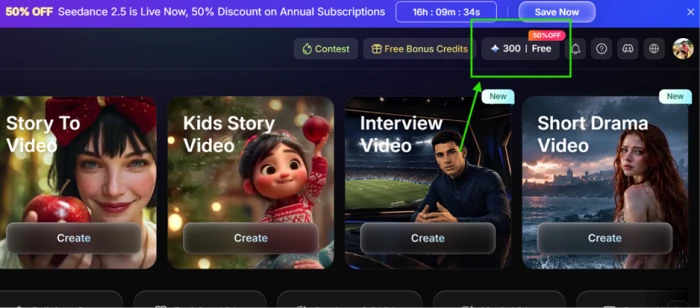
Turn a script into a video
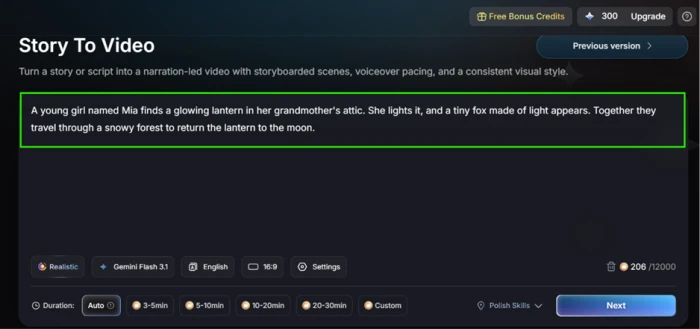
I chose Story To Video and pasted a three-sentence prompt about a girl named Mia finding a glowing lantern. The input screen is clean and does not overload you.
You get a model picker, a language setting, aspect ratio, and a duration row that runs from Auto up to a custom length, so the scope of the piece is set here before anything renders.
"Mia's Lantern and the Light Fox: a young girl named Mia finds a glowing lantern in her attic, and a small fox made of light leads her through a snowy forest at night."
The queue, and the upsell that comes with it
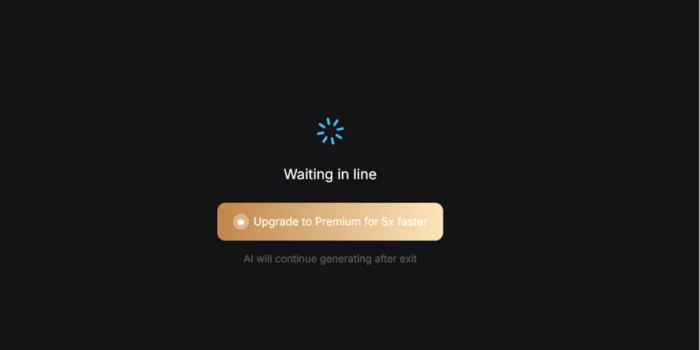
Then the waiting started. Every stage of the process dropped me into a queue, and each queue screen carried the same pitch to upgrade to Premium for five times faster generation.
On a free account this is the rhythm of the whole session: generate, wait, get shown an upsell, wait some more.
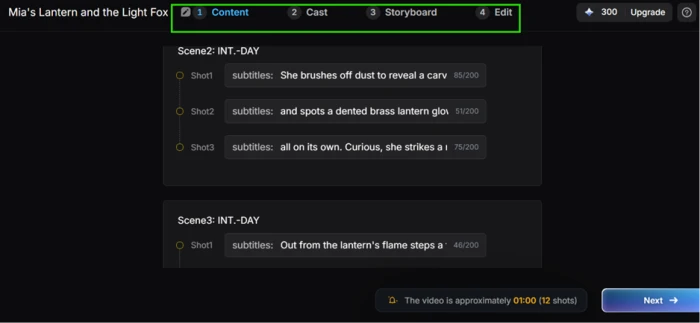
The four-step flow: Content to Storyboard
MagicLight splits a project into four stages running left to right: Content, Cast, Storyboard, Edit. The Content stage turns your prompt into a scripted scene list with numbered shots and subtitle text for each one.
My project came out as twelve shots estimated at roughly one minute. This is the point where you can still rewrite the plan cheaply, before any rendering commits credits.
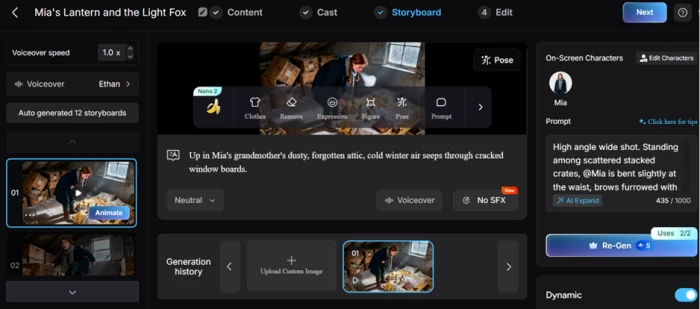
The Storyboard stage is where the tool earns its reputation. It auto-generated twelve storyboards and held Mia steady across all of them: her face, braids and navy coat stayed recognisably the same person from the attic to the snowy forest.
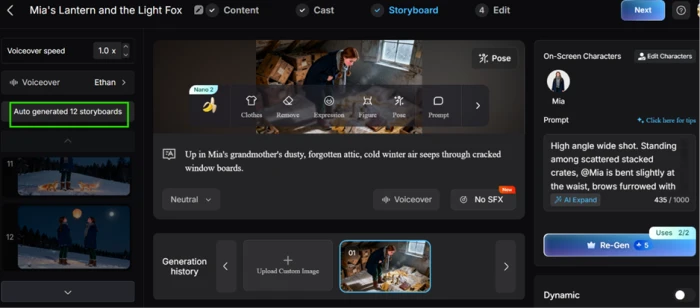
Each shot carries its own editable prompt, an on-screen character panel and voiceover controls. The one hard limit here is the Re-Gen button, capped at two uses per shot on the free tier.
Rendering, and how long it actually takes
Generation was slow enough to walk away from. The full storyboard set took more than ten minutes, and animating a single storyboard took more than thirty.
For a twelve-shot, minute-long clip, that adds up to a long afternoon of queuing rather than the near-instant result the homepage suggests.
The catch: nobody actually speaks
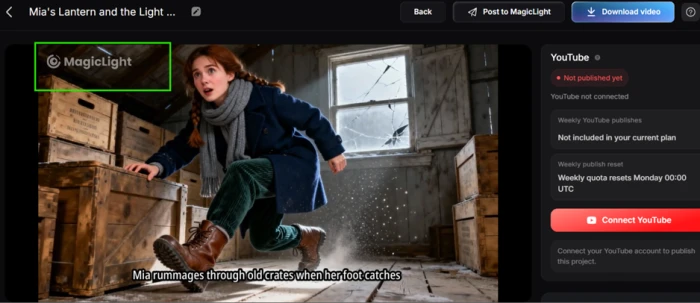
Once I watched the finished piece, the bigger limitation was clear. The characters do not talk. There is no lip sync.
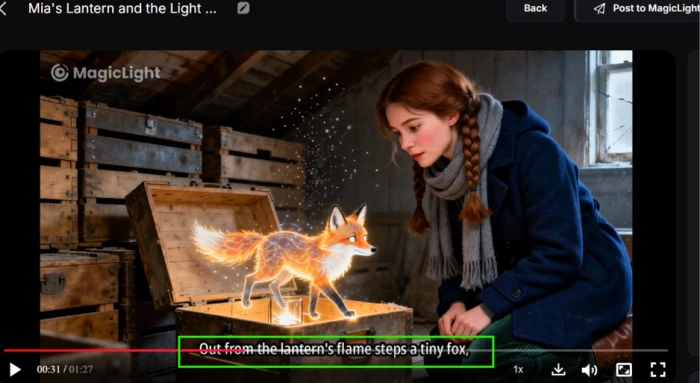
What MagicLight produced was narration playing over moving stills, with camera motion and scene changes timed to the voiceover. Mia never opens her mouth. The fox appears and the image drifts, but no one performs dialogue.
This is a fair thing to flag rather than a bug: lip sync is a paid feature and the free tier disables it by design. Still, if you come in expecting talking characters, the default output is closer to an animated slideshow with a voiceover on top.
The credit maths at the end
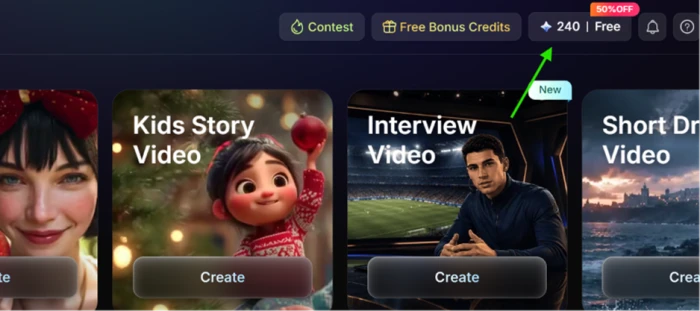
The last thing worth putting a number on is the credit burn. I started at 300 and finished the single video sitting at 240.
So one short video cost 60 credits. A 300-credit free grant works out to about five one-minute videos before the account needs paying.
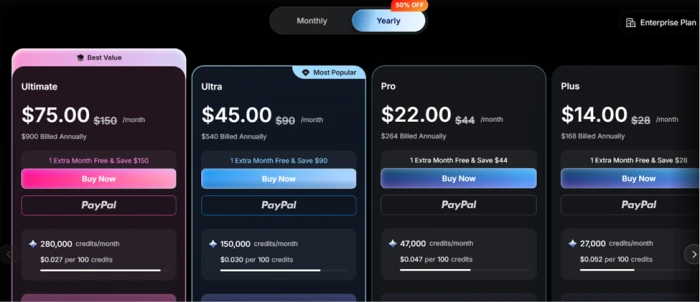
MagicLight AI pricing
Figures taken from the official MagicLight pricing page (annual billing with the 50% off promotion applied).
| Plan | Price | What's included |
|---|---|---|
| Free | $0 | 300 one-time credits · 1 character · 2 image re-gens · watermark · burned captions · no lip sync |
| Plus | $14.00 /mo | 7,000 credits/mo · up to 130 min video · 1080p, no watermark · voice cloning · commercial license |
| Pro | $22.00 /mo | 45,000 credits/mo · up to 780 min video · 20% off voice cloning · all Standard features |
| Ultra Popular | $45.00 /mo | 150,000 credits/mo · up to 2,500 min video · Kling 2.1 Master · 20% off foundational models |
| Ultimate | $75.00 /mo | 280,000 credits/mo · up to 3,670 min video · top VIP priority queue · all Ultra features |
Pros & cons
Specific conclusions from testing and real user reviews, not generic filler.
✅ Pros
- Generates coherent narrated videos up to 50 minutes long
- Held my character on-model across all 12 storyboards
- Routes to Veo, Sora, Kling, Seedance and Nano Banana models
- Four-stage flow gives per-shot prompt control before rendering
- 300 free credits with no card, roughly five one-minute videos
- Voiceover and subtitles span 30+ languages
⛔ Cons
- No lip sync on free tier: narration over moving stills, not talking characters
- One minute of video cost 60 credits; 5-minute clips hit 800 to 1,200
- Animating one storyboard took over 30 minutes on the free queue
- Trustpilot sits around 2.2 out of 5, majority negative
- Repeated reports of subscriptions that are hard to cancel
- PayPal button reported to charge cards directly, no receipt issued
- Re-Gen capped at two uses per shot on the free tier
- Multi-character scenes can lose visual coherence
Synthesized from real reviews on Trustpilot, Reddit, Google Play, the App Store & GeniusFirms · paraphrased, not quoted
MagicLight AI scorecard
Rated against what a long-form AI video generator is actually built to do.
| Dimension | Verdict | Score |
|---|---|---|
| Model variety Range of engines you can route to | Excellent |
8.5
|
| Character consistency Same character across many shots | Good |
8.0
|
| Output quality How the finished render looks | Good |
7.5
|
| Feature depth Storyboard flow, editing, voice tools | Good |
7.5
|
| Long-form capability Coherence across a full-length video | Good |
7.0
|
| Ease of use Signup, script input, four-stage flow | Good |
7.0
|
| Free tier usefulness What 300 credits actually gets you | Average |
5.0
|
| Generation speed Queue and render times on free tier | Average |
4.5
|
| Credit value vs burn Credits consumed per finished minute | Average |
4.0
|
| Billing & cancellation transparency Charges, receipts, unsubscribing | Average |
3.0
|
| Scrutool Score Equal-weight average of all 10 dimensions |
6.2
|
What users say about MagicLight AI
The themes reviewers raise most often, by share of analysed reviews.
% = share of analysed reviews mentioning each theme (Trustpilot, Reddit, Google Play, App Store, GeniusFirms)
Impressive long-form output, wrapped in a credit and billing system you have to watch
The core technology is real. MagicLight strings a script into a coherent minute-plus video and keeps a character on-model across every shot, which is genuinely hard and genuinely useful for solo creators making narrated stories, faith videos or faceless YouTube content. The problems sit around that core, not in it. The free tier has no lip sync, so characters do not speak, and it stamps a watermark with burned-in captions. Generation is slow on the free queue, credits drain quickly (60 for one minute, far more for longer projects), and the loudest, most repeated complaints across Trustpilot are about billing: disputed charges, missing receipts and subscriptions that are hard to cancel. If you treat it as a powerful side tool, subscribe with a spend-capped card, and match your credits to a planned project, it can pay off. If you need predictable costs, talking characters out of the box, or a clean exit, this is not yet a safe main production tool.
Discussion
Join the discussion and share your perspective.