
Microsoft Copilot
Microsoft's free AI assistant with web-grounded answers and clickable sources, running across Windows, Edge, Office and mobile. Strong for research, uneven on finished output.

A free, web-grounded assistant that is genuinely useful for research and quick tasks, let down by uneven answer quality and a habit of failing without saying so.
Should you use Microsoft Copilot?
People already in the Microsoft ecosystem who want a free, web-grounded assistant with clickable sources for research, drafting and quick images.
You want the strongest raw model or a chat that stays sharp over long sessions. Users say quality trails ChatGPT and drifts as the conversation grows.
Free covers chat, search and 15 images a day. Copilot inside Word, Excel and Outlook needs Microsoft 365 from $9.99/mo , with Premium at $19.99.
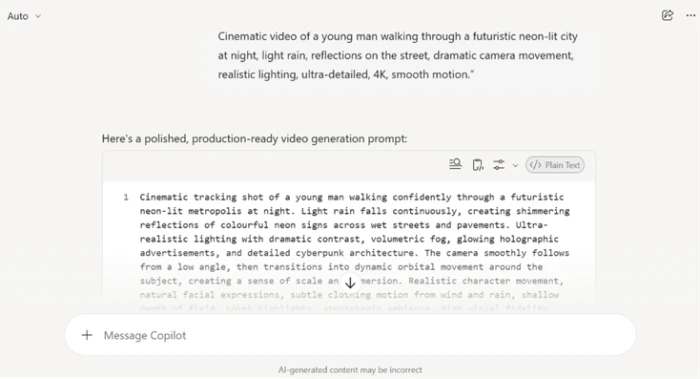
It sometimes fails silently (ask for video, get a text prompt back) and refuses or lectures on otherwise reasonable requests.
What is Microsoft Copilot?
Copilot is Microsoft's free AI assistant, and you can reach it without an account on the web, in Windows, in the Edge sidebar and through apps on iOS, Android and macOS. It runs on current OpenAI models from the GPT-5.2 generation alongside Microsoft's own MAI models, and its most useful habit for everyday questions is that answers arrive web-grounded, with a Sources panel you can open and click through. Chat, real-time search, file and image reading, voice input and image generation are all available at no cost.
What free does not include is the part Microsoft most wants to sell: Copilot living inside Word, Excel, Outlook and Teams, plus answers grounded in your own files and mail. That sits behind Microsoft 365 plans, and in 2025 the company folded the old standalone Copilot Pro into a new Microsoft 365 Premium tier. So the real question is not whether to try Copilot, since it costs nothing, but whether its output is reliable enough to lean on and whether you need it inside the Office apps enough to pay.
Key features & how they perform
Each feature rated from hands-on testing and aggregated review sentiment.
Web-grounded answers with citations
Factual replies pull live web results and open a Sources panel that cites primary sites, the clearest advantage over a chatbot working from memory.
Reasoning and problem solving
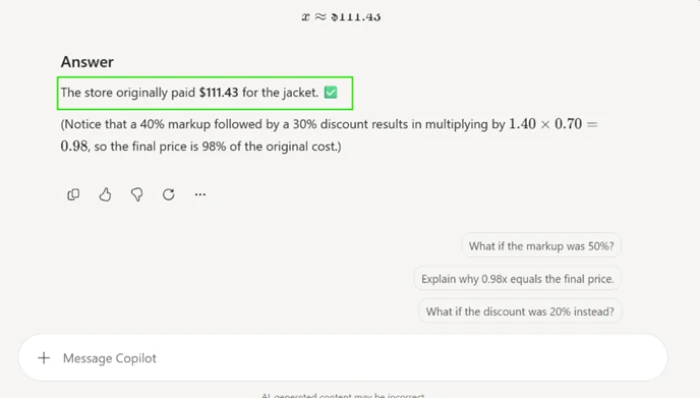
Works through multi-step math and logic in order rather than guessing, and explains the shortcut once it finds one.
Image and file understanding
Reads uploaded screenshots, PDFs and web pages, not just typed text, and pulls specific figures off a busy layout.
Image generation
Free and fast on the GPT-Image-1.5 model, but capped at 15 boosts a day, square only, and the filter refuses more than it should.
Document and slide creation
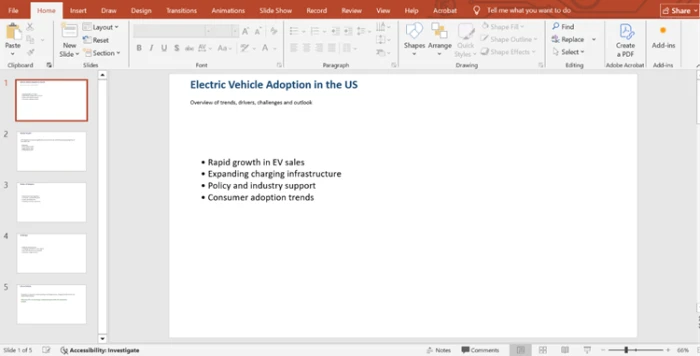
Will hand you a real PowerPoint or Word file, but the contents come back as a bare outline with no visuals, charts or data.
Microsoft 365 and cross-device
Syncs across Windows, Edge and mobile and shines at summaries and drafting, though the deeper in-app help stays behind a paid license.
Feature ratings blended from Trustpilot, G2, Capterra, App Store & GeniusFirms review patterns + hands-on testing.
My first afternoon running real tasks through Copilot
Search and reasoning, a screenshot read, a generated image, a slide deck, and the places it quietly gives up.
Search, sources and a reasoning test
Copilot's default answer style leans on live web results, and most factual replies can open a Sources panel. That panel is the thing that separates it from a chatbot working purely from memory.
I started with a question where being current actually matters: the 2026 US federal income tax brackets, with sources.
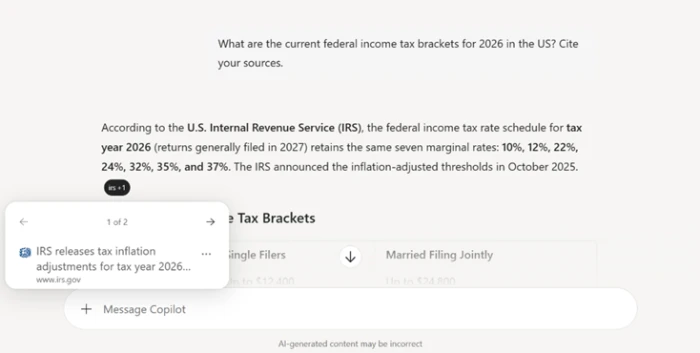
Then I threw a compound word problem at it to see whether the reasoning held up under a couple of dependent steps.
"a jacket is marked up 40%, then that price is knocked down 30%, and the final price is $109.20. what did the store originally pay?"
Reading a screenshot, then making an image
Copilot takes uploads, and reading an image is free. I gave it a screenshot of an AI platform's pricing page to see how well it parses a busy, multi-column layout.
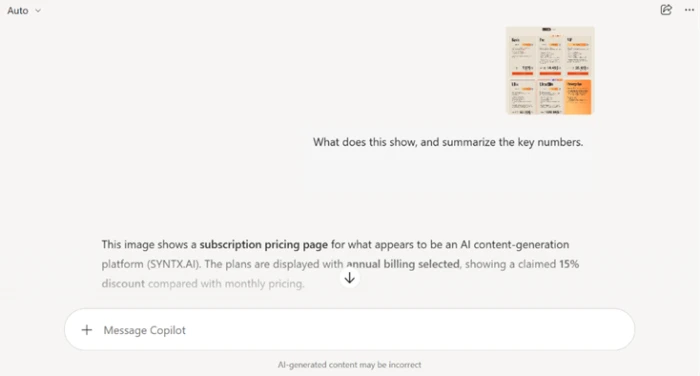
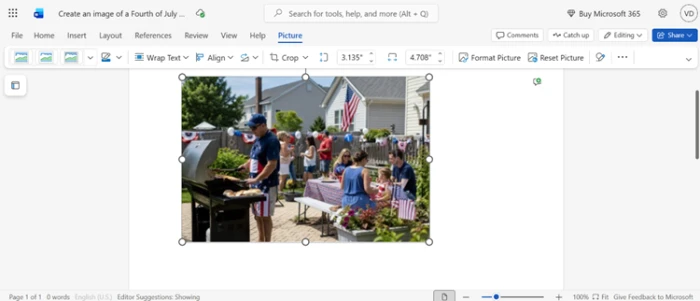
Image generation is the other free creative feature, though it is metered: 15 fast boosts a day, after which it keeps working in a slower queue, every image square, the default license personal use only. I moved to that next.
"a photorealistic Fourth of July backyard barbecue"

Building a five-slide deck
The more ambitious test was asking Copilot to produce a file, not just text on screen.
I asked for a five-slide presentation on US electric-vehicle adoption and told it to hand me the file. A download link appeared, and the file opened in PowerPoint as a genuine five-slide deck.
"build me a 5-slide presentation on electric vehicle adoption in the US and give me the file to download"
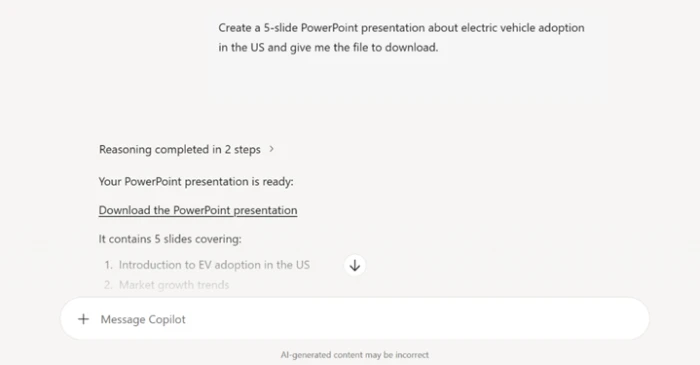
Then I opened it up to see what was actually on the slides.
Where it quietly gives up
Two failures stood out, and both were about what Copilot does not tell you.
The first was video. Copilot cannot make a clip on the free plan, which is fair enough, but it never said so.
"a cinematic clip of a man walking through a neon-lit city at night"
A second rough edge showed up with long inputs. I pasted a block of roughly ten thousand characters and got no warning and no error, the send button simply froze with nothing to say the text was too long or by how much. The paywall also surfaces in quiet ways, and I saw it while exporting a generated image into Word on the web.
Microsoft Copilot pricing
Figures taken from Microsoft's official plans page for individuals.
| Plan | Price | What's included |
|---|---|---|
| Free | $0 | Chat · real-time web answers with citations · image generation (15 boosts/day) · file and image reading · voice input · no Office app integration |
| Personal | $9.99 /mo | Copilot inside the Office apps with higher usage than free · more AI image creation · 1 TB OneDrive storage |
| Family | $12.99 /mo | Everything in Personal for up to 6 people (AI features for the subscription owner) · 6 TB shared storage |
| Premium Popular | $19.99 /mo | Top consumer tier that replaced Copilot Pro · advanced agents like Researcher and Analyst · extensive Copilot usage |
| Pro | $99.99 /mo | Highest usage limits for the heaviest individual users · monthly billing only |
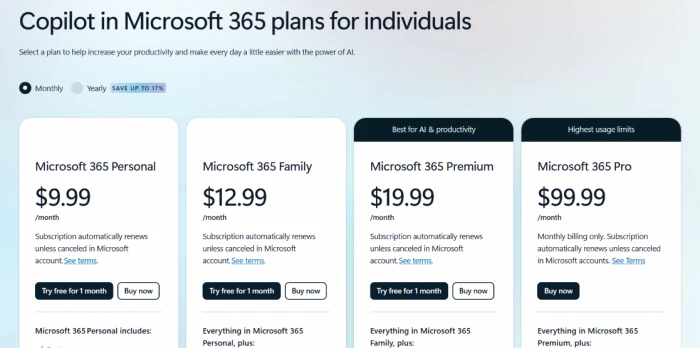
The individual plans as shown on Microsoft's pricing page, with the monthly and yearly toggle set to monthly.
Pros & cons
Specific conclusions from testing and real user reviews, not generic filler.
✅ Pros
- Every factual answer can open a Sources panel for verification
- Runs across the Microsoft stack: Windows, Edge, Office, iOS and Android
- Reads uploaded screenshots, PDFs and web pages, not just typed text
- Handles multi-step math and logic without losing the thread
- No account needed to start; signing in adds history and voice
- Summarizes long documents and drafts inside Teams and Outlook
⛔ Cons
- Users widely report weaker answers than ChatGPT on identical prompts
- Fabricates facts and miscalculates, and gets worse as chats run long
- Over-strict filter refuses ordinary image and public-information requests
- Replies can lecture or dismiss users instead of answering
- Does not link knowledge across Outlook and Teams reliably
- Answers vary by platform, so one prompt gives different results
Synthesized from real reviews on Trustpilot, G2, Capterra, the App Store, Reddit & GeniusFirms · paraphrased, not quoted
Microsoft Copilot scorecard
Rated against what a general-purpose AI assistant is actually built to do.
| Dimension | Verdict | Score |
|---|---|---|
| Answer accuracy & reliability How often the answer holds up | Average |
6.5
|
| Source citations & web grounding Live results with a clickable Sources panel | Excellent |
8.5
|
| Reasoning & problem solving Multi-step math and logic | Good |
8.0
|
| Image understanding (vision) Reading screenshots, PDFs and pages | Good |
8.0
|
| Image generation Quality, limits and refusals | Average |
6.5
|
| File & document creation Real files, but skeleton content | Weak |
5.0
|
| Honesty about limits & tone Silent failures and lecturing replies | Weak |
4.5
|
| Microsoft ecosystem integration Windows, Edge, Office and Teams | Average |
6.5
|
| Ease of use & availability Signup, access and reach across devices | Good |
8.0
|
| Free-tier value What you get before paying | Good |
7.5
|
| Scrutool Score Equal-weight average of all 10 dimensions |
6.9
|
What users say about Microsoft Copilot
The themes reviewers raise most often, by share of analysed reviews.
% = share of analysed reviews mentioning each theme (Trustpilot, G2, Capterra, App Store, Reddit & GeniusFirms)
The free AI worth keeping open for research, not the one to trust with the finished work
Copilot earns its keep as a free, web-grounded assistant. The Sources panel, the accurate screenshot and PDF reading, and the clean handling of a multi-step math problem all make it a fast way to look something up and check it, and access could hardly be easier since it sits in Windows, Edge and every phone without an account. The weaknesses are just as consistent. Users report answers that trail ChatGPT on the same prompts, calculations that drift and hallucinations that grow as a chat runs long, a filter that refuses reasonable requests, and replies that lecture rather than help. In testing it produced a real PowerPoint file with nothing on the slides and, worse, answered a video request by silently writing a prompt for a tool it never named. People inside the Microsoft world who want a free research and drafting layer will get real value here. Anyone who needs polished output or a model they can lean on for serious work should keep another assistant within reach.
Discussion
Join the discussion and share your perspective.