
Reclaim AI
Reclaim.ai is a Dropbox-owned AI scheduling assistant that auto-blocks tasks, habits and focus time on Google Calendar and defends them from meetings. Desktop only, no mobile app.

The automatic calendar defense genuinely works and reschedules conflicts on its own, but there is still no native mobile app and the free plan keeps shrinking.
Should you use Reclaim.ai?
Google Calendar users who live in their calendar and want tasks, habits and focus time slotted and defended without manual time blocking.
You schedule mostly from your phone. There is no native mobile app, and Outlook support still trails the Google experience.
Free Lite is one calendar and five agents. The features that make it shine start at Starter, $8 per seat per month billed yearly.
Reclaim writes blocks into your calendar, and users report events that linger even after uninstalling. The free tier has also been trimmed over time.
What is Reclaim.ai?
Most calendar apps give you a grid and leave the filling to you. Reclaim does the filling. You tell it a task takes two hours and is due Thursday, leave the start time blank, and it reads your week and drops the work into a free slot on its own. When a meeting lands on top of that slot, it moves the block rather than leaving you with a double booking. That automatic defense, not the scheduling links or the analytics, is the reason to use it.
It is a web-based AI scheduling assistant, owned by Dropbox since 2024, that sits on top of Google Calendar or Outlook and manages tasks, recurring habits (now labeled Agents in the interface), focus time and booking links. It is built for knowledge workers who run their day out of a calendar, and it is strongest on Google. There is no native mobile app, so if you plan your days from a phone, that gap matters before anything else.
Key features & how they perform
Each feature rated from hands-on testing and aggregated review sentiment.
Auto-scheduling & defense
Reads deadlines and durations, places work in open slots, and reschedules blocks the moment a meeting conflicts. The standout capability.
Task integrations
Pulls work from Asana, ClickUp, Todoist, Jira, Linear and Google Tasks, then schedules sessions ahead of each due date by priority.
Agents (recurring habits)
Flexible routines that find the best slot each day inside a window you set, instead of fixed recurring events that collide with meetings.
Scheduling links
Booking pages that only offer times inside your working hours, attach a Meet link, and can route to a team or round-robin.
Time tracking & analytics
Auto-sorts events into meetings, deep work and shallow work, with team views on meeting load and focus time. Useful, less polished.
Mobile access
No native app after years of requests. Phone use means the mobile browser, which reviewers call the biggest hole in the product.
Feature ratings blended from G2, SaaSworthy, Reddit & Capterra review patterns + hands-on testing.
I let Reclaim run my calendar for a full working week
From the first connection to the reschedule test that decided my verdict.
Getting connected
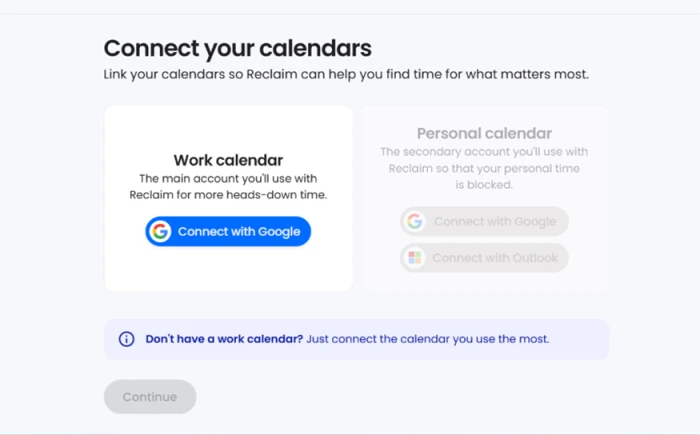
Reclaim opens by asking which calendar to link, and the work calendar connects through Google in a single click.
On the free plan I was given that one calendar only. The personal calendar slot stayed greyed out, so the second connection sits behind a paid upgrade.
Creating my first task
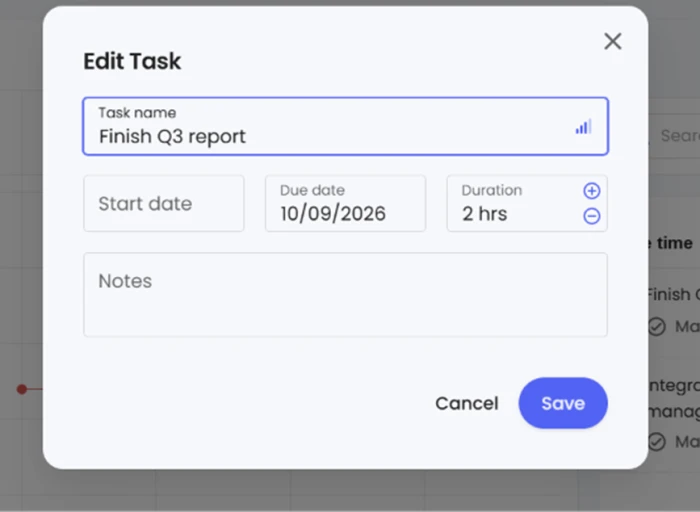
A task in Reclaim is not just a to-do line. You give it a duration and a due date, and the tool treats it as work that needs real calendar space before the deadline.
For my first test I kept it plain and, crucially, left the start date blank on purpose.
"Finish Q3 report" · duration 2 hours · due date October 9 · start date left empty
Watching the planner fill itself
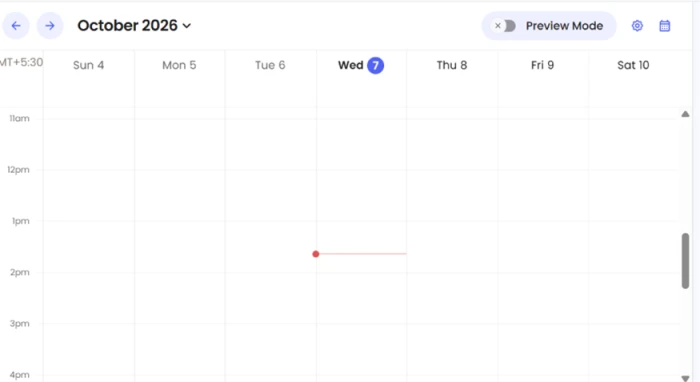
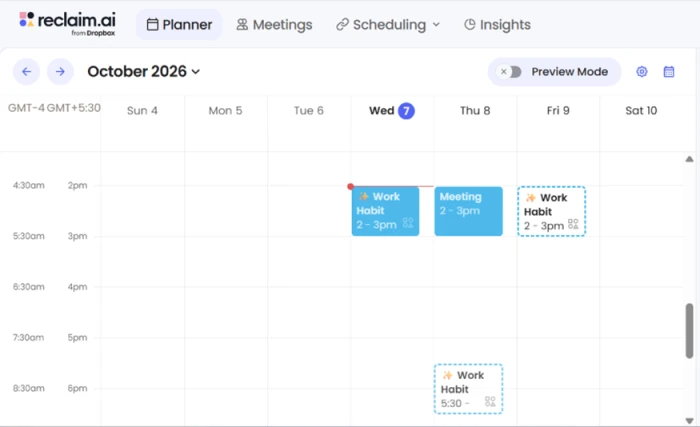
The planner is the week view where all of this plays out. It started as an empty grid before any automation ran.
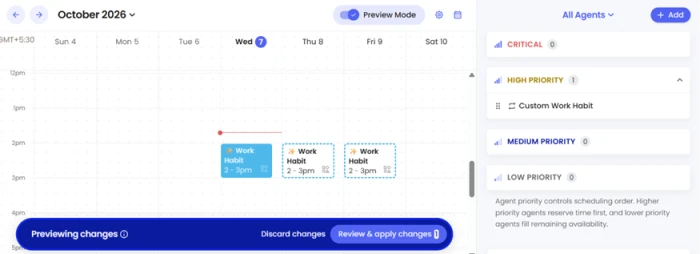
Then I added a recurring work habit with a one-hour daily target and a window it was allowed to use. Reclaim spread the blocks across my weekdays inside that window.
The right-hand panel sorts these items by priority and now labels them Agents, a rename worth knowing if you are reading older guides that still call them habits. A preview bar let me check the proposed blocks before committing them.
The rescheduling test
This was the test that decided my verdict. Automatic defense is the headline promise, so I tried to break it.
I dropped a meeting onto the 2 PM slot on Thursday, the exact spot a work habit already occupied. Without any drag from me, Reclaim pushed the habit down to 5:30 PM and left the meeting sitting in its place.
Scheduling links and outside booking
Scheduling links are Reclaim's answer to Calendly, with one difference: they respect everything the planner has already placed.
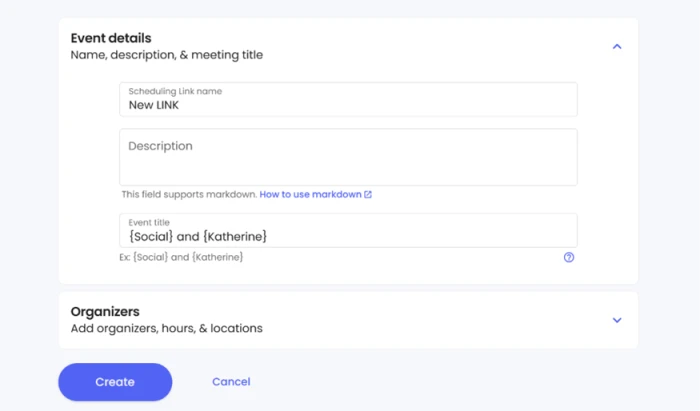
I built a 30-minute link. The setup screen lets you name the event and write a description in markdown.
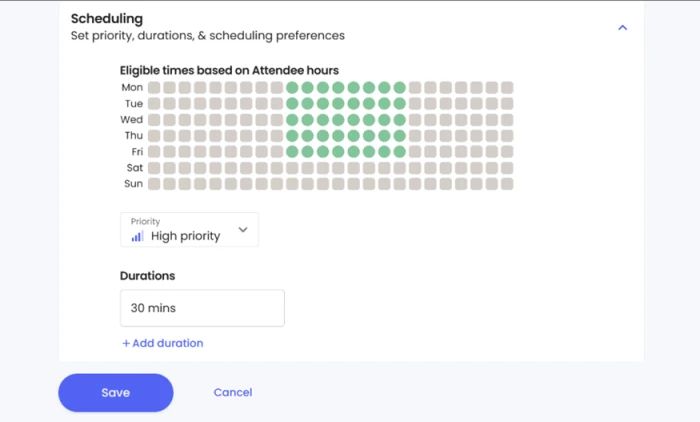
The scheduling panel maps eligible times against your working hours. Only the slots inside my hours lit up green.
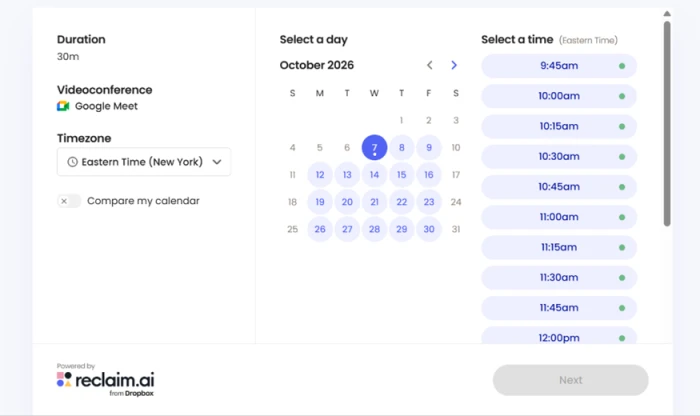
The stronger check came from opening the link the way an invitee sees it. The booking page offered Eastern Time slots inside my working hours and nothing outside them, my habit and meeting blocks never appeared as available, and a Google Meet link attached itself automatically.
What the free plan actually covers
One detail shaped how I read my own results. The product now carries a "from Dropbox" badge in the top corner, a reminder that Dropbox owns it.
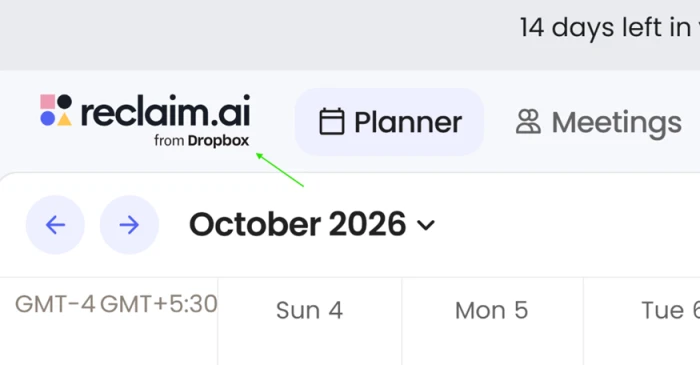
The same corner showed a banner counting down 14 days left in a trial. That means part of what I tested was running on paid features, not the free Lite tier.
Reclaim.ai pricing
Figures taken from the official Reclaim.ai pricing page. Per-seat prices shown are billed yearly.
| Plan | Price | What's included |
|---|---|---|
| Lite | Free | 1 user · 1 connected calendar · 5 agents/seat · 1 scheduling link · 1-week scheduling range · essentials integrations |
| Starter Recommended | $8 /seat/mo | Up to 10 seats · 10 agents/seat · 3 scheduling links · 8-week range · unlimited integrations · standard LLM usage |
| Business | $12 /seat/mo | Up to 100 seats · 100 agents/seat · unlimited scheduling links · 12-week range · extended LLM usage |
| Enterprise | $22 /seat/mo | Over 100 seats · unlimited agents/seat · unlimited scheduling links · 12-week range · contact sales to buy |
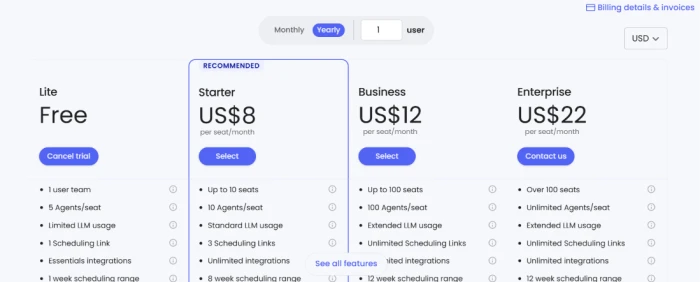
Reclaim prices every paid tier per seat, with a monthly and yearly toggle and a seat counter at the top.
Pros & cons
Specific conclusions from testing and real user reviews, not generic filler.
✅ Pros
- Auto-reschedules protected blocks the instant a meeting conflicts
- Schedules tasks from Asana, Jira, Todoist, ClickUp and Linear by priority
- Separates due dates from do dates, so work gets real calendar time
- Booking links never expose focus blocks or habits as free time
- Time-tracking auto-sorts events into meetings and deep work
⛔ Cons
- No native mobile app despite years of user requests
- Users report blocks that persist in Google Calendar after uninstalling
- Outlook support lags well behind the Google experience
- Auto-created events can clutter a shared calendar for colleagues
- Support reportedly slow to reply on account problems
Synthesized from real reviews on G2, SaaSworthy, Capterra & Reddit · paraphrased, not quoted
Reclaim.ai scorecard
Rated against what an AI scheduling assistant is actually built to do.
| Dimension | Verdict | Score |
|---|---|---|
| Auto-scheduling & defense Placing and protecting blocks | Excellent |
9.0
|
| Rescheduling intelligence Resolving conflicts without you | Excellent |
8.5
|
| Task & tool integrations Asana, Jira, Todoist and more | Excellent |
8.5
|
| Scheduling links Booking pages and availability | Good |
8.0
|
| Ease of use Setup, planner, learning curve | Good |
7.5
|
| Time tracking & analytics Event categorization, team views | Good |
7.0
|
| Outlook & cross-platform parity Microsoft vs Google experience | Average |
6.0
|
| Free tier value What Lite actually delivers | Average |
5.5
|
| Mobile access Native app and phone use | Weak |
4.0
|
| Calendar hygiene Clutter and leftover events | Average |
6.0
|
| Scrutool Score Equal-weight average of all 10 dimensions |
7.6
|
What users say about Reclaim.ai
The themes reviewers raise most often, by share of analysed reviews.
% = share of analysed reviews mentioning each theme (G2, SaaSworthy, Capterra, Reddit)
The one scheduling tool that actually moves your calendar for you, if you live on Google and desktop
Reclaim does the thing its competitors only describe. In my week with it, I left a start time blank and it chose the slot, then watched it push a protected habit from 2 PM to 5:30 PM the moment a meeting landed on top, with no drag from me. The task integrations are deep, the booking links respect everything the planner has already placed, and the whole thing holds together on Google Calendar. The weak spots are real and worth weighing: there is still no native mobile app after years of requests, users report blocks that linger in Google Calendar after they uninstall, Outlook trails the Google build, and the free Lite tier has been trimmed to the point of being a demo rather than a daily tool. If you run your day from a desktop and a Google Calendar, Reclaim is one of the few scheduling assistants that earns the word assistant, and Starter at $8 per seat is fair for what it does. If you schedule from your phone or live in Outlook, wait for those gaps to close first.
Discussion
Join the discussion and share your perspective.