
Songer AI
Songer AI turns a prompt or your own lyrics into a full AI song with vocals in about a minute, on the web. Strong on lyrics and speed, but free plays only half a track and every keeper costs a credit.

Fast, friendly song creation with genuinely strong lyrics, but you hear only half a track for free and every keeper costs a credit.
Should you use Songer AI?
Hobbyists and lyricists who want a finished-sounding song fast from a prompt or their own words, without touching a DAW.
You need to hear or export a full track for free , or you want tight control over song structure and emotional direction on every run.
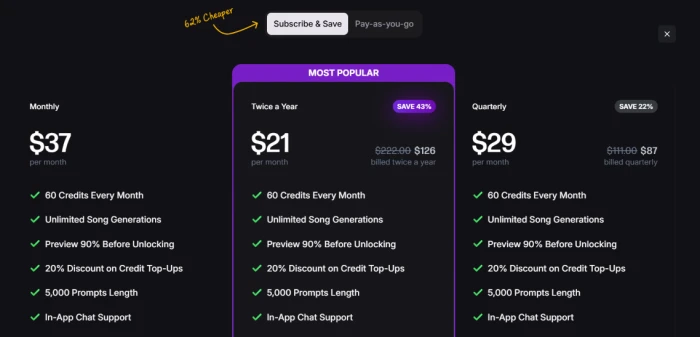
Free lets you preview only. Keeping songs needs credits, and a Songer Max plan from $21/mo (billed twice a year) up to $37/mo monthly.
Each unlock burns one of your 60 monthly credits , and high-quality WAV or FLAC export is locked to paid plans.
What is Songer AI?
What you walk away with from Songer is a two-and-a-half to three-minute song with AI vocals, generated from a sentence or your own lyrics in about a minute. You describe the track in up to 2,500 characters on the free tier, pick a genre and a language, and the tool returns two variations to choose between. It is web only, there is no mobile app, and you can start typing before you make an account.
The honest framing is that free means preview, not keep. You hear roughly half of any track, and downloading, editing or trimming requires unlocking it, which spends one credit. The paid tier, Songer Max, is where the full length, the 90% previews, higher-quality file formats and Stems Studio live. It is aimed at non-musicians and lyricists who want a polished result quickly, and it is strongest at turning words into coherent, singable songs rather than at giving you studio-grade control.
Key features & how they perform
Each feature rated from hands-on testing and aggregated review sentiment.
Lyric generation
Clean verse and chorus structure that stays on theme and scans well. This is the part reviewers and my own test agreed was the strongest.
One-minute generation
A track builds in roughly 46 to 60 seconds and returns two variations, so you get a real choice rather than a single take.
Custom lyrics & instrumental
Paste your own words or generate an instrumental-only track on paid plans, with a male or female vocalist you can pick.
Language localization
English defaults to US phrasing, with GB and AU variants plus several Spanish regions, so lyrics sound native rather than generic.
Stems Studio & extend
Max users can split a track into stems for a DAW and extend a song with matching genre and lyrics, which power users rate highly.
Preview & unlock model
Free plays half a song and blocks download entirely. Keeping a track costs one credit, which shapes the whole free experience.
Feature ratings blended from Trustpilot, Reddit, SourceForge & GeniusFirms review patterns + hands-on testing.
Writing a summer road-trip song from scratch
From the empty box to two variations, and the exact point where the paywall lands.
Start from the single-box homepage
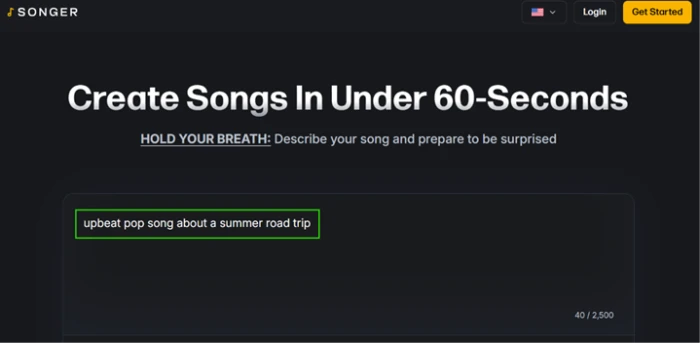
The homepage is one input box under the line "Create Songs In Under 60-Seconds." There is no signup wall, no tour and no clutter, so you can type the moment the page loads.
A live counter tracks your prompt against a 2,500-character ceiling on the free tier, which is a lot of room to describe a song.
"upbeat pop song about a summer road trip"
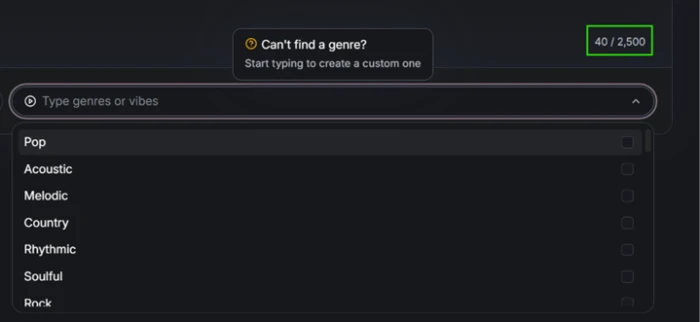
Picking a style is just as quick. The genre field opens a scrollable list, and if none of the presets fit you can type to build a custom one.
Set the language to US English
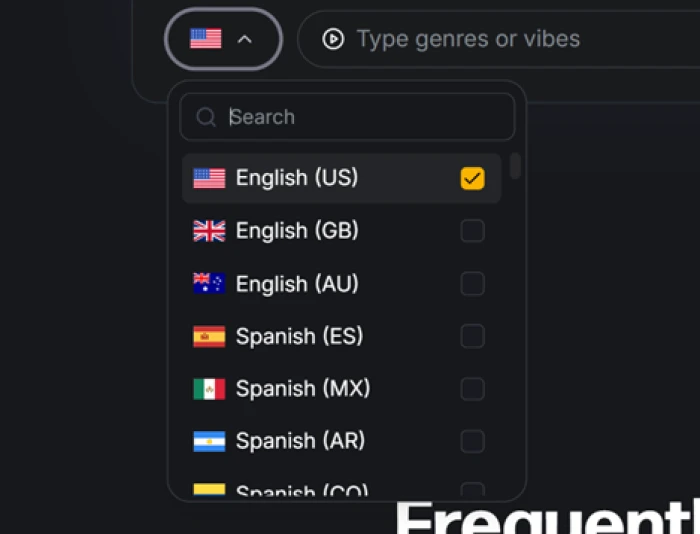
The language menu is a small detail that matters for lyric phrasing. English (US) is the default, sitting above English (GB) and English (AU).
Below those are several Spanish variants including Mexico and Argentina, so the wording matches the region you are writing for rather than a generic default.
Generate, and meet the referral nudge
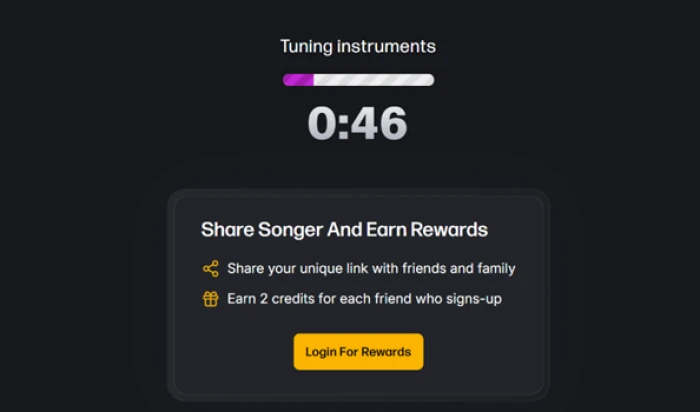
Hitting generate opens a progress screen labeled "Tuning instruments" that counted down from roughly 46 seconds, which tracks with the 60-second promise on the homepage.
The one friction point sits here. While the song builds, a panel pushes you to "Share Songer And Earn Rewards," offering 2 credits per friend who signs up through your link, with a "Login For Rewards" button.
Hear two variations, read strong lyrics
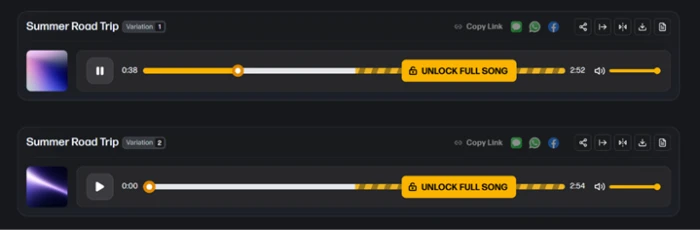
Songer returned two variations of "Summer Road Trip," which is a nice touch because it gives you a choice rather than a single take.
Then the catch appears. Each variation plays a short preview before a bright "UNLOCK FULL SONG" bar cuts it off.
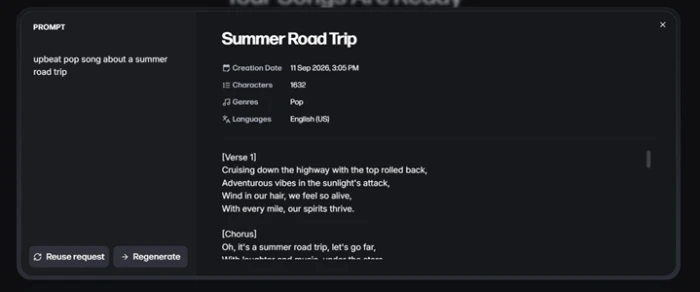
The lyrics are the highlight. The detail view shows a clean structure with labeled sections, opening on "Cruising down the highway with the top rolled back, Adventurous vibes in the sunlight's attack."
The same panel lists the creation date, character count, genre and language, and gives you Reuse and Regenerate buttons. Showing the full prompt and metadata like this is more transparency than I expected.
Try to export, and hit the wall
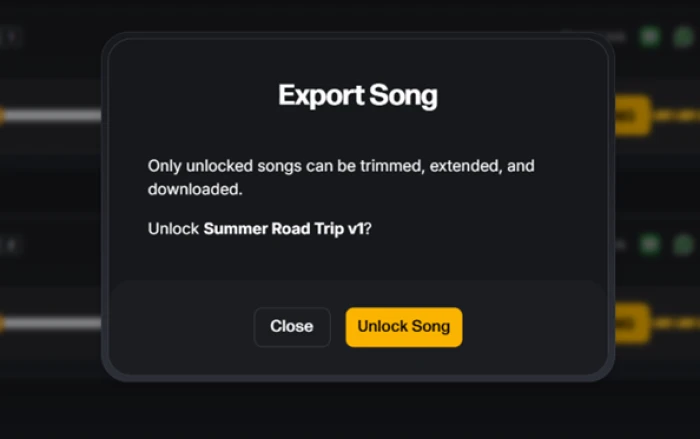
Downloading is a hard stop. The Export dialog states plainly that only unlocked songs can be downloaded or edited, then asks you to unlock the track.
There is no free export, no watermarked download and nothing to carry away from a free session.
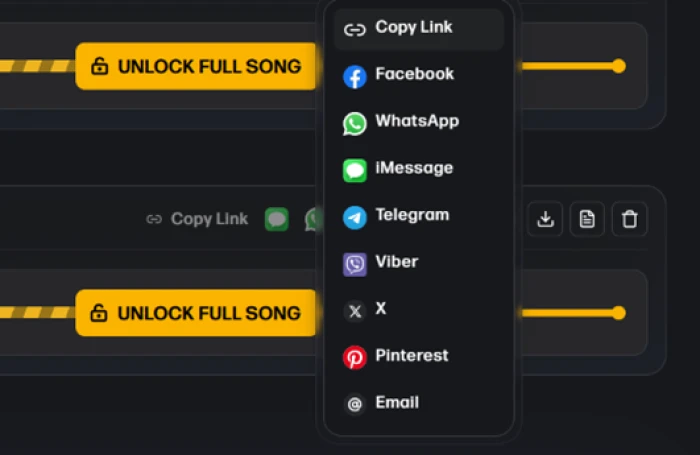
Sharing is the one thing you can do without paying, through a menu covering Copy Link, Facebook, WhatsApp, iMessage, Telegram, Viber, X, Pinterest and Email.
Songer AI pricing
Figures taken from the official Songer subscription page.
| Plan | Price | What's included |
|---|---|---|
| Free | $0 | Generate mode only · 50% song preview · no download or editing · MP3 64 kbps once unlocked · 2,500-character prompts |
| Max (Twice a Year) Most popular | $21 /mo | Billed $126 twice a year · 60 credits/mo · unlimited generations · 90% previews · 5,000-character prompts · Stems Studio · 6+ export formats · 20% off top-ups |
| Max (Quarterly) | $29 /mo | Billed $87 quarterly · same Max features and 60 monthly credits |
| Max (Monthly) | $37 /mo | Billed monthly · same Max features and 60 monthly credits · no commitment |
Pros & cons
Specific conclusions from testing and real user reviews, not generic filler.
✅ Pros
- Generates a full song from a prompt in about a minute
- Returns two variations per generation, so you pick the better take
- Lyrics arrive with labeled verse, chorus and bridge sections
- English defaults to US phrasing, with GB, AU and Spanish variants
- Reuse Request re-runs a prompt without spending a credit
- Stems Studio splits tracks for import into a DAW
- Unlocked songs carry a royalty-free commercial license for streaming
⛔ Cons
- Output is inconsistent, and the AI often misses lyric or structure direction
- Sometimes replaces user-supplied lyrics with its own text
- Default download is MP3 at just 64 kbps until you pay
- Users report samey, overproduced guitar tones across rock subgenres
- No mobile app, only a browser home-screen shortcut
- Cannot upload or edit your own audio, and no voice cloning
- 2025 format downgrades drew backlash over lost high-bitrate exports
Synthesized from real reviews on Trustpilot, Reddit, SourceForge & GeniusFirms · paraphrased, not quoted
Songer AI scorecard
Rated against what an AI song generator is actually built to do.
| Dimension | Verdict | Score |
|---|---|---|
| Lyric quality & structure Coherence, theme, singability | Excellent |
8.5
|
| Ease of use Signup-free start, clean flow | Excellent |
8.5
|
| Generation speed Time from prompt to preview | Good |
8.0
|
| US localization Regional language and phrasing | Good |
7.5
|
| Transparency & metadata Prompt, genre and length shown | Good |
7.0
|
| Genre range Presets plus custom styles | Good |
7.0
|
| Vocal & audio quality Realism and mix of output | Average |
6.5
|
| Prompt & structure adherence Following lyrics and direction | Average |
5.5
|
| Export & format flexibility File types and audio quality | Weak |
5.0
|
| Free tier value What you get without paying | Weak |
4.5
|
| Scrutool Score Equal-weight average of all 10 dimensions |
6.8
|
What users say about Songer AI
The themes reviewers raise most often, by share of analysed reviews.
% = share of analysed reviews mentioning each theme (Trustpilot, Reddit, SourceForge, GeniusFirms)
A fast, lyric-first song maker that makes you pay to hear the ending
Songer is at its best when the words matter most. It turns a sentence or a page of your own lyrics into a structured, singable song in about a minute, hands you two variations, and shows the prompt and metadata behind each one. Non-musicians and lyricists will find it genuinely enabling, and the pay-per-unlock model means you only spend on tracks you want to keep. The weaker side is real though: output can be inconsistent, the AI sometimes drifts from your lyrics and structure, guitar tones can sound samey, and the free tier is a preview-only shop window with no download and only half a song. Songer Max fixes the length and file quality, but the plans differ only by billing term and every keeper still costs a credit. If you write lyrics and want quick, usable demos, it earns a spot in your toolkit. If you need precise control over arrangement, or a full song without paying, look elsewhere.
Discussion
Join the discussion and share your perspective.