
Venice AI
Venice AI puts Claude, GPT, Grok, Flux and Kling behind one private login, with chats stored on your device instead of its servers. Free tier is thin and paid plans still meter video and frontier models through credits.

A genuinely private multi-model AI studio with almost no refusals, priced around a credit system that eats your video budget in one generation.
Should you use Venice AI?
Privacy-minded users and creators who want Claude, Gemini, Grok, DeepSeek and Flux behind one login, with almost no refusals on creative prompts.
You generate video or music regularly . Pro's 100 monthly credits cover roughly one five second clip before you are buying more.
Free gives 10 text prompts a day. Everything that makes Venice interesting starts at Pro, $18/mo , and heavy media work realistically means Pro Plus at $68.
Paying users on Trustpilot report the uncensored promise slipping on newer models, and refund requests being refused as final.
What is Venice AI?
Your conversations do not live on Venice's servers. Chat history sits in your browser or on your phone, prompts are proxied to open-source models running without retention, and higher tiers add hardware-secured enclaves and client-side encryption. That single design decision explains most of the product, including the parts that annoy people: nothing syncs between devices unless you turn on encrypted backup, which is a paid feature.
What sits on top of that is broader than a chatbot. Venice routes to models from Claude, Google, DeepSeek, OpenAI, Grok, Mistral, Kimi and Black Forest Labs for text and images, adds video through Kling, Runway and Seedance, and bundles a Studio with image editing, audio, music and a timeline movie editor. It runs on web, iOS and Android, it takes card or crypto, and it is aimed at people who want fewer refusals and less logging than ChatGPT gives them.
Key features & how they perform
Each feature rated from hands-on testing and aggregated review sentiment.
Every major model, one login
Claude, Gemini, Grok, DeepSeek, Qwen, Kimi, Flux, Kling and Runway sit in a single switcher, with privacy badges showing how each one is routed.
Four-tier privacy stack
Anonymized third-party models, zero-retention self-hosted models, TEE hardware enclaves and end-to-end encryption, labelled per model rather than promised in the abstract.
Image generation with a real toolbar
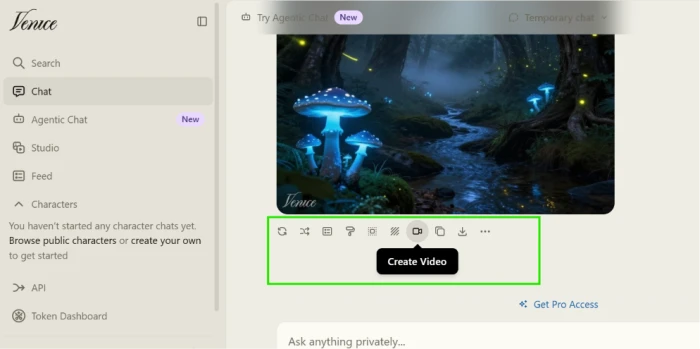
Every output carries remix, edit, upscale, background removal, variants and download, so the image becomes a working file instead of a dead end.
Venice Studio
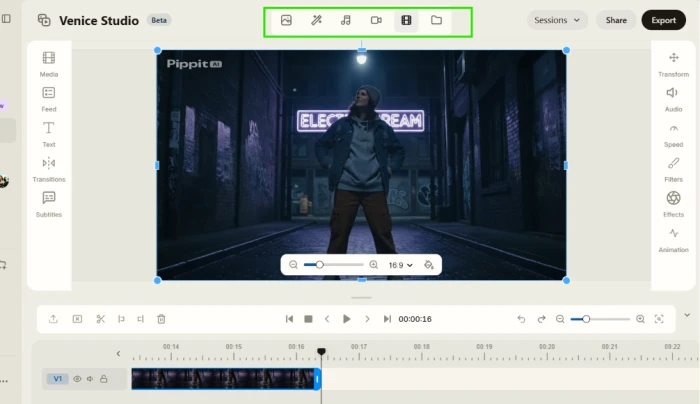
Image, editing, audio, video and a genuine timeline movie editor with transitions, subtitles and effects. Still marked Beta, and it runs on credits.
Characters and slash commands
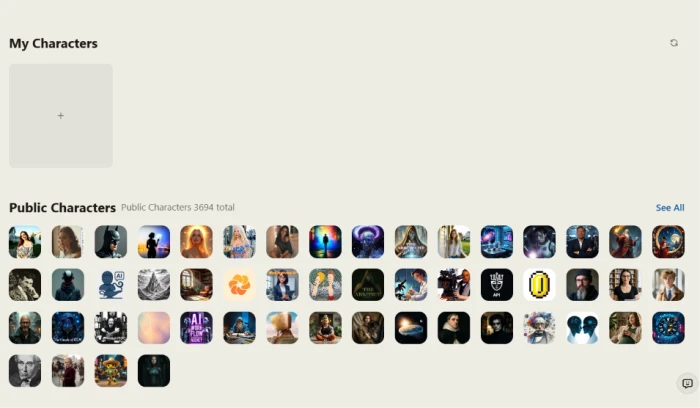
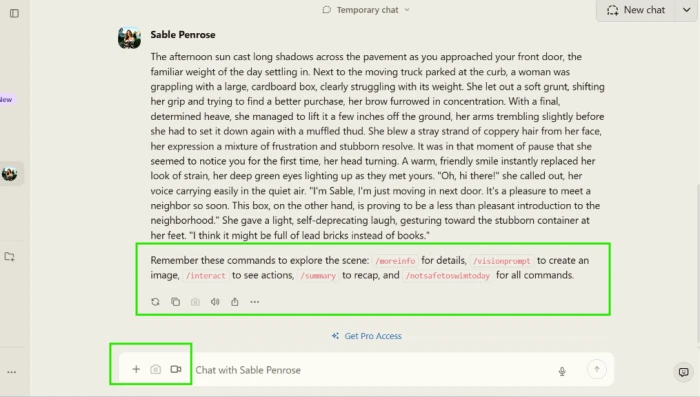
Nearly 3,700 public characters answer to commands like /interact and /summary, but building your own requires a paid plan.
OpenAI-compatible API
Text, image, video, music, speech and embeddings through one key, included with Pro rather than sold as a separate developer product.
Feature ratings blended from Trustpilot, App Store, Google Play review patterns + hands-on testing.
From a blank prompt box to a movie timeline in Venice
Signup, one image prompt, the first paywall, characters and the Studio.
Signing up and reading the sidebar
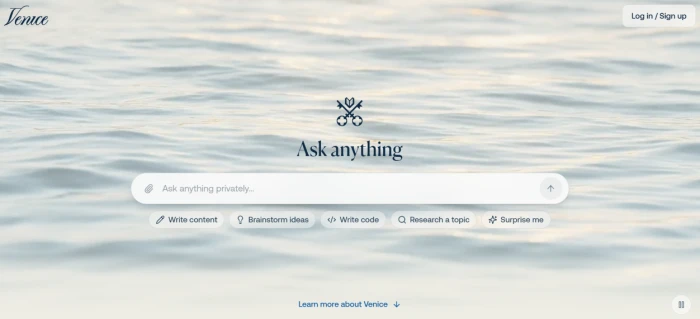
The landing page is a single prompt box on a water loop, with four starter chips and nothing else competing for attention. You can type into it before you have an account.
Anonymous visitors get a smaller daily allowance than registered ones, so the sign-up prompt arrives quickly rather than up front.
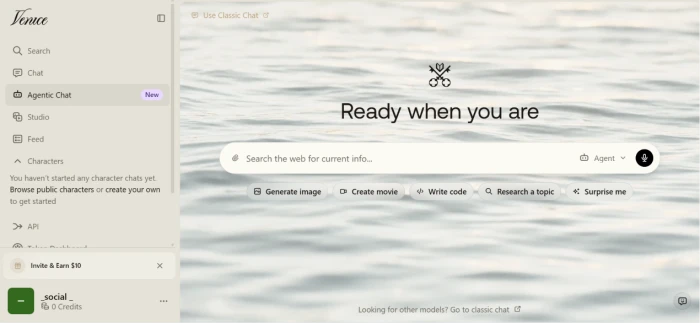
After login the page keeps the same shape but grows a sidebar, and that sidebar is the actual map of the product.
One long image prompt, start to finish
Image generation runs inside the same chat box as text. There is no separate mode to switch into, just a model selector sitting on Auto.
Free accounts get 15 image prompts a day, which is more headroom than most competitors leave before a card is required.
I gave it a deliberately overloaded scene with five separate elements to see how much of a prompt survives.
"Generate an image of a mystical forest at twilight with bioluminescent mushrooms casting an ethereal blue glow, ancient trees with twisted bark forming natural archways, floating fireflies creating light trails in the misty air, and a small crystal-clear stream reflecting the starry night sky above."
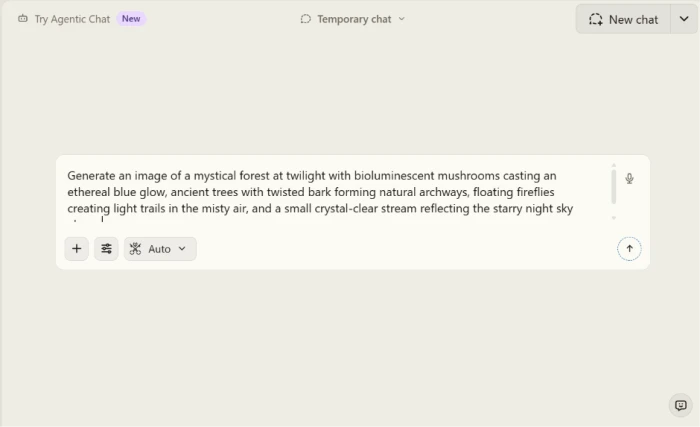
One image came back, full width in the thread, with no grid of four to choose between.

The row of icons under the output is the part worth studying. It turns a finished image into something you can keep working on.
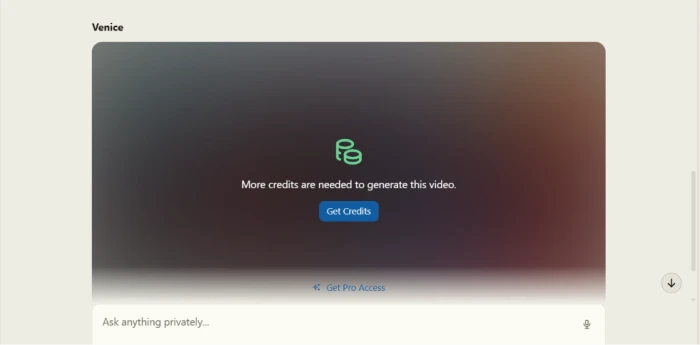
Where the free tier stops: Create Video
Video is the one thing on that toolbar that does not run on your daily allowance. It runs on credits, Venice's second currency, where 100 credits equal one dollar.
Free accounts hold zero credits, so the button is visible but dead until you either subscribe or buy a top-up.
Characters: browsing is free, building is not
Characters are personas with their own system prompt and opening scene, shared publicly by other users.
The My Characters slot at the top is a create button that leads straight to the upgrade screen, since custom characters require Pro.
So I opened a public one instead. What arrived was a full scene rather than a greeting line, followed by a command menu I was not expecting.
Venice Studio and the movie editor
Studio is the second half of the product and behaves nothing like the chat window.
Its tabs cover image generation, editing, audio, video, movie editing and a media library, with session management, sharing and export across the top.
This is where Venice stops being a chatbot with extras and starts looking like a production tool.
The Feed, and what it means for a privacy tool
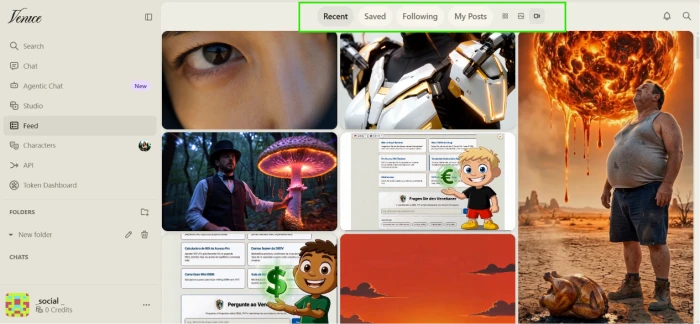
Venice has a social layer. The Feed shows what other people have generated, who you follow and what you have posted yourself.
Nothing goes there automatically. Sharing is a deliberate click from the image toolbar, which matters on a platform selling local-only storage.
Venice AI pricing
Figures taken from the official Venice pricing page.
| Plan | Price | What's included |
|---|---|---|
| Free | $0 | Base models · 10 text prompts/day · 15 image prompts/day · API access · 0 credits |
| Pro | $18 /mo | All Pro models · unlimited text · 1,000 image requests/day · character creation · encrypted backup · 100 credits/mo |
| Pro Plus Popular | $68 /mo | Everything in Pro · 7,500 credits/mo · 10% credit bonus · 2-month credit banking · higher API limits |
| Max | $200 /mo | Everything in Plus · 22,500 credits/mo · 12.5% credit bonus · 3-month banking · highest API limits |
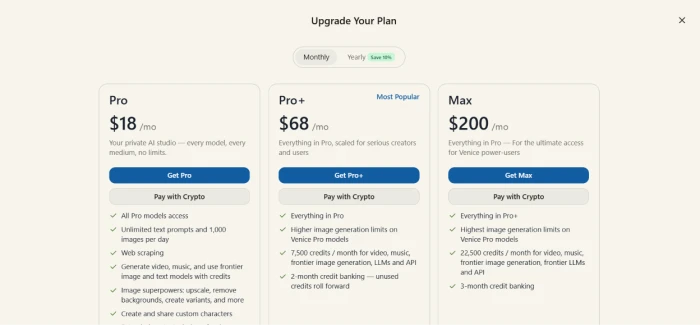
The in-app upgrade modal, which also offers a Pay with Crypto route on every tier.
Pros & cons
Specific conclusions from testing and real user reviews, not generic filler.
✅ Pros
- Claude, Gemini, Grok, DeepSeek and Flux under one $18 subscription
- Chat history stays in local storage, not on Venice servers
- TEE and end-to-end encrypted model tiers, labelled per model
- Image toolbar covers upscale, background removal, edit and variants
- Studio includes a working timeline movie editor with subtitles
- 3,694 public characters usable before paying anything
- OpenAI-compatible API included with Pro, no separate dev plan
- Card, Bitcoin and Coinbase all accepted at checkout
⛔ Cons
- Pro's 100 monthly credits fund about one five second video
- Character creation and in-chat image gen are locked to Pro
- Trustpilot sits at 2.7 across 20 reviews, refunds reported as final
- "1,000 images per day" counts requests: Enhance can spend 20
- Pro users report the uncensored claim failing on newer models
- Chats do not sync across devices without paid encrypted backup
- App Store reviews cite crashes and stalled loading on older iPhones
- The VVV and DIEM token layer puts off users who want a plain subscription
Synthesized from real reviews on Trustpilot, the App Store, Google Play & Reddit · paraphrased, not quoted
Venice AI scorecard
Rated against what a private, uncensored multi-model AI platform is built to do.
| Dimension | Verdict | Score |
|---|---|---|
| Model range & access Breadth of text, image and video models | Excellent |
9.5
|
| Privacy architecture Local storage, zero retention, TEE, E2EE | Excellent |
9.5
|
| Image generation & editing Output quality and post-generation tools | Excellent |
9.0
|
| Studio & creative tools Movie editor, audio, library, sessions | Excellent |
9.0
|
| API & developer access OpenAI compatibility and rate limits | Excellent |
8.5
|
| Text chat quality Reasoning, context handling, usefulness | Good |
8.0
|
| Video, music & voice Multimedia generation and cost per output | Good |
7.5
|
| Character chat Persona quality, commands, creation access | Good |
7.0
|
| Uncensored in practice Does the marketing match the output | Good |
7.0
|
| Pricing & credit transparency Limits, credits, refunds, billing clarity | Average |
6.0
|
| Scrutool Score Equal-weight average of all 10 dimensions |
8.1
|
What users say about Venice AI
The themes reviewers raise most often, by share of analysed reviews.
% = share of analysed reviews mentioning each theme (Trustpilot, App Store, Google Play, Reddit)
The most complete private AI stack you can buy, once you understand the credit math
Venice is doing something none of the big chatbots attempt: leading models from Claude, Google, Grok and DeepSeek, image generation with a real editing toolbar, a timeline movie editor, an OpenAI-compatible API and character chat, all behind an architecture that keeps your history off their servers. For $18 a month, that stack is hard to beat on breadth. The catch is the second currency. Credits govern video, music and frontier models, Pro includes 100 of them, and a single five second clip costs most of that, which is why serious media work realistically means the $68 Pro Plus tier. Add the paying customers on Trustpilot who say the uncensored promise slipped on newer models and that refunds were refused, and the picture sharpens. Privacy-focused users, developers and creators who work mostly in text and images will get more for their money here than anywhere else. Anyone generating video daily, or anyone who wants a plain subscription with no token economy attached, should price this carefully before committing.
Discussion
Join the discussion and share your perspective.