6 Blackbox AI Alternatives You Can Actually Trust With Private Code
Discover 6 trusted Blackbox AI alternatives for private coding, comparing data privacy, security, self-hosting, features, and pricing to protect your code.
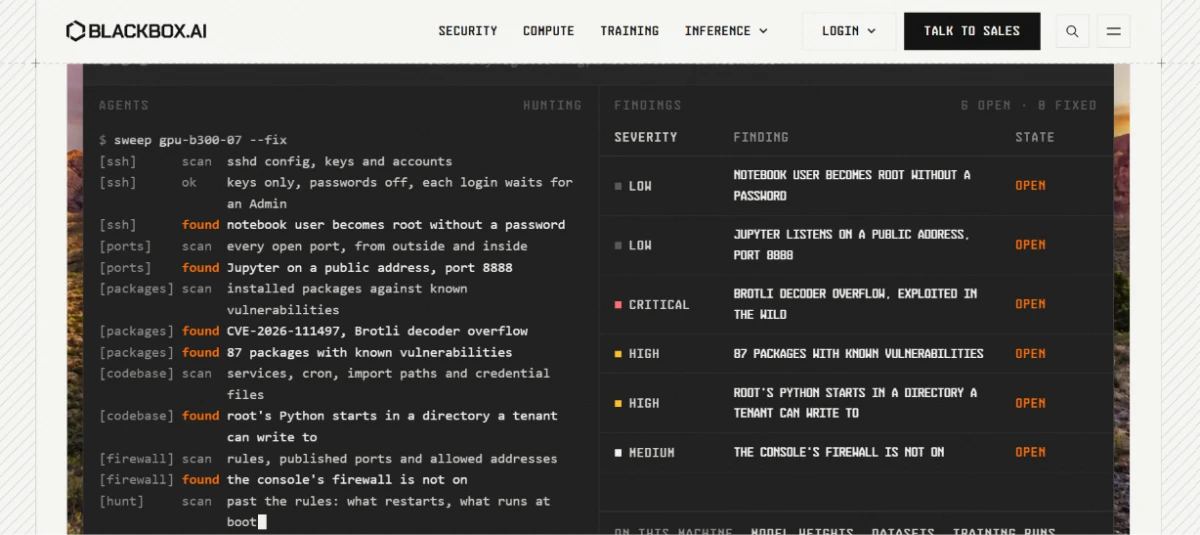
The cursor blinks at the top of a function you spent two days getting right. It touches your billing logic, a licensing key check, and a database schema nobody outside the company has seen. You highlight it, reach for your AI assistant to refactor it, and then you stop. Where exactly does this code go once you hit enter?
That pause is the whole point of this article. Blackbox AI is fast, and plenty of developers like it for quick snippets and code lookups. Fast is a different question from safe. The moment the code on your screen belongs to an employer, a client, or a product you plan to sell, the honest question becomes whether you trust the tool with it.
So this piece does three things. It looks at what Blackbox actually does with your code, based on its own published policy rather than rumor. It sets out what "private" has to mean so you are judging tools on the same yardstick. Then it walks through six assistants one by one, with what each does better than Blackbox, what it does worse, and pricing taken only from each vendor's own page. By the end you should be able to pick one and act.
What Blackbox AI actually does with your code
Start with the source that matters most, the privacy policy itself. Reading it closely changes the conversation, because the gaps say as much as the text.
The policy was last updated in January 2024, and on the question developers care about most it stays quiet. It does not state whether your code, prompts, or other content are used to train models. It says only that data is used to "provide and improve the Service." For a sensitive codebase, silence is not the same as a promise.
Two more gaps stand out. There is no specific retention period and no deletion timeline, so the policy tells you data is kept for the duration of your access without saying when it leaves. And the policy reserves the right to transfer your data in a merger, acquisition, or asset sale. Your code could end up governed by a company you never chose.
To be fair to Blackbox, its documentation describes a desktop app with local encryption, where the keys never leave your computer, plus an offline mode. That is a genuine step for the desktop workflow. The catch is that the marketing nuance and the legal policy do not line up neatly, and when they disagree, the policy is the document that binds. A developer who wants to trust a tool with private code needs the binding promise in writing, and that is what is missing.
None of this makes Blackbox malicious. It makes it ordinary. Most cloud coding tools route your code through their servers and ask you to trust a policy. The developers reading this have decided that trusting a policy is not enough. They want tools built so that trust is not even required, and that is the standard the rest of this article measures against.
What "private" actually has to mean
Before the tools, pin down the word. "Private" gets stamped on almost every product page, so treat it as a set of separate properties rather than a single badge. A tool can pass some and fail others, and knowing which is which is how you avoid a false sense of safety. Five questions decide it, and every tool review below is built around the same five.
• Where does the code physically go? Onto your machine, inside your network, or out to a vendor's servers. This is the one property that cannot be faked.
• Is it used for training? A tool that trains on your code can bake fragments of it into a model other people use.
• How long is it kept? Zero retention means the prompt and completion vanish after the request. Anything else is a window of exposure.
• Can you verify it? Self-hosting, open source, and audited compliance turn a claim into something you can inspect.
• What does it cost to get the private option? Privacy is sometimes locked behind a higher tier, so the honest price is the price of the plan that keeps your code safe.
Blackbox scores poorly on the first four. The first has no clear answer in its policy, the second is unaddressed, the third has no timeline, and the fourth rests on a desktop feature rather than the policy. The six tools below were built to close exactly those gaps. We score each one against these five questions, so you are comparing like for like.
Six alternatives, reviewed one by one
These six are not a random grab from a directory of fifty names. Each answers at least one of the five trust questions with something you can check, and each is reviewed on its own terms below. Read the one that matches your situation first, then use the table near the end to compare them side by side.
1. Tabnine
Tabnine is the compliance-first name in this space. It states plainly that it does not share your code with third parties and does not train on your code, on any plan, and it is the one serious tool designed from the ground up for air-gapped deployment, meaning it can run inside a network with no internet connection at all.
What it does better than Blackbox
• It answers the "where does my code go" question in writing, and lets you keep everything on your own servers or fully air-gapped.
• It carries the paperwork compliance teams ask for. SOC 2, GDPR, and ISO 27001 are all covered, so an auditor gets a certificate rather than a developer's assurance.
• It states a clear no-training rule on every tier, closing the exact gap Blackbox's policy leaves open.
What it does not do better than Blackbox
• It is not free to get started the way Blackbox is, and the private deployment is an enterprise purchase rather than a quick sign-up.
• Blackbox leans on flashy extras like pulling code out of videos and images; Tabnine is a focused completion and chat tool, not a novelty machine.
Pricing (official): Tabnine's current plans are sold through a quote flow on tabnine.com/pricing, so confirm the figure there before you budget. Independent trackers have cited a Dev tier around $9 to $12 per user per month and an Enterprise tier around $39 per user per month on an annual commitment, but treat the vendor page as the source of truth, because it is the one that binds.
2. Continue paired with Ollama
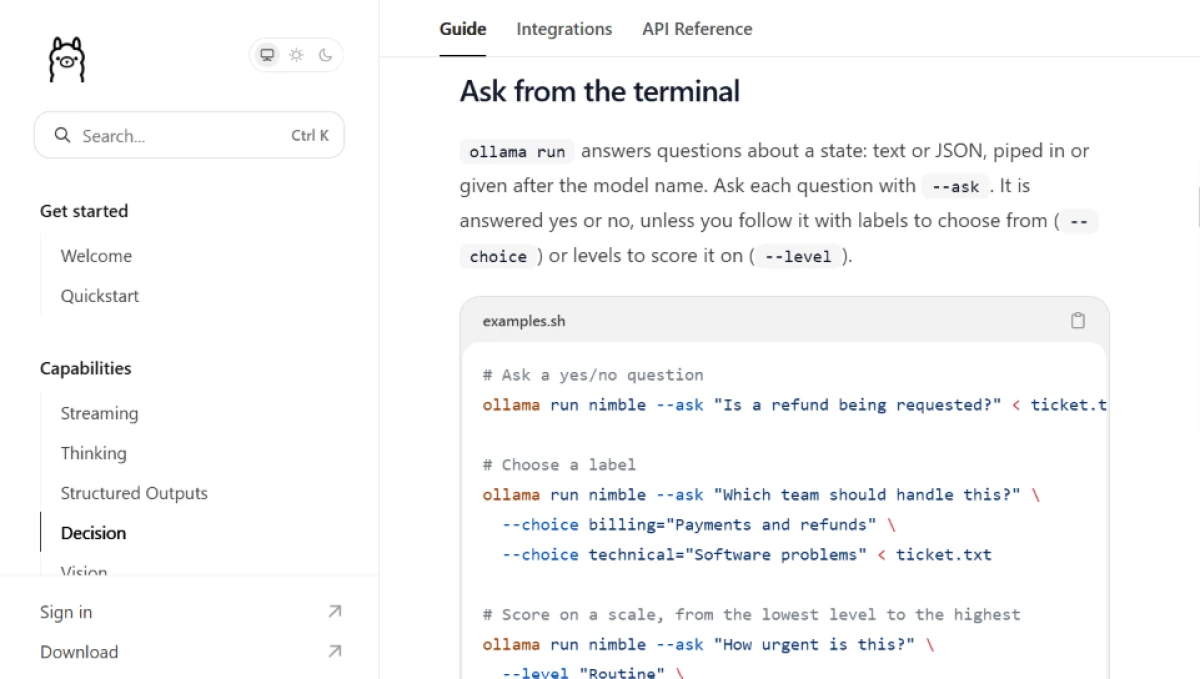
This is a pairing rather than a single product, and it is the strongest possible answer to the first trust question. Continue is an open-source extension for VS Code and JetBrains under the Apache 2.0 license. Ollama runs an AI model directly on your own machine. Point one at the other and your code never leaves the laptop, because there is no server in the path to leave to.
What it does better than Blackbox
• Zero code egress. With a local model there is no cloud request at all, which no cloud tool, Blackbox included, can match.
• It is open source, so you can read the code that handles your data instead of trusting a policy about it.
• It works offline, which suits a locked-down network or a long flight.
What it does not do better than Blackbox
• You supply the hardware and the setup time. Blackbox is sign-in-and-go; this needs a model download and a few config steps.
• A local model on a normal laptop will not match the sharpest cloud model on raw answer quality.
Pricing (official): Continue's own page lists Solo at $0 per developer per month, Team at $10 per developer per month, and Enterprise at custom pricing. Ollama is free and open source. So the private, local setup costs nothing beyond your own hardware.
3. Tabby
Tabby is an open-source assistant you host yourself, with around 34,000 GitHub stars behind it. Its core is licensed under Apache 2.0, and it runs code completion and chat entirely inside your own infrastructure, so nothing leaves your network.
What it does better than Blackbox
• It gives a whole team one private server. Everyone's editor connects to it, and every keystroke stays in-house.
• Being open source, it can be audited line by line, which is the strongest form of the "can you verify it" answer.
• There are no per-seat cloud fees, so a growing team does not pay more simply for being private.
What it does not do better than Blackbox
• Someone has to run the server. It needs Docker and, for good speed, a GPU, which Blackbox's cloud hides from you.
• Completion quality depends on the open model and hardware you choose, so results vary more than a managed cloud tool.
Pricing (official): The self-hosted Community edition is free and open source under Apache 2.0. Enterprise support is offered at custom pricing through TabbyML. Your real cost is the hardware and the time to run it.
4. Windsurf, from Codeium
For teams that cannot or will not self-host, Windsurf is the cloud option with the strongest default. It makes zero data retention the default on its Teams and Enterprise plans. Under that mode, code is never stored in plaintext on its servers and never trained on. One honest note up front: the product has been folding into Codeium's Devin line, so check the current plan names on the official pricing page before you commit.
What it does better than Blackbox
• Zero data retention is the default on team plans, not a setting you have to find and switch on.
• It publishes contractual zero-retention terms with its model providers, so the promise extends past Codeium's own servers.
• It carries enterprise security credentials, including SOC 2 Type II, which Blackbox's policy does not surface.
What it does not do better than Blackbox
• Your code still goes to a cloud server, so the privacy rests on defaults and contracts rather than the code staying put.
• The free consumer tier can use your code to improve models unless you opt out, so the plan you pick changes the answer.
Pricing (official): The official pricing page lists Free at $0, Pro at $20 per month, a Teams plan at $80 per month plus $40 per full developer seat, and Enterprise at custom pricing. The team plans are the ones that carry zero data retention by default, so those are the figures that matter for private code.
5. Cody, from Sourcegraph
Cody is built around understanding a large codebase. Sourcegraph is explicit that it does not use your code for training, and Cody can be pointed at local models through Ollama when you want to pull more of the work onto your own hardware. Its reason to exist is deep code search across a big repository, which is why teams buried in legacy code reach for it.
What it does better than Blackbox
• It reads and searches across an entire codebase, giving context-aware help that a snippet tool cannot.
• It states a clear no-training position on your code, filling the gap Blackbox's policy leaves open.
• It can run against local models through Ollama, so a privacy-minded team can keep inference on its own hardware.
What it does not do better than Blackbox
• Cody is now positioned as an enterprise product, so a solo developer cannot simply sign up and start for free.
• In its standard cloud setup, code still leaves your machine to reach Sourcegraph's service, like Blackbox.
Pricing (official): Sourcegraph now offers Cody through its Enterprise plan, with pricing arranged by contacting the Sourcegraph team rather than a public per-seat figure. Confirm the current terms on sourcegraph.com before budgeting.
6. Amazon Q Developer
If your team already lives inside AWS, Amazon's own assistant is worth a look. It is a cloud tool, so code does leave your machine, but on the paid tier Amazon states that your content is not used to train its models, and the whole thing sits inside the AWS trust and compliance framework your company may already rely on.
What it does better than Blackbox
• On the Pro tier, Amazon states your content is not used to train its models, a clearer line than Blackbox's silence.
• It inherits AWS's compliance and data-handling framework, which many regulated teams have already vetted.
• It is deeply tied into AWS services, so for cloud-heavy work it understands your environment better than a general tool.
What it does not do better than Blackbox
• There is no self-hosted or air-gapped option, so your code still travels to AWS servers.
• Its value drops sharply outside the AWS ecosystem, where a general assistant like Blackbox is more flexible.
Pricing (official): Amazon's pricing page lists a Free tier at $0 and a Pro tier at $19 per user per month, with some heavy operations metered beyond an included allowance. Note that AWS has restricted new sign-ups to Q Developer in some cases, so check current availability on the AWS page.
The six at a glance
Reviews tell you the story of each tool. The table puts them on one yardstick, scored against the five trust questions from earlier, with pricing taken from each vendor's own page.
Tool
Runs on your hardware?
Trains on your code?
Zero retention?
Open source?
Starting price (official)
Tabnine
Yes, incl. air-gapped
No, on any plan
Yes, available
No
Quote-based (see pricing page)
Continue + Ollama
Yes, fully local
No egress at all
N/A, nothing leaves
Yes, Apache 2.0
Solo $0; Team $10/dev/mo
Tabby
Yes, self-hosted
No, you own the model
N/A, stays in network
Yes, Apache 2.0 core
Free (self-host); Ent. custom
Windsurf (Codeium)
No; hybrid for enterprise
Not on Teams/Ent.; free can
Default on Teams/Ent.
No
Free; Pro $20/mo
Cody (Sourcegraph)
Cloud; local via Ollama
No training on your code
Configurable
No (Enterprise product)
Enterprise, quote-based
Amazon Q Developer
No, AWS cloud
Pro content not used to train
Content controls available
No
Free; Pro $19/user/mo
One line to read the table by: the top three keep your code on hardware you control, and the bottom three send it to a cloud whose defaults you have to trust. That is the real fork in the road, and the next section turns it into a decision.
Match the tool to your situation
A scorecard tells you what each tool does. It does not tell you which one is right for you, and that depends less on the tool than on your circumstances. Six common situations map cleanly onto the six tools above.
Your situation
Start with
Why
Solo dev, side project, private repo
Continue + Ollama
Free, offline, nothing leaves your laptop
Small team, shared standards, tight budget
Tabby
One free self-hosted server, no per-seat cloud fees
Regulated shop needing auditor sign-off
Tabnine
Air-gapped deployment plus SOC 2, GDPR, ISO 27001
Want cloud speed with safe defaults
Windsurf for Teams
Zero data retention on by default, not an add-on
Drowning in a huge existing codebase
Cody
Built to read and search large repos, no training on your code
Team already living inside AWS
Amazon Q Developer
Deep AWS fit, flat $19 seat, Pro content kept out of training
Read that table as a starting point, not a verdict. A solo developer at a bank may still need Tabnine because the employer demands the certificates. A hobbyist team may be perfectly happy on Continue. Match the tool to the sensitivity of the code and the rules you answer to, then test it before you commit. Which brings up the last and most useful habit.
How to check a privacy claim yourself
Every tool here makes a promise. The developers who get burned are usually the ones who stopped at the promise. You do not need to be a security engineer to verify the basics, and fifteen minutes of checking is worth more than any badge on a landing page.
Watch the network
For a tool that claims to run locally, open your machine's network monitor, trigger a few completions, and see whether traffic leaves for an outside server. If a "local" tool is phoning home, you will see it here. This single check settles the first trust question for good.
Read the tier you are actually on
As Windsurf shows, the free plan and the team plan can follow opposite rules. Find the retention and training terms for your specific plan, not the headline the homepage advertises.
Ask for the gap in writing
If a policy is silent on training or retention, the way Blackbox's is, send one email and ask directly. A clear written answer is a good sign. A vague one, or no answer, is its own kind of answer.
That habit is the real takeaway. The tool you pick matters, but the discipline of checking matters more, because policies change and plans get renamed, as Windsurf's shift into the Devin line shows. A developer who verifies keeps control of the one thing Blackbox's policy left uncertain, which is where the private code goes. Pick the tool that fits your situation from the table above, run the three checks, and the pause at the blinking cursor turns into a decision you can stand behind.




Discussion
Join the discussion and share your perspective.