
Flux AI
Flux AI is a browser gateway to Black Forest Labs’ Flux image models plus others. Strong portraits, but watermarks, a save paywall and failed free generators hold it back.

A third-party gateway to Flux image models that produces genuinely strong portraits, wrapped in watermarks, a save-time paywall, failed free generators, and a billing trail that never names who runs it.
Should you use Flux-AI.IO?
Sampling Flux image models without a local setup, and grabbing a quick background cut-out, if you can live with watermarks and some trial and error.
You need clean, commercial-ready files for free , reliable video, or a clearly named, accountable company behind the product.
Free watermarks everything and blocks commercial use. Clean, private, commercial output needs a one-time pack from $9.99 , with premium access lasting one month.
The "100% free, unlimited" GPT Image 2.5 and video routes failed to finish in testing, and look-alike "flux" sites impersonate this one.
Key features & how they perform
Each feature rated from hands-on testing and aggregated review sentiment.
Flux image models
Schnell, Dev, Pro and Kontext render photoreal skin and light well. Schnell is the fast, cheap option at 10 credits per image.
Free tools, no credits
Background remover, image upscaler and image-to-prompt run outside the credit pool. The remover was the cleanest result of the session.
Prompt handling
Composition and color track the prompt closely, but overlapping objects fuse together and exact object counts get ignored.
Model range
Flux sits alongside Seedream, Nano Banana, Qwen, GLM and third-party video models, so you can switch engines in one place.
AI video
Text-to-video and image-to-video are offered, but the video job failed to finish after a 7 to 10 minute wait on test.
Export & rights
Free downloads carry a flux-ai.io watermark and open a plan pop-up first, and commercial rights are reserved for paid packs.
Feature ratings blended from hands-on testing and the Flux model's wider community reception.
Four tests on Flux AI, from a standout portrait to a dead queue
One free session across image generation, a layered prompt, the background remover, and the generator that advertises unlimited output.
The portrait test
My first run was a close-up portrait. I wanted detail that would expose a fast model, so I described weathered skin, window light and a specific lens.
This is the prompt I used, run on Flux.1 Schnell at a 4:3 ratio for 10 credits.
"Ultra-realistic close-up portrait of a 60-year-old fisherman, weathered skin, grey stubble, natural window light, 85mm lens, sharp eyes, photorealistic"
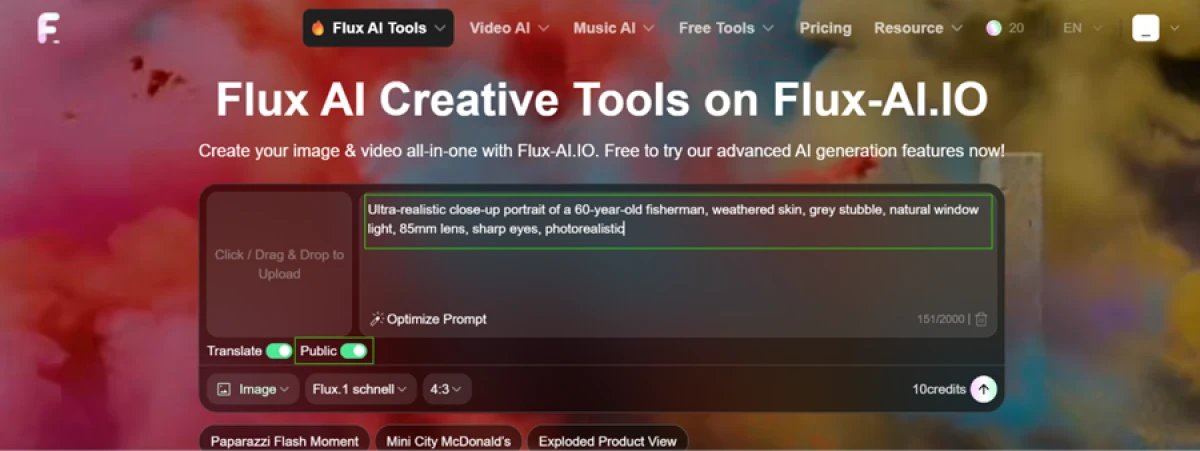
The result panel is where the output landed, with one catch sitting next to it.
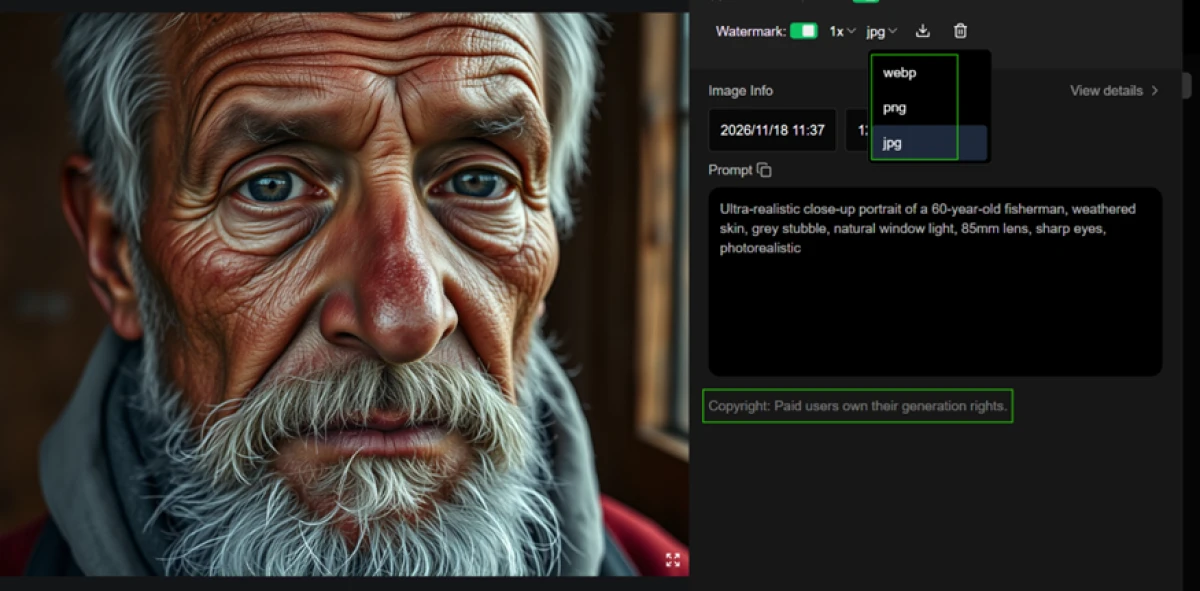
Saving it costs more than a click
Getting the file onto my computer was not one step. The download button did not save the image. It opened a subscription pop-up that asked me to pick a plan first.
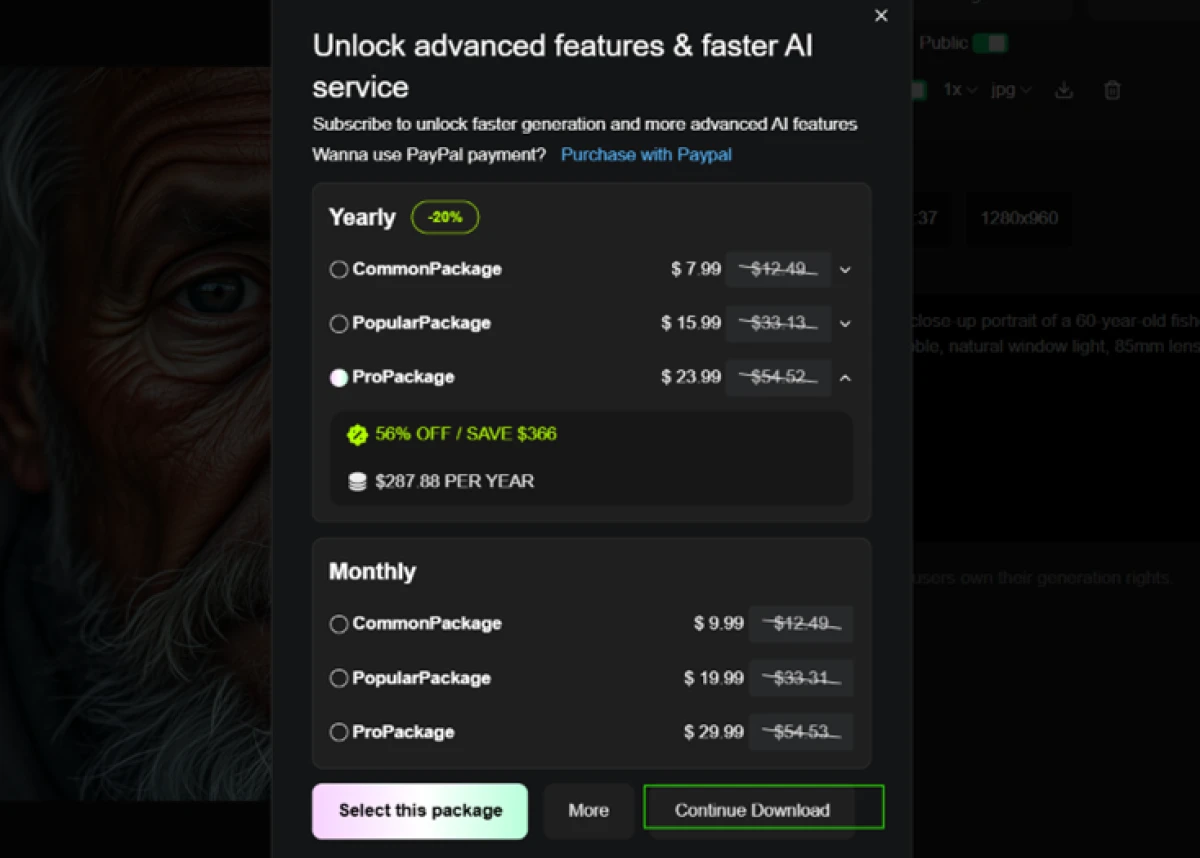
The file that eventually came down carried a brand stamp in the corner.

A layered prompt and one clear glitch
Next I checked how the free model handles several instructions at once: a colored object, a surface, an animal and a light direction, all in one frame.
Here is what I entered.
"A red bicycle leaning against a blue wooden door, a black cat sitting on the doorstep, yellow potted flowers on the left, golden-hour light"
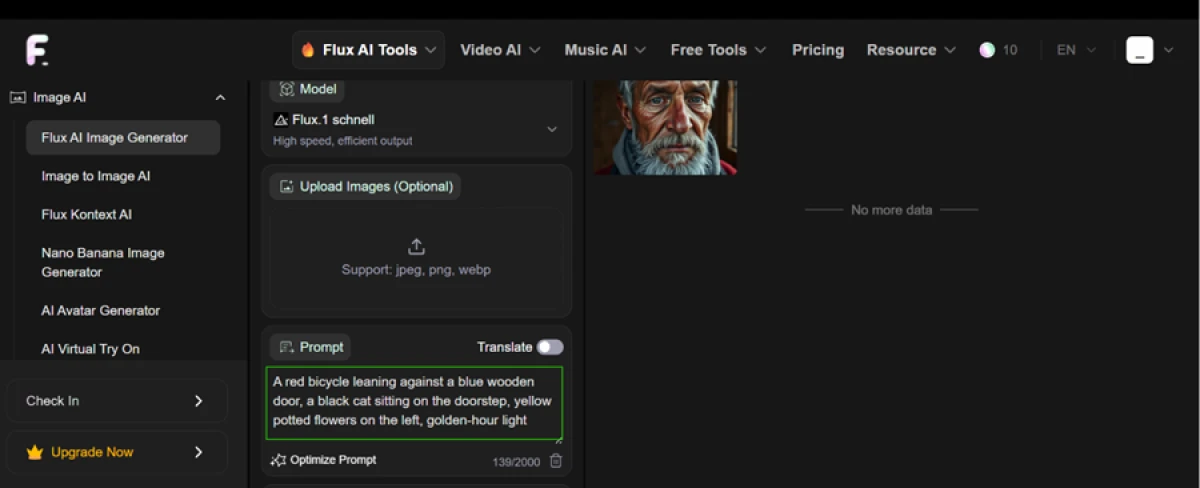
The composition came back right. The error showed up at the front wheel, as the output below makes clear.

The background remover
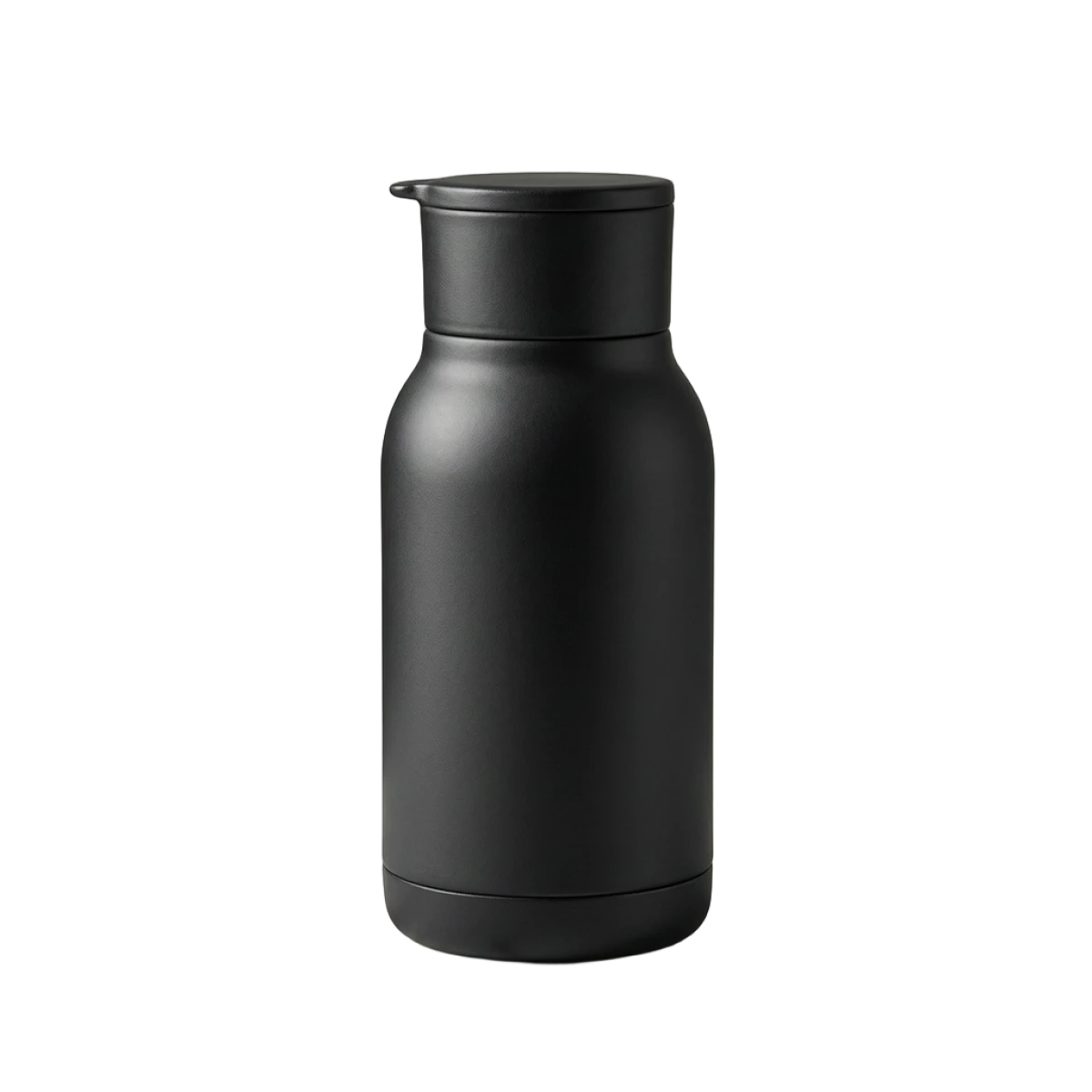
The background remover runs from the free tools set and does not spend image credits. I uploaded a product shot of a black bottle and ran it once.

The cut-out it returned is below.
The free generator that never finished
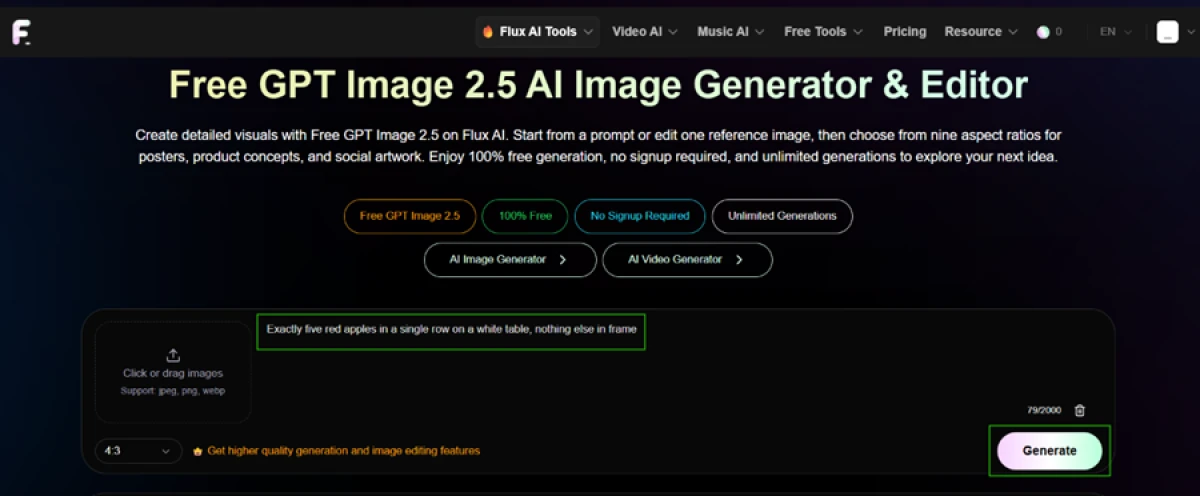
Flux AI also runs a GPT Image 2.5 generator branded as 100% free, no signup required, unlimited generations, and no credit cost. I gave it a simple counting prompt to keep the task easy.
"Exactly five red apples in a single row on a white table, nothing else in frame"
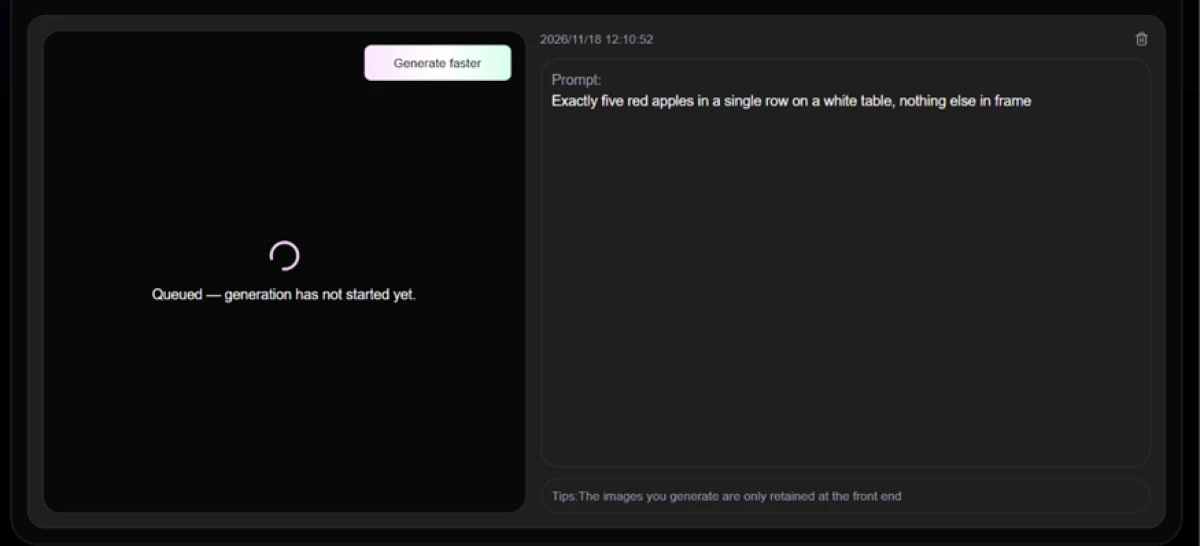
The job moved into a queue and stayed there.
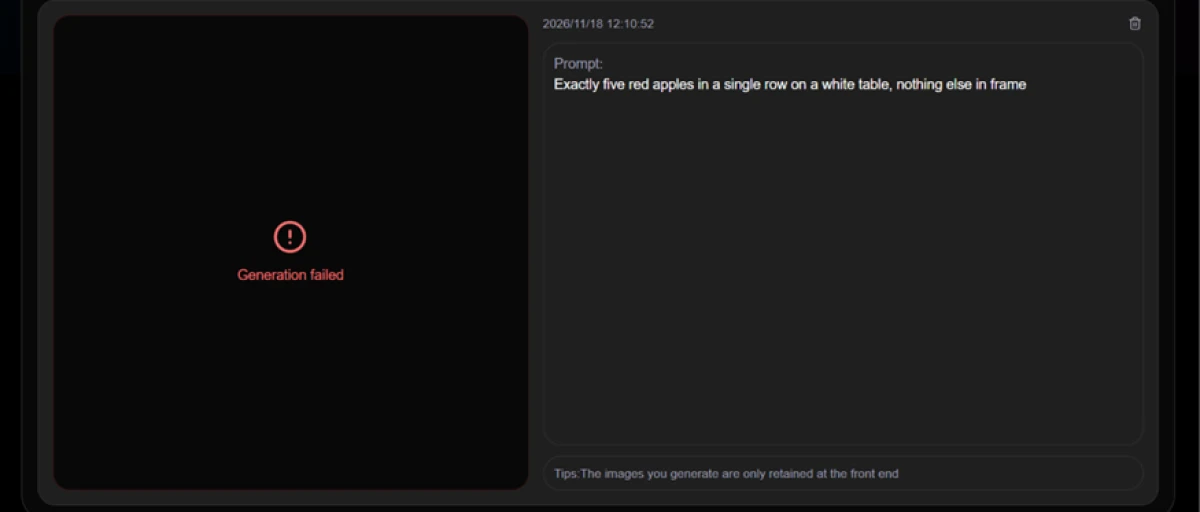
Then it failed, and repeated attempts ended the same way.
Flux AI pricing
Figures taken from the official Flux AI credits page. Paid tiers are one-time packs, not subscriptions.
| Plan | Price | What's included |
|---|---|---|
| Free | $0 | 40 credits for new users (one-time) · 5 free AI tool uses/day · Flux.1 Schnell & Dev · shared queue · 15-day history · watermark, public only, no commercial rights |
| Basic | $9.99 | 4,000 credits (one-time) · premium features for 1 month · Flux & Kontext · video · private generations · commercial rights · fast queue · 365-day history |
| Ultra Popular | $19.99 | 10,000 credits (one-time), 20% off · same premium feature set and 1-month access as Basic |
| More | $49.99 | 26,000 credits (one-time), 25% off · same premium feature set and 1-month access |
| Max | $99.99 | 56,000 credits (one-time), 30% off · same premium feature set and 1-month access |
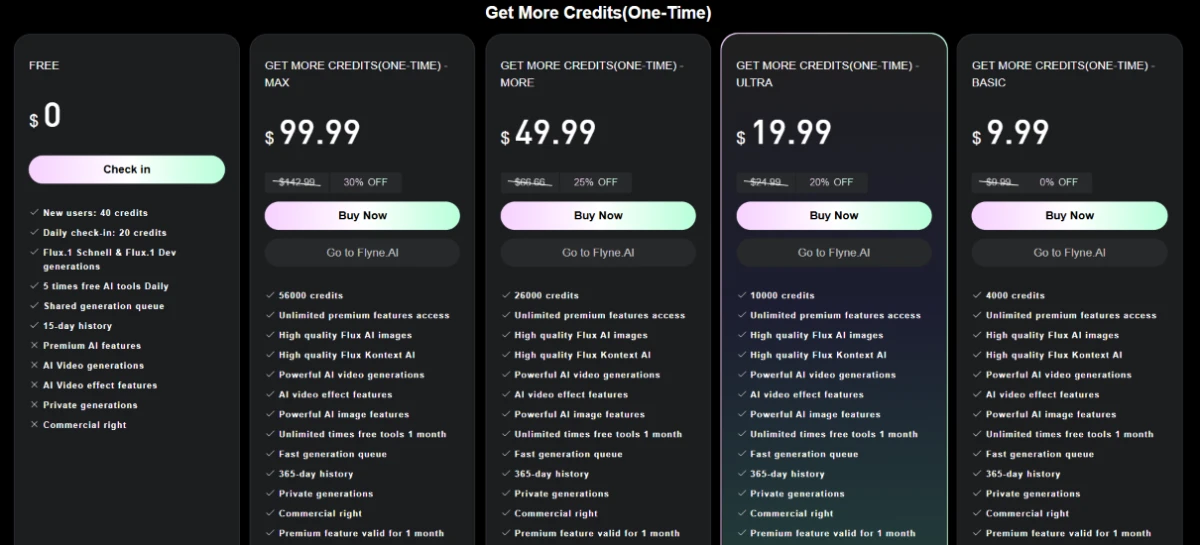
Pricing is accurate as of 18 November 2026 and was captured from the official Flux AI website. Plans, prices and credit limits change often, so check the official Flux AI pricing page for the current figures before you buy.
Pros & cons
Patterns from the Flux model's reception and the wider platform ecosystem, not generic filler.
✅ Pros
- Flux models render photoreal skin, hair and lighting convincingly
- One account reaches Flux plus Seedream, Nano Banana, Qwen and GLM
- Free in-browser tools for background removal and upscaling cost no credits
- Flux Kontext handles instruction-based edits, not just fresh generations
- No software install, so the models run from any browser
⛔ Cons
- Flux struggles with exact object counts and separating overlapping items
- Readable in-image text stays weaker than Ideogram-class models
- A crowd of look-alike "flux" sites impersonates the platform
- No named legal operator, and billing routes through a separate brand
- Being a wrapper, access depends on a middle layer you do not control
Synthesized from Flux-model community reception and Trustpilot reports of impersonator sites · paraphrased, not quoted
Flux AI alternatives
| Flux AIReviewed | PicLumen AI | Hotpot AI | Mage Space | ImagineArt AI | |
|---|---|---|---|---|---|
| Our Score | 5.6/10 | 6.9/10 | 6.9/10 | 6.8/10 | 6.6/10 |
| Entry paid plan | $9.99 one-time pack | $6.09 / mo, billed yearly | $10 / mo | $10 / mo | $9 / mo, billed yearly |
| Free tier | 40 credits, one-time | Earn credits via community tasks | Free image generation | 300 one-time gems | 100 credits per day |
| Free export watermark | Yes, plus save paywall | Yes on free downloads | None on free images | None on free images | None on free images |
| Models offered | Flux, Seedream, Nano Banana, more | Own models plus Flux, Seedream, Google | 40-plus image and editing tools | 37 model families | 50-plus models |
| Video generation | Yes, failed in our test | Yes, paid in Lumens | Yes, paid only | Yes, plus lipsync | Yes, weaker area |
| Best for | Sampling Flux models and free tools | Multi-model image and video with open engines | Free watermark-free images plus editing | Multi-model image and video, character reuse | All-in-one studio, image first |
Who Should Use Flux AI, and Who Should Avoid It?
The image quality is real, but the watermark, the save paywall, the failed video route and the missing operator details decide who should stay away.
Who Should Use Flux AI?
Best suited for these workflows
Flux-Curious Creators
Sample Schnell, Dev and Kontext from a browser to see how the Flux models behave, before committing to any platform.
Portrait and Photoreal Work
Skin, light and fine detail come out strong, so single character portraits are where the output looks its best.
Quick Background Cut-Outs
The free background remover runs cleanly, costs no credits, and returns tight edges on a transparent background.
One-Off Buyers
One-time credit packs suit people who want a burst of generations without signing up for a recurring subscription.
Who Should Avoid Flux AI?
Consider an alternative if you need
Free, Commercial-Ready Files
Every free export is watermarked, public, and off-limits for commercial use, so rights come only with a paid pack.
Reliable Video or Free Generators
The video route and the "unlimited free" GPT Image 2.5 tool both failed to finish during testing.
A Named, Accountable Vendor
No legal operator is listed, billing runs through Flyne.AI, and impersonator sites make the real one hard to pin down.
Watermark-Free Saves
Saving even a free image opens a plan pop-up, and the file that lands still carries a flux-ai.io stamp.
Our Recommendation
Use Flux-AI.IO to try the Flux models and grab a free cut-out, where the output genuinely holds up. If you need clean, commercial files, dependable video, or a company you can hold accountable, the trade-offs here are steep. Before paying, confirm you are on flux-ai.io, run the exact job you care about on the free credits, and read the one-month access and 100-day credit expiry.
Flux-AI.IO scorecard
Rated against what a browser-based Flux image platform is actually built to do.
| Dimension | Verdict | Score |
|---|---|---|
| Image output quality Detail, skin and lighting realism | Good |
7.5
|
| Free AI tools Background remover, upscaler, no credits | Good |
7.5
|
| Model range Flux plus other image and video models | Good |
7.0
|
| Prompt adherence Following multi-part prompts | Average |
6.5
|
| Generation speed Schnell render time against queue waits | Average |
5.5
|
| Pricing value Cost per credit and the one-month cap | Average |
5.5
|
| Transparency & trust Named operator, honest free claims | Weak |
4.5
|
| Reliability & success rate Jobs that actually finish | Weak |
4.0
|
| Watermark & export freedom Clean, private, unbranded saves | Weak |
4.0
|
| Free plan value What a free account actually delivers | Weak |
4.0
|
| Scrutool Score Equal-weight average of all 10 dimensions |
5.6
|
Good Flux output wrapped in watermarks, paywalls and a thin paper trail
The image quality is the easy part to praise. The fisherman portrait came out looking like a real photograph, the free background remover did its job cleanly, and the lineup of Flux and other models in one browser tab has real appeal. The problems start the moment you try to keep what you made. Downloads open a subscription pop-up, free files carry a flux-ai.io watermark, generations are locked to Public, and commercial rights sit behind a paid pack. The route that advertises unlimited free output never finished, the video generator failed after a long wait, and the layered prompt fused a cat into a bike wheel. On top of that, no legal operator is named, checkout hands you to a separate brand, and copycat sites muddy the search. Use Flux-AI.IO to sample the models and pull a quick cut-out. For clean commercial work, dependable video, or a vendor you can hold to account, a more established image platform is the safer place to spend.
Discussion
Join the discussion and share your perspective.