
Napkin AI
Napkin AI turns plain text into editable diagrams, flowcharts and infographics in seconds, with free PNG and PDF export and paid PPT, SVG and branding removal.

A genuinely fast way to turn text into clean, editable diagrams, undercut by thin brand control, a short diagram range, and exports that stumbled hard on test day.
Should you use Napkin AI?
Writers, consultants and marketers who already have the words and want a clean diagram or infographic out of them in seconds.
You need an editable, unbranded file on the free plan or tight brand control. SVG and PPT are paid, and free keeps the Napkin logo.
Free gives 500 weekly credits and PNG or PDF only. Editable export and branding removal start at Plus, $9 per person a month on annual billing.
Napkin can quietly add or mislabel a step , and on my test day every export failed, so budget time to verify the visual and retry the download.
Key features & how they perform
Each feature rated from hands-on testing and aggregated review sentiment.
Text to visual, no prompting
Paste text, click the Autospark icon, and Napkin proposes diagrams without a prompt. It reads structured text far better than messy notes.
Full post-generation editing
Every colour, font, icon and element stays editable, and the Swap Layout panel rebuilds the whole structure without spending another credit.
Several suggestions per input
Napkin lines up multiple visual options for one input, though some lean decorative and drift from the meaning of the text.
Diagram & chart range
Covers flowcharts, mind maps and data charts, but works from predefined layout families, so niche or custom shapes are limited.
Teamspaces & sharing
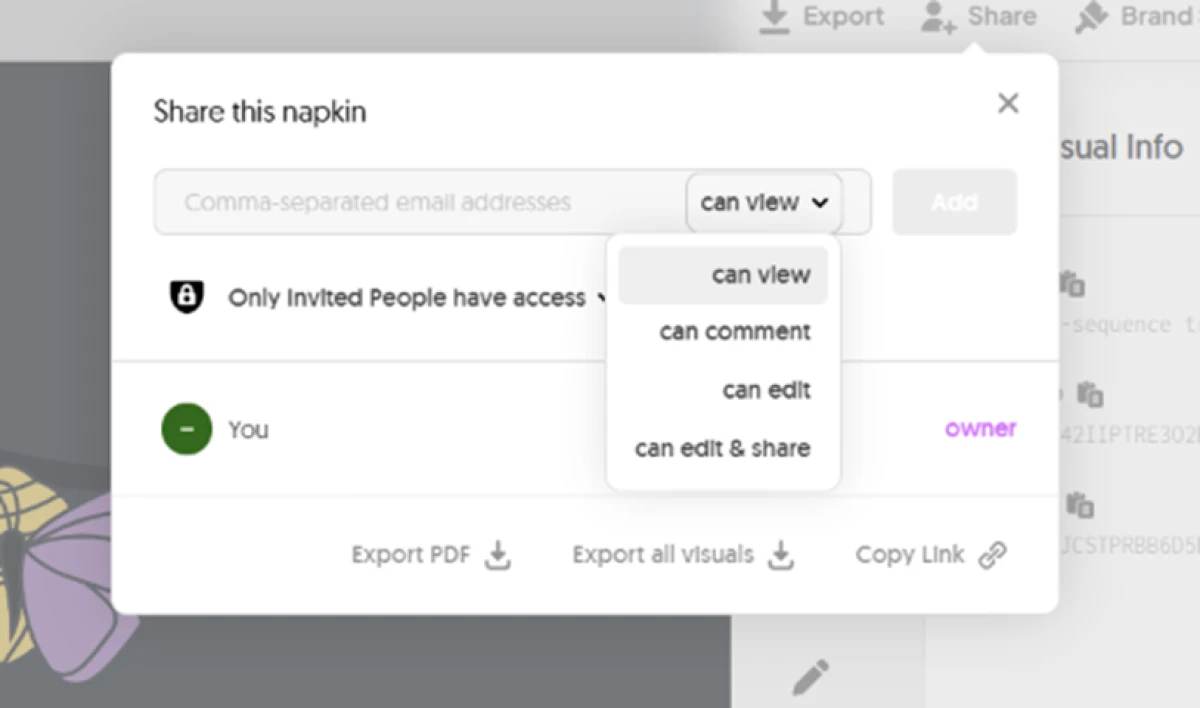
Invite members, co-edit live, comment on visuals, and share by email with per-person view-only or edit access.
Export formats
PNG and PDF are open on free. PPT, SVG and Google Slides are paid, and the free export carries the Napkin logo.
Feature ratings blended from G2, Product Hunt & competitor hands-on reviews + testing.
Feeding Napkin my own text, one visual at a time
Four real inputs, from a clean process list to a brand style, run through the free plan on 16 November 2026.
Typing a plain four-stage process
Napkin works straight from text, so I started with a simple process and typed it into the editor, no prompt syntax and no setup.
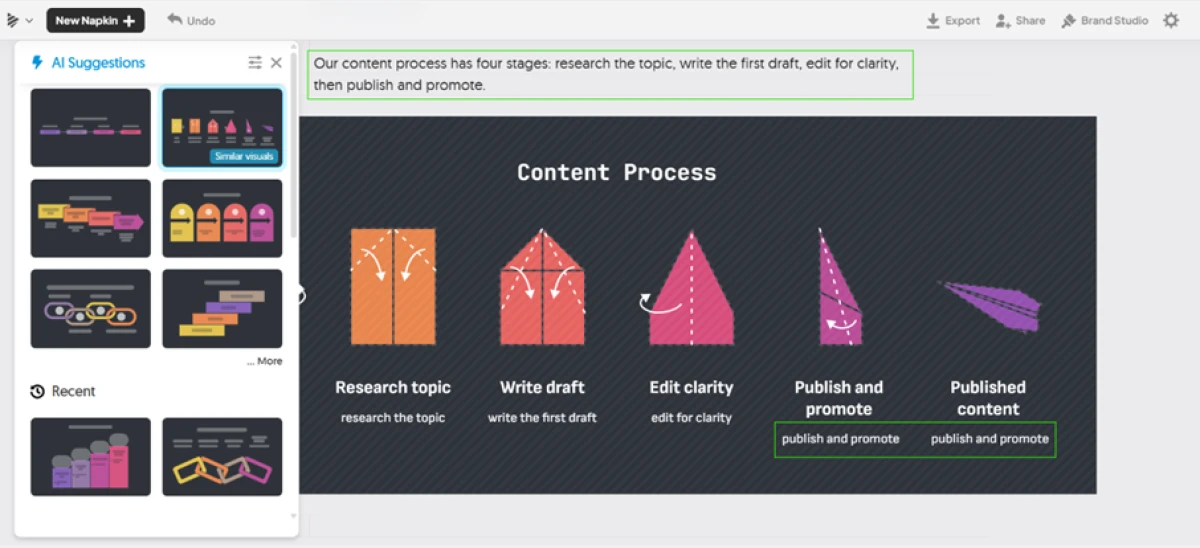
A click on Autospark lined up a row of suggestions in a few seconds and built a visual titled Content Process.
"Our content process has four stages: research the topic, write the first draft, edit for clarity, then publish and promote."
A pros and cons list, side by side
Next I handed Napkin a pros and cons list to see how it handled a two-sided structure.
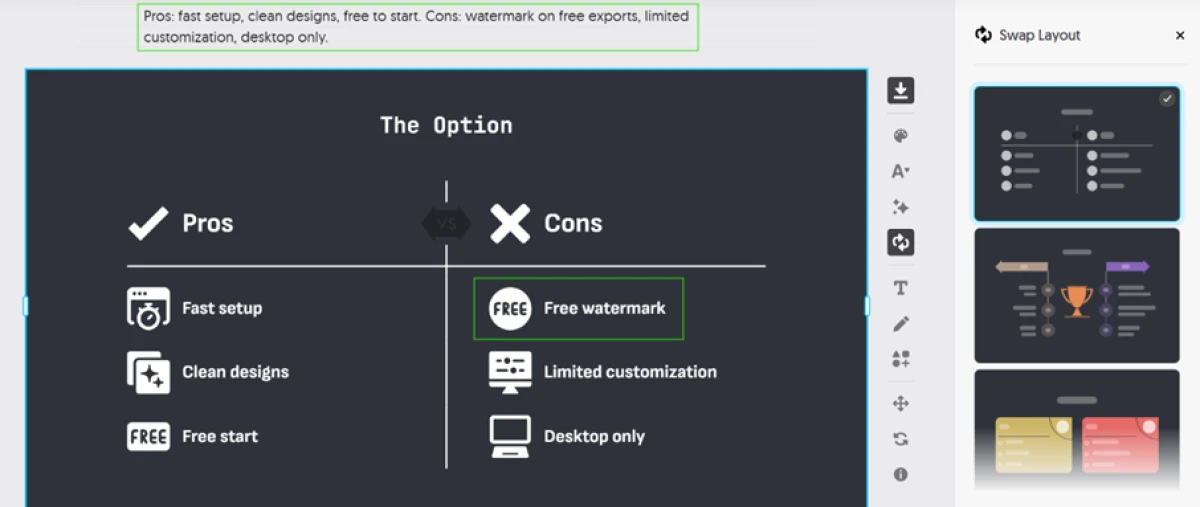
The first suggestion was the best result of the whole session: a clean comparison with a divider down the middle. Text and icons both swap with a click, and the Swap Layout panel rebuilt the structure without spending another credit.
"Pros: fast setup, clean designs, free to start. Cons: watermark on free exports, limited customization, desktop only."
When a suggestion looks nice and says nothing
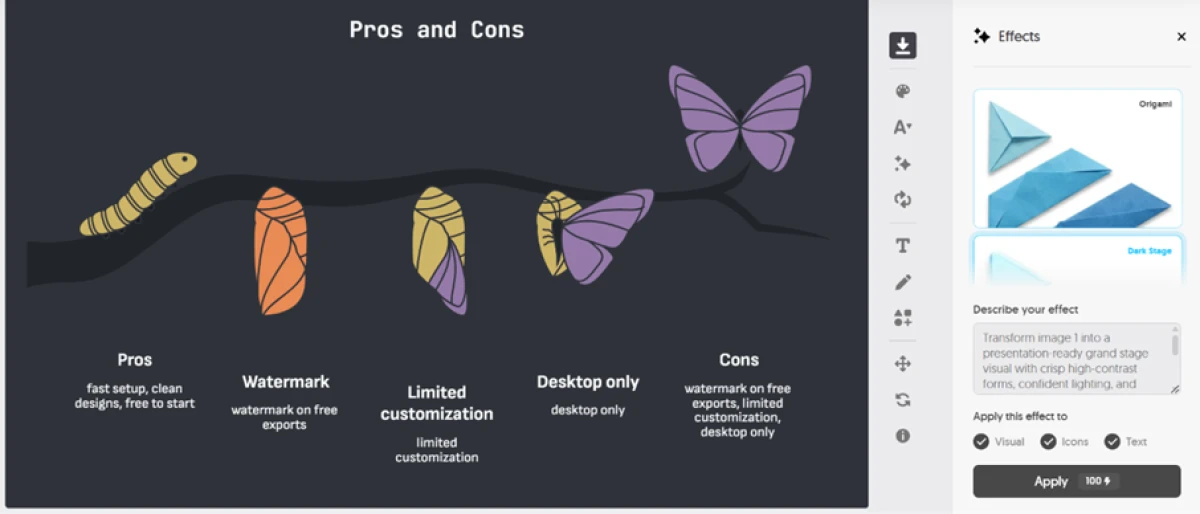
For that same pros and cons text, Napkin also offered a caterpillar turning into a butterfly.
It looks lovely. It says nothing about pros and cons. Choosing it would have traded meaning for decoration.
Trying to get a visual out of Napkin
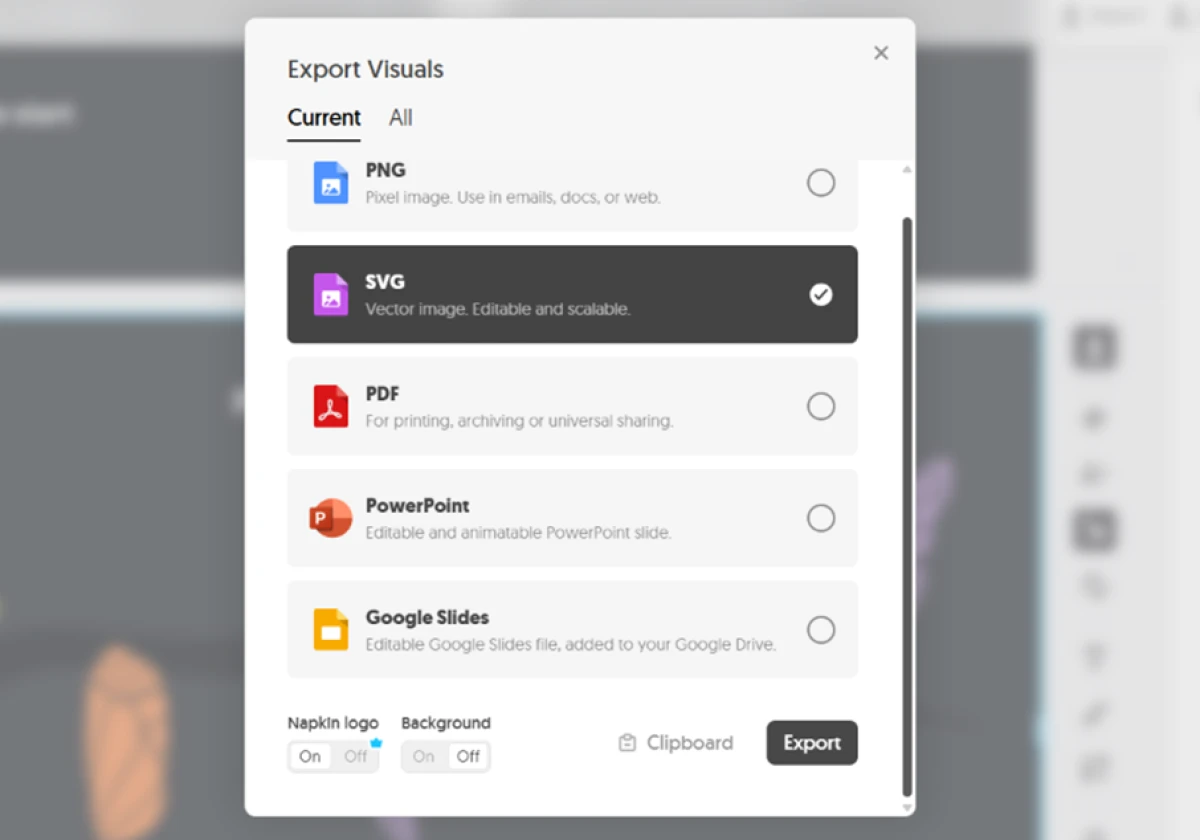
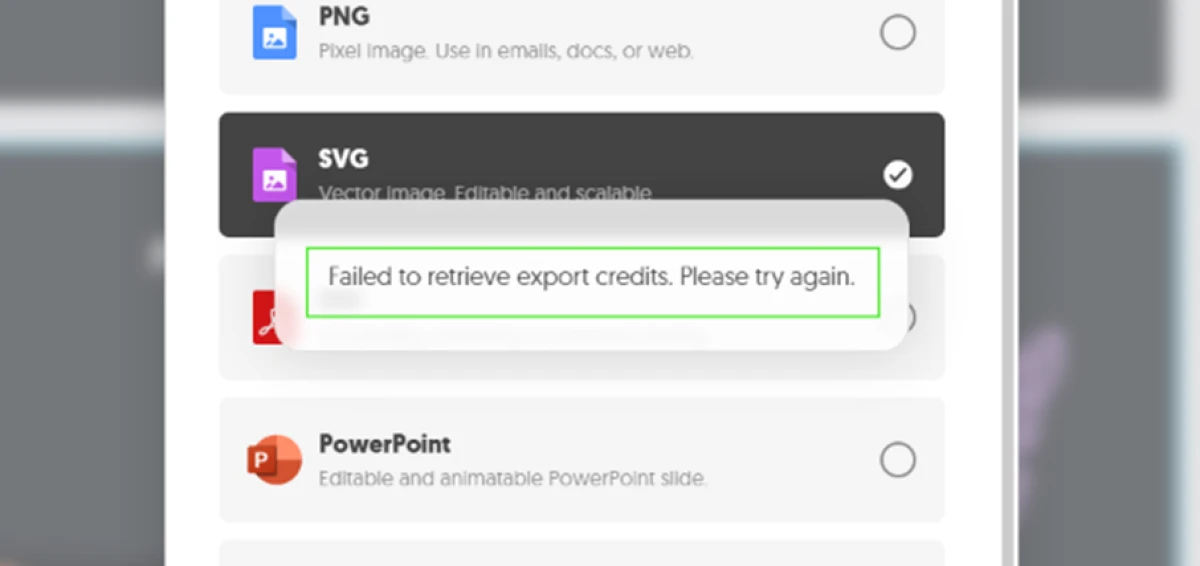
Building a visual is only half the job. The export box lists five formats, and this is where the free plan drew its line.
PNG and PDF are open on free. SVG, PowerPoint and Google Slides need an upgrade, and the Napkin logo toggle in the same box is a paid feature, so free exports keep the watermark.
Then came the part that stopped me. Every export I tried failed with the same message, "Failed to retrieve export credits. Please try again."
Setting up a brand style
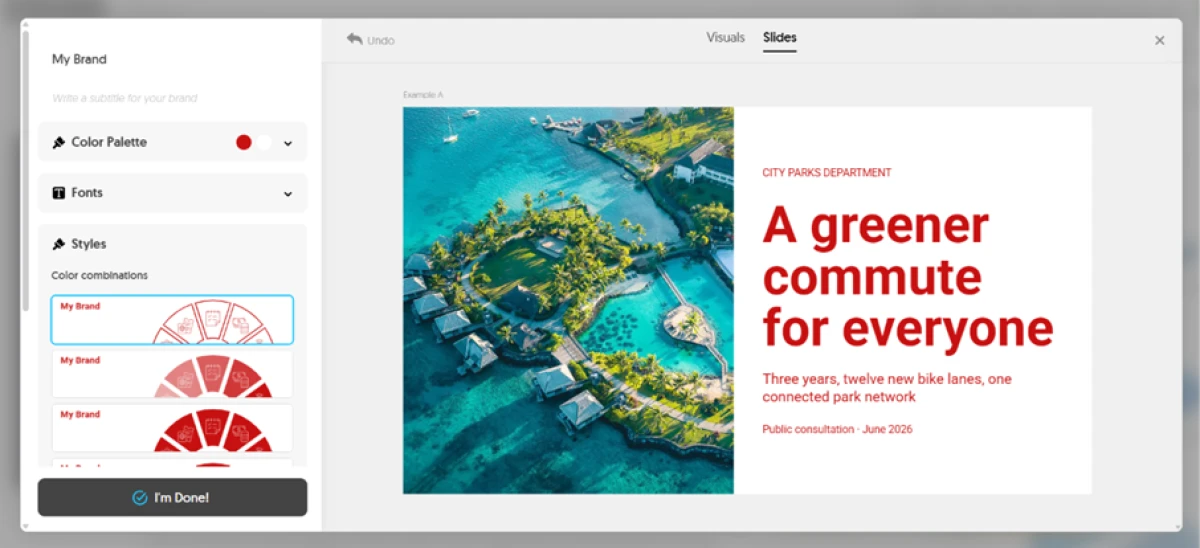
Napkin lets you build a brand style with your own colours and fonts and apply it across visuals.
I set one up in Brand Studio and previewed it on a sample layout, picking a palette and fonts for a consistent look.
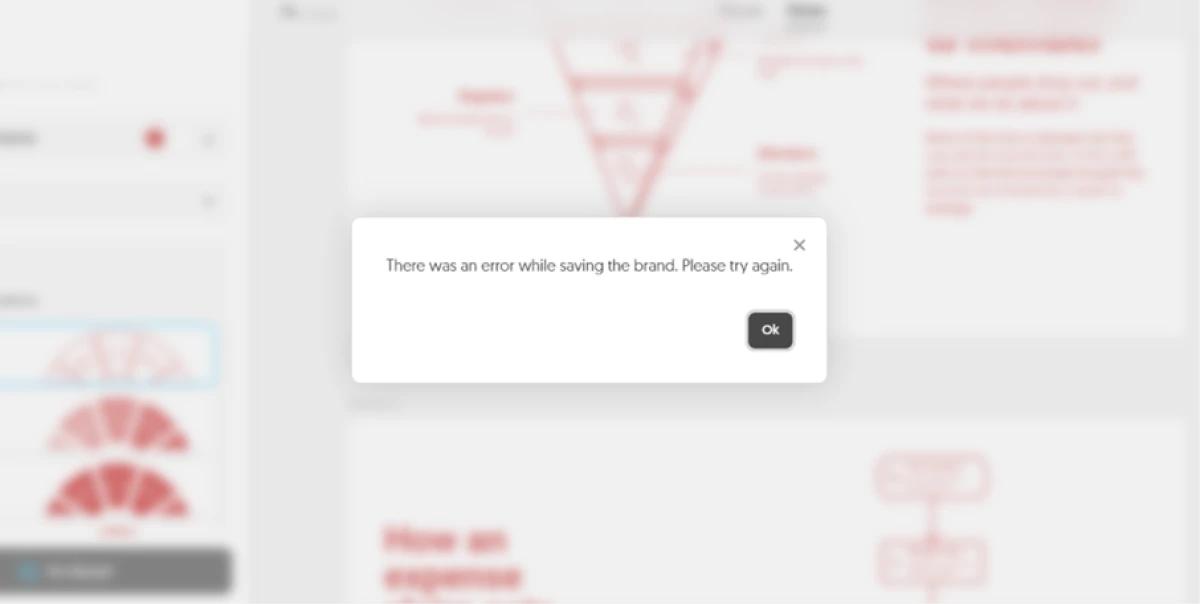
Saving it failed too. The message read "There was an error while saving the brand. Please try again," matching the export trouble from the same session.
Sharing a napkin with a team
Sharing behaved better than everything before it.
I could send a napkin by email and set each person's access, view only at one end and edit and share at the other, with a copy-link option for a quick handoff.
Napkin AI pricing
Figures taken from the official Napkin pricing page, billed yearly.
| Plan | Price | What's included |
|---|---|---|
| Free | $0 | 500 AI credits/week · unlimited visual editing · unlimited file import (PPT, DOC, PDF, HTML, MD) · unlimited PNG & PDF export · Napkin branding stays on visuals |
| Plus Popular | $9 /person/mo | 10,000 AI credits/month · premium AI image models · unlimited PPT & SVG export · 3 Brand Styles · removes Napkin branding · team management and billing |
| Pro | $22 /person/mo | 30,000 AI credits/month · exclusive designs · unlimited custom branding · upload your own fonts · optional credit top-ups |
| Enterprise | Contact sales | Custom terms for larger teams. No price is published; you have to contact the Napkin team for a quote. |
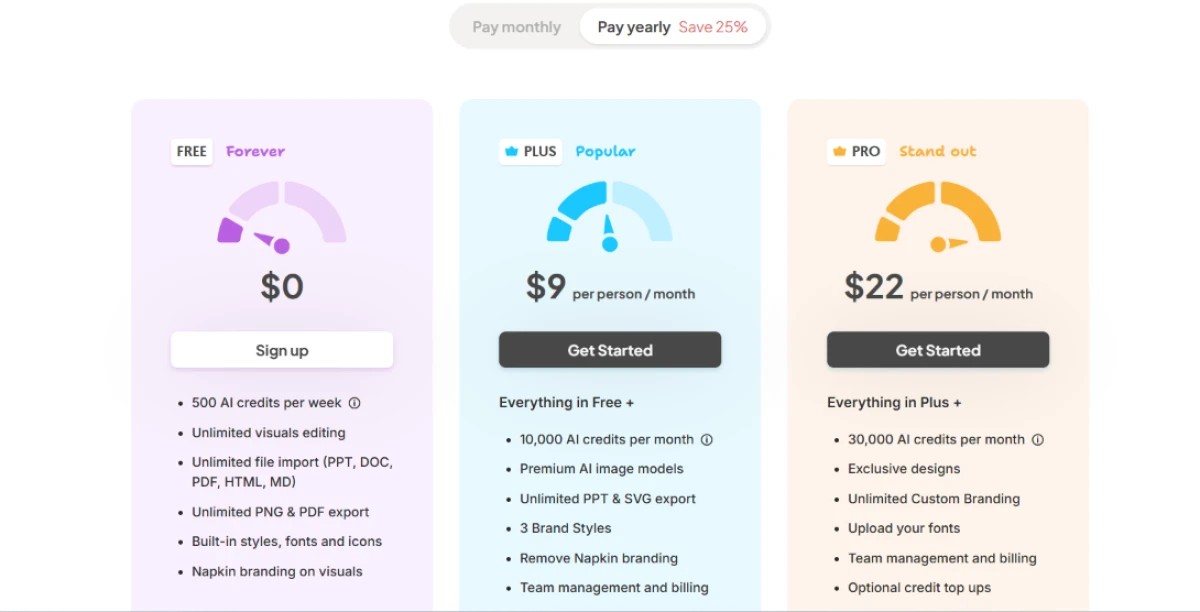
Pricing is accurate as of 16 November 2026 and was captured from the official Napkin website. Plans, prices and credit limits change often, so check the official Napkin pricing page for the current figures before you subscribe.
Pros & cons
What real users repeatedly report, not generic filler.
✅ Pros
- Converts pasted text into clean diagrams in seconds, no prompting
- Generated visuals stay editable vectors: recolour, reshape, swap icons
- Suggests several visual layouts per input, so users pick the fit
- Praised for turning structured notes into presentation and brainstorming visuals fast
- Real-time Teamspace co-editing and commenting for shared feedback
- Builds fishbone, flowchart and mind-map diagrams from plain text
⛔ Cons
- Limited brand-colour and advanced font control, flagged across many reviews
- Centres on single diagrams, not full multi-slide presentation decks
- Narrow diagram range from predefined layout families, no custom shapes
- Output quality drops sharply when the source text is unstructured
- Works best in English; other languages produce inconsistent results
- Complex technical and system-architecture diagrams need heavy manual cleanup
- No input to tell the AI which diagram type you actually want
Synthesized from repeated user reviews on G2 and Product Hunt · paraphrased, not quoted
Napkin AI alternatives
| Napkin AIReviewed | Prezi AI | PresentationGPT | |
|---|---|---|---|
| Our Score | 6.7/10 | 6.3/10 | 3.1/10 |
| Entry paid plan | $9 / person / mo, billed yearly | $2 / mo, billed yearly | $12 / mo, or $5 per download |
| Free export | PNG and PDF | None, public decks only | None, previews only |
| Paid export formats | PNG, PDF, PPT, SVG | PDF, PPT | PPTX, PDF, Google Slides |
| Core output | Diagrams and infographics from text | Zoomable interactive presentations | Slide decks from a prompt |
| Best for | Fast editable visuals for docs and slides | Interactive talks with polls and quizzes | Cheap one-off deck exports, if it runs |
Who Should Use Napkin AI, and Who Should Avoid It?
Napkin is excellent at turning text you already have into a clean visual, but its paywalled exports, short diagram range and thin brand control make it a poor fit for some workflows.
Who Should Use Napkin AI?
Best suited for these workflows
Writers Turning Notes Into Visuals
Paste finished text and get a clean diagram for a blog, doc or report in seconds, with no prompt to learn.
Teams Who Share and Co-edit
Teamspaces, live commenting and per-person link access make group feedback on a visual simple and quick.
People Who Only Need PNG or PDF
The free plan exports unlimited PNG and PDF, which is enough if the visual is going into a document or a post.
Non-designers Who Dislike Prompting
Napkin reads your text directly, so there is no prompt syntax and no design skill needed to get a first draft.
Who Should Avoid Napkin AI?
Consider an alternative if you need
An Editable, Unbranded File on Free
SVG, PPT and Google Slides are paid, and every free visual keeps the Napkin logo stamped on it.
Full Multi-slide Presentations
Napkin centres on single diagrams rather than complete decks, which its Slides beta only partly covers.
Tight Brand Control
Exact brand colours and advanced font styling are limited, a gap users raise again and again in reviews.
Messy or Non-English Source Text
Output quality drops with unstructured input, and the AI works best in English over other languages.
Our Recommendation
Napkin earns its place for anyone who already has the words and wants a clean visual out of them quickly, with editing that does not punish you for experimenting. The value fades if you need an editable, unbranded file for free, deep brand control, or full presentation decks. Before committing, run your own real text through the free plan, check that the visual matches your meaning rather than a stray keyword, and confirm the export formats you need are actually included.
Napkin AI scorecard
Rated against what a text-to-visual diagram tool is actually built to do.
| Dimension | Verdict | Score |
|---|---|---|
| Generation speed Time from text to a finished visual | Excellent |
8.5
|
| Ease of use No prompting, works straight from text | Excellent |
8.5
|
| Output quality How clean and sharp the visuals look | Good |
7.5
|
| Collaboration & sharing Teamspaces, comments, link access | Good |
7.5
|
| Free-plan value Weekly credits and free export scope | Good |
7.0
|
| Editing & customization Control over colours, fonts, layout | Average |
6.5
|
| Export options Formats and the free-versus-paid split | Average |
6.0
|
| Text-to-visual accuracy Faithfulness to the meaning of the input | Average |
5.5
|
| Visual & diagram range Breadth of layouts and shape types | Average |
5.5
|
| Reliability & stability Whether core actions actually complete | Weak |
4.5
|
| Scrutool Score Equal-weight average of all 10 dimensions |
6.7
|
Quick, clean visuals from text, let down by thin controls and a shaky export
Napkin does the hard first step well. It takes text you already have and returns a sharp diagram in seconds, with no prompt to learn and full editing that does not cost you a credit to experiment. For a writer, consultant or marketer who needs a clean visual for a doc or a post, that speed is the real draw, and sharing by link with per-person access is the most reliable part of the product. The weaknesses are just as clear. The AI reads keywords more than meaning, so it added a fifth stage to my four-step process and turned a drawback into a "Free" badge, which means every visual needs a check against your source. The diagram range is narrow, brand control is thin, and on my test day both export and brand save failed outright, which may be a one-day server fault but still blocked the one thing a free user needs. Free also keeps the Napkin logo, and editable SVG and PPT sit behind Plus. Use Napkin if you want fast, editable visuals from text and PNG or PDF is enough. If you need an unbranded, editable file for free, deep brand control, or full presentation decks, look elsewhere.
Discussion
Join the discussion and share your perspective.