
TTSMaker
TTSMaker is a free online text-to-speech tool that turns text into natural voice audio in 100+ languages, with full commercial rights and no signup.

A genuinely free TTS tool with real commercial rights, open voice controls and multi-speaker mode, held back by a tight per-conversion cap and audio that auto-deletes in 30 minutes.
Should you use TTSMaker?
Creators who need short voiceovers with real commercial rights, no signup, and five export formats, all on a free plan.
You need to narrate a long script in one pass . The per-voice character cap forces you to split and stitch longer audio by hand.
Free is genuinely usable. Paid starts at Lite, $9.99/mo billed yearly , which lifts the weekly cap to 300,000 characters a month.
Generated audio auto-deletes in 30 minutes and lives only in your current browser, so download anything you want to keep right away.
Key features & how they perform
Each feature rated from hands-on testing and the tool's documented behaviour.
100+ languages, 300+ voice styles
Coverage spans English, Spanish, Arabic, Chinese, Japanese, Korean and more, with several voice styles per language. The breadth is the headline draw for a free tool.
100% commercial rights, free
The generated audio comes with full commercial use at no fee and no required credit, stated plainly in the tool's own export panel. Rare clarity among free TTS tools.
Open voice controls
Speed, volume, pitch and paragraph-pause timing are all adjustable on free, with pitch doubling as a rough voice-changing effect. More shaping than most free tools allow.
Multi-speaker dialogue mode
The AI Voice Dialogue Generator assigns a different voice to each speaker block, with per-block speed and pauses, then merges one file. Most free tools skip this entirely.
Five export formats plus SRT
MP3, OGG, AAC, Opus and WAV are all selectable without Pro, and each clip gets a free SRT subtitle export matched to the exact audio. Useful for captioned video.
Short retention and length cap
Clips auto-delete in 30 minutes and per-voice character caps limit single conversions, so long scripts and anything you forget to download are lost.
Feature ratings from hands-on testing of the free plan plus the tool's published feature set.
Putting TTSMaker Through Real Work
From a first test line to multi-speaker dialogue, probing where the free tier draws each line.
First prompt and first impressions
I opened the site and typed my first line straight into the box. There was nothing to sign up for and nothing to dismiss, and the tool was ready to use the moment the page loaded.
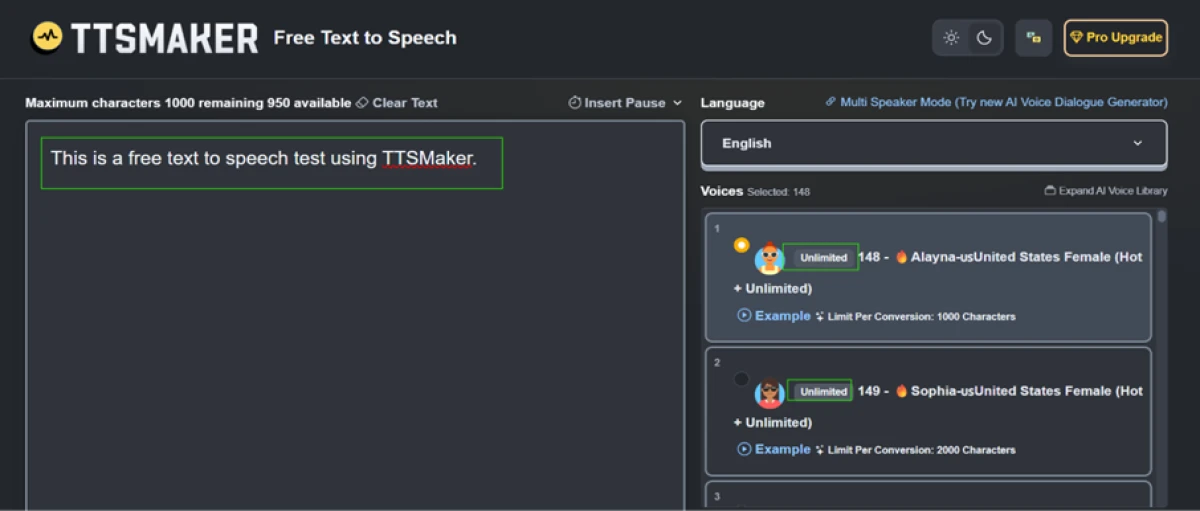
The voice panel is where the free plan shows its hand. Voices 148 and 149 both carry an Unlimited tag, so they do not eat into the weekly character quota, and the per-voice ceiling prints right under each name: 148 allows 1000 characters per conversion, 149 allows 2000. The limit is not one single number, it changes with the voice you pick.
"This is a free text to speech test using TTSMaker."
Export formats and commercial rights
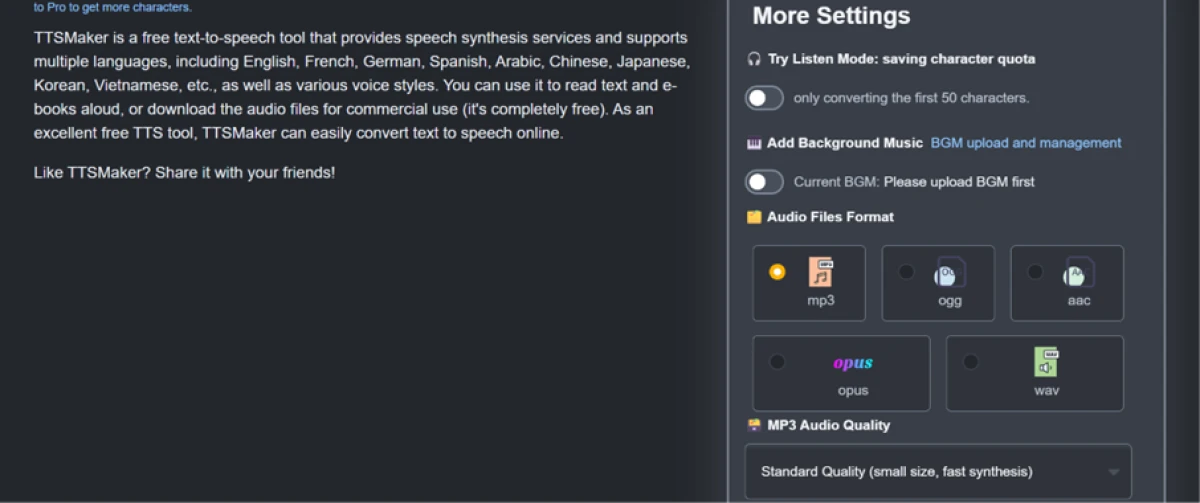
Opening More Settings answered the question most free tools dodge. The commercial-use line is stated plainly in the tool's own words, with no fee and no credit required, and underneath sits a format picker with five choices: MP3, OGG, AAC, Opus and WAV. Nothing there was locked behind an upgrade.
I also spotted a Listen Mode toggle that converts only the first 50 characters. It is a small thing, but it lets you audition a voice without spending quota, which matters once you know the weekly cap is finite.
Voice controls that are actually free
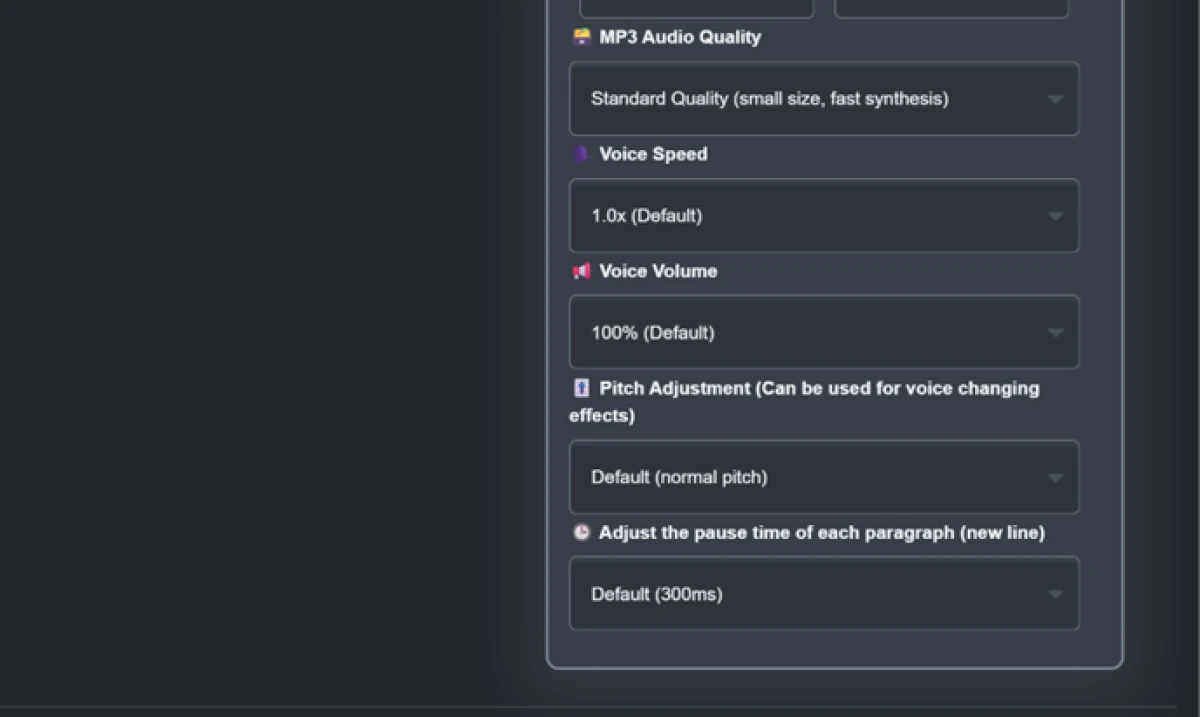
Scrolling further down the same panel, the control set held up. Voice speed, volume, pitch and paragraph-pause timing were all adjustable, none of them gated.
Pitch doubles as a rough voice-changing effect, and the paragraph pause defaults to 300ms so multi-paragraph scripts do not run together. For a free tool, that is more shaping control than I expected.
The one-time human check
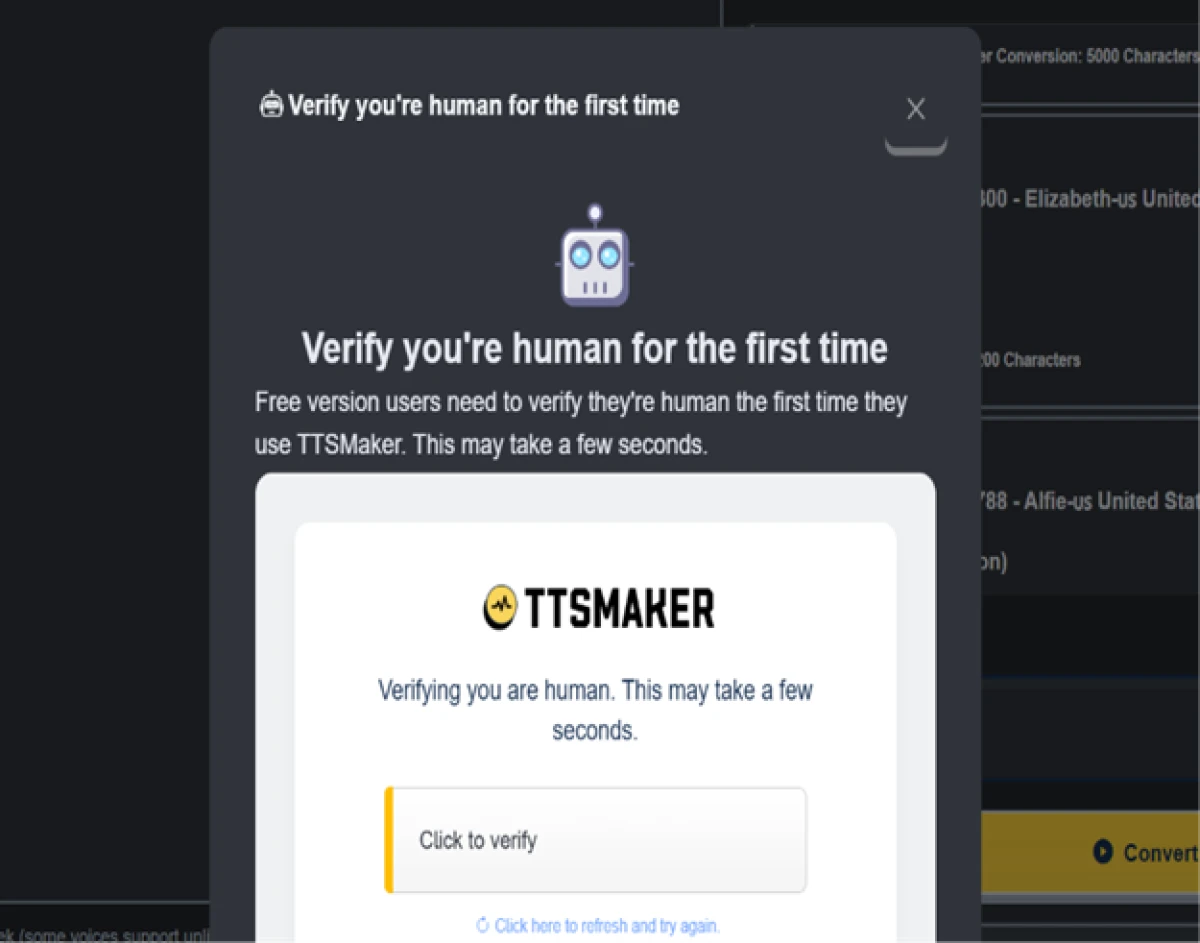
Before my first conversion went through, a verification box appeared. The wording is specific: free users verify once, the first time they use the tool.
It is not a captcha on every single conversion, which is the assumption I started with and had to correct. One click, a few seconds, and it was done for the session.
The audio comes out clean
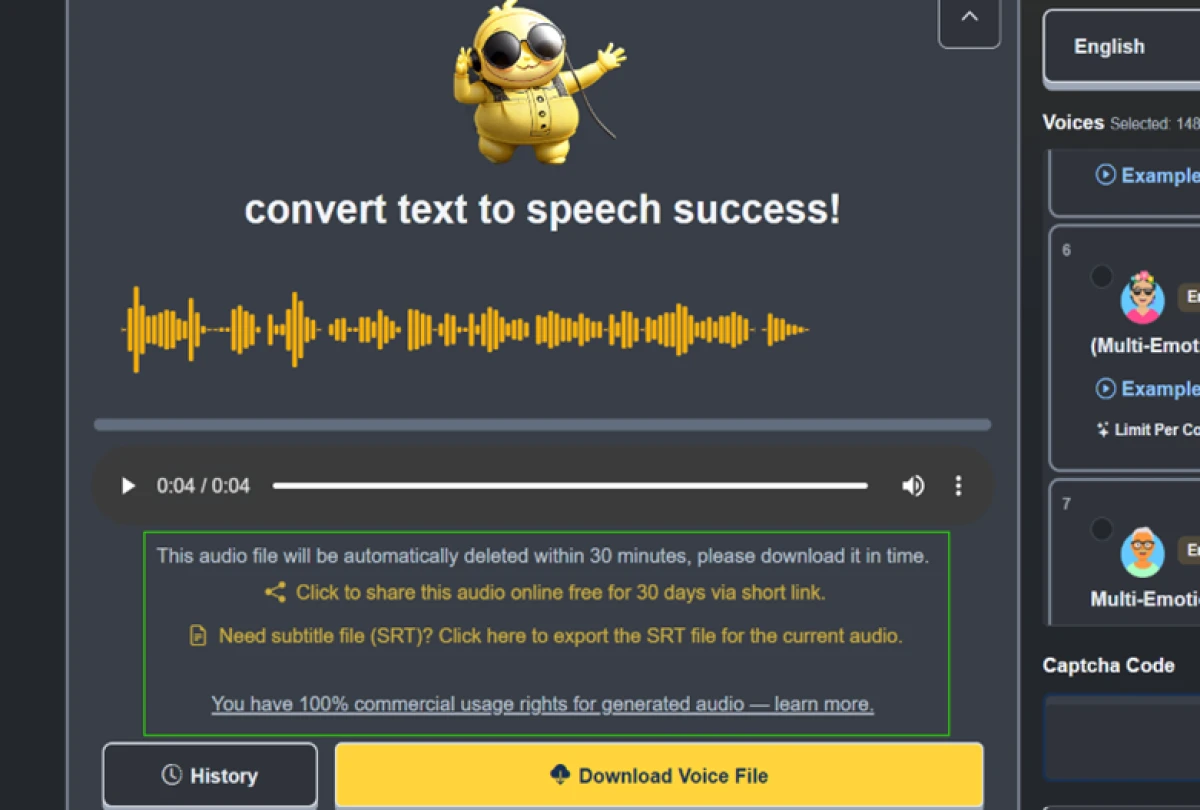
For the real voice test I used a slightly longer script. The conversion landed with a success message and a playable waveform.
"Hello, welcome to my channel. Today we're testing whether this free voice sounds natural enough to use in a real video."
The info box under the player is worth reading closely. You get 100% commercial rights on the generated audio, a free SRT subtitle export for the exact clip, and a shareable link that stays live for 30 days. The catch sits in the same box: the file auto-deletes in 30 minutes, so you download now or lose it.
Where it pushed back: the per-conversion cap
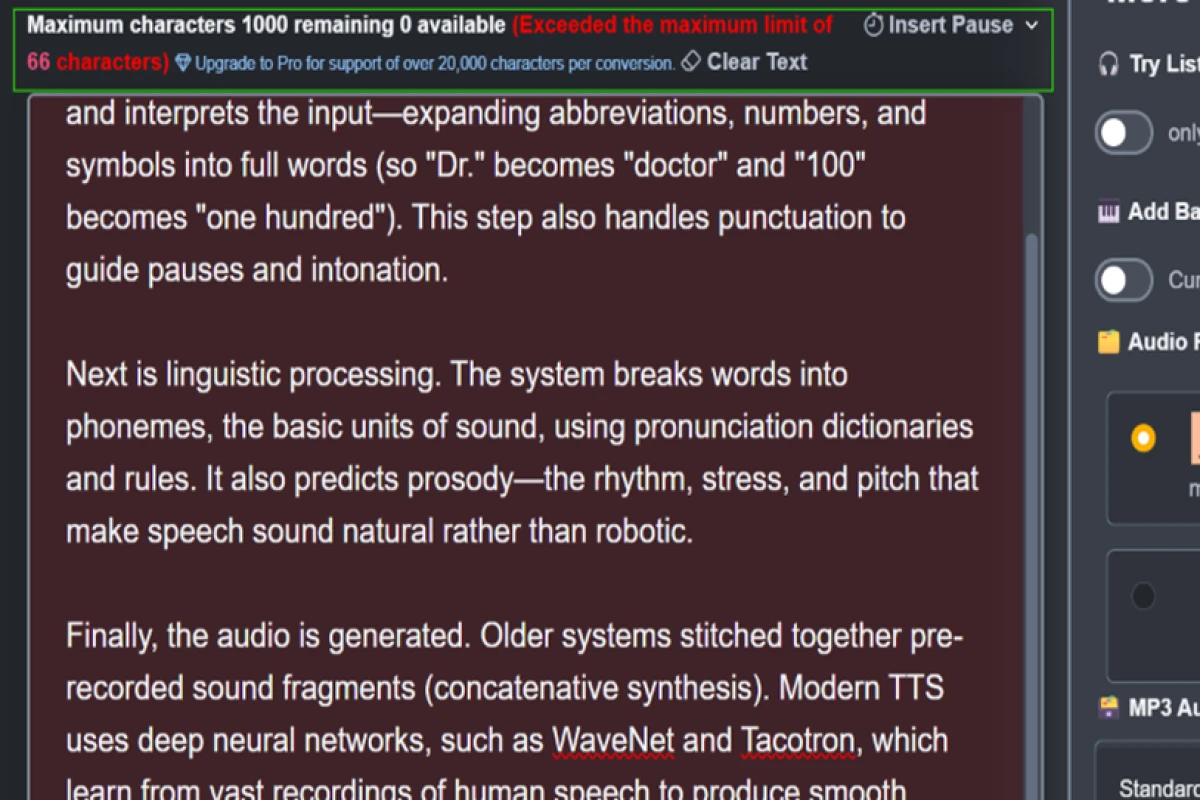
Then I tested the ceiling on purpose. I pasted a long passage into a voice capped at 1000 characters, and the counter turned red with an over-limit warning. The message points straight at the Pro upgrade for anything over 20,000 characters per conversion.
This is the real friction of the free plan. A long article or a full script does not go in as one block. You split it, convert each piece, and stitch the audio afterward. For a short clip it is invisible. For an audiobook chapter it becomes an assembly line.
Manual pause control
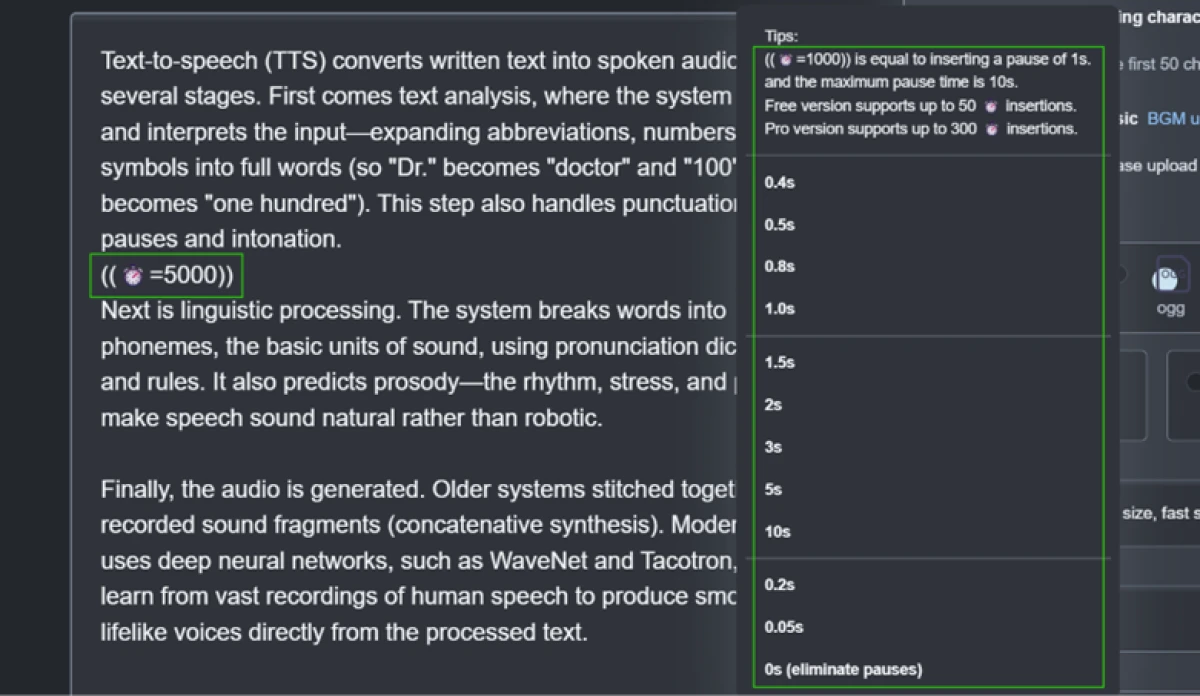
The Insert Pause menu lets you drop a timed silence anywhere using a tag, with options running from 0.05s up to a 10-second maximum. The free plan allows up to 50 of these insertions per script, while Pro raises it to 300.
Fifty pauses is plenty for narration or a short dialogue, so this limit never got in my way during testing.
What the length cap looks like in practice
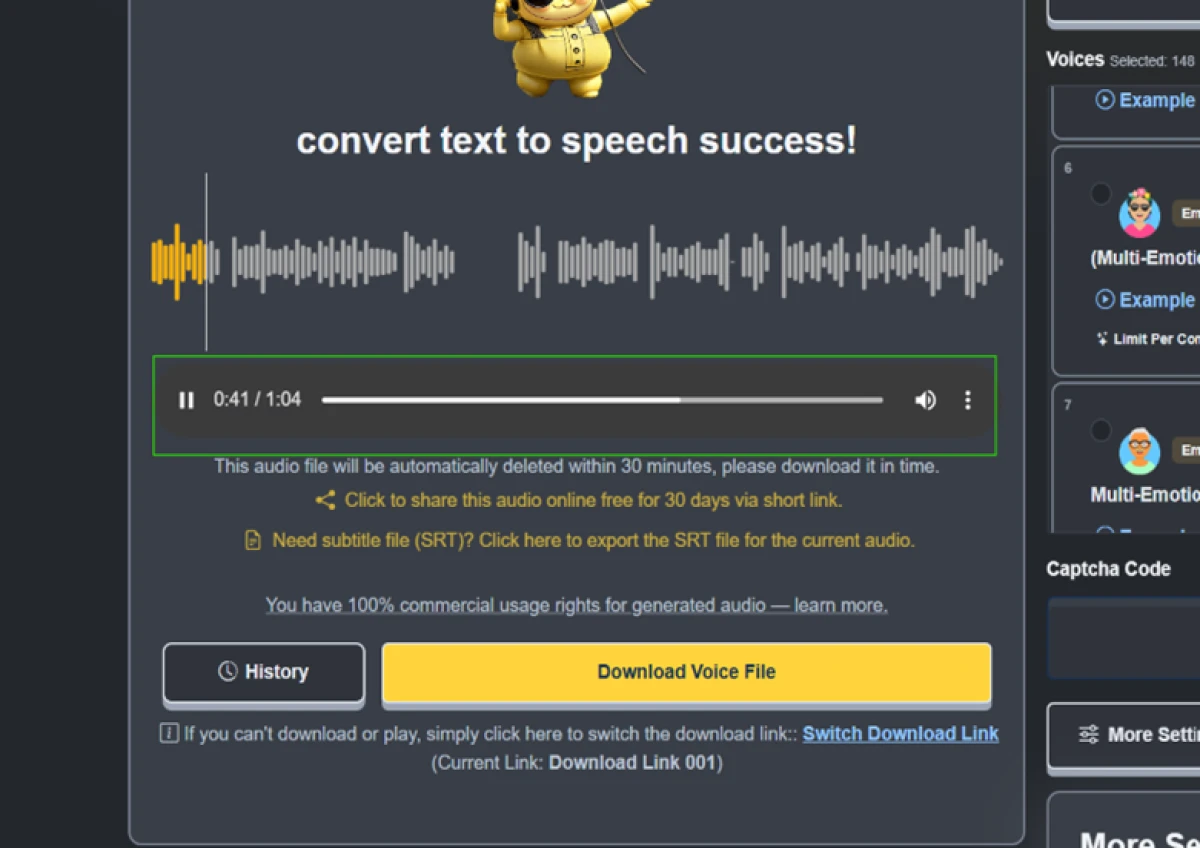
My longest single clip came out at 1 minute and 4 seconds of audio from one conversion. That is the practical output length a free voice gives you before the character cap stops you.
The player also offers a Switch Download Link option if the first download stalls, which is a small reliability touch.
Multi-speaker mode on free
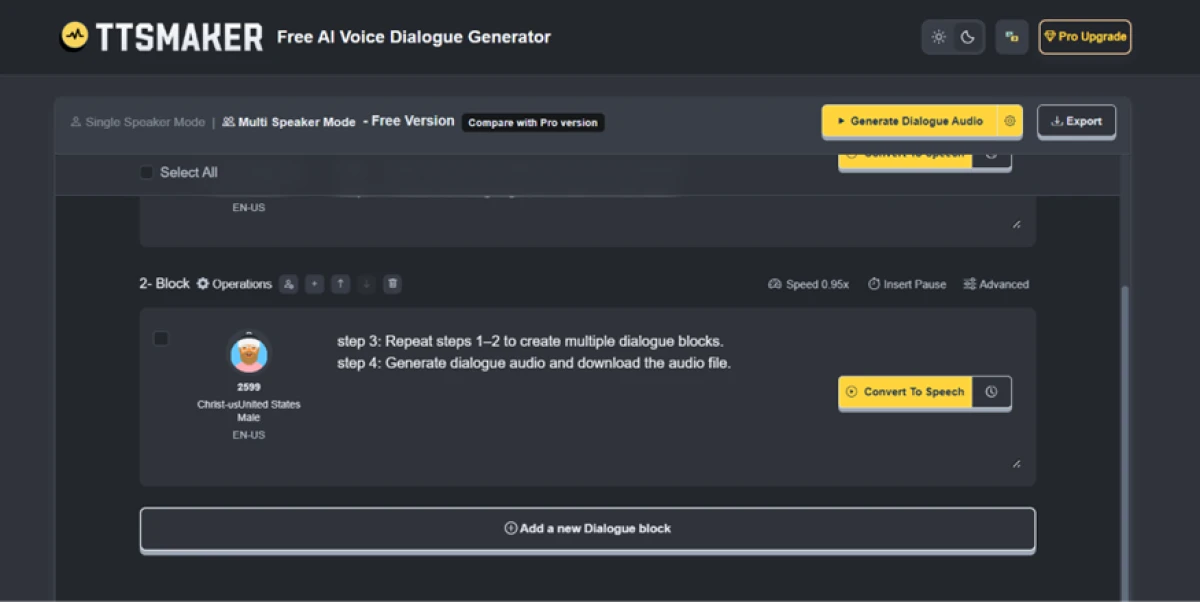
The surprise of the test was Multi-Speaker Mode, labelled the AI Voice Dialogue Generator. The free version lets you build dialogue in separate blocks, assign a different voice to each speaker, set per-block speed, and insert pauses, then generate one combined audio file.
Assigning speaker 2599 a United States male voice took a couple of clicks. Most free tools do not offer multi-voice conversation at all.
History expires fast
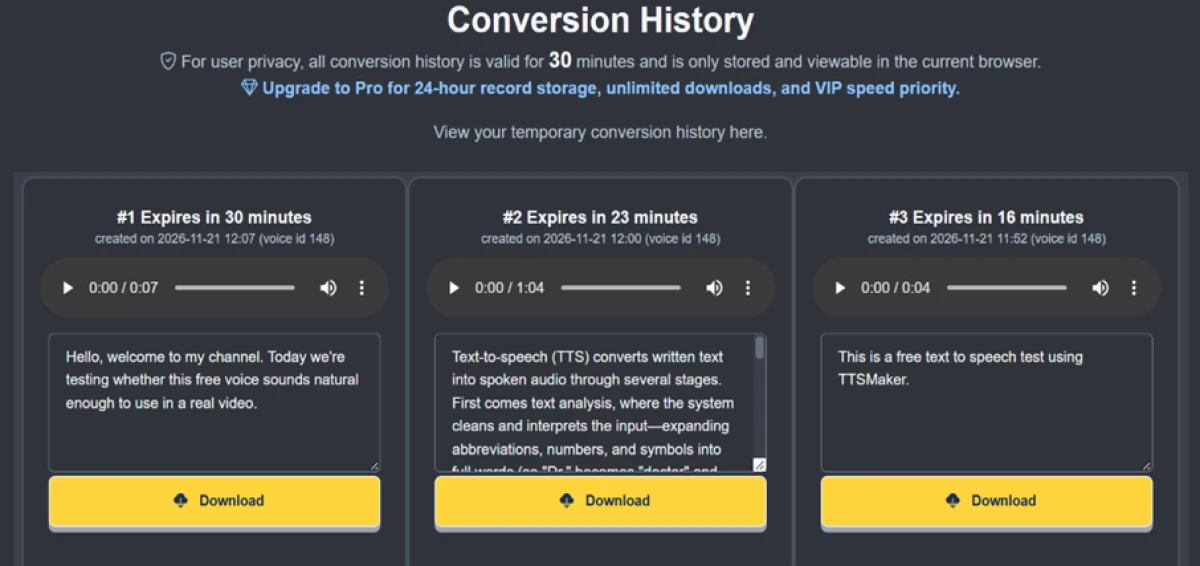
The Conversion History panel confirmed the storage limit in writing. Every clip is valid for 30 minutes and lives only in the current browser. My three test conversions sat there with live countdowns, each with its own Download button, and the Pro pitch was right at the top: 24-hour storage, unlimited downloads, and speed priority.
If you close the tab or wait too long, the history is gone. Download anything you care about the moment it finishes.
TTSMaker pricing
Figures captured from the official TTSMaker pricing page, billed yearly.
| Plan | Price | What's included |
|---|---|---|
| Free | $0 | 20,000 characters per week · maximum 500 characters per conversion · unlimited downloads · 30 minutes of conversion history |
| Lite | $9.99 /mo | Billed $119.88 yearly (save $36) · 300,000 characters per month, about 6.9 hours of audio · for beginners |
| PRO Mini Popular | $18.99 /mo | Billed $227.88 yearly (save $60) · 600,000 characters per month, about 13.8 hours of audio · for creators |
| PRO Max | $24.99 /mo | Billed $299.88 yearly (save $96) · 1,200,000 characters per month, about 27.6 hours of audio · for professionals |
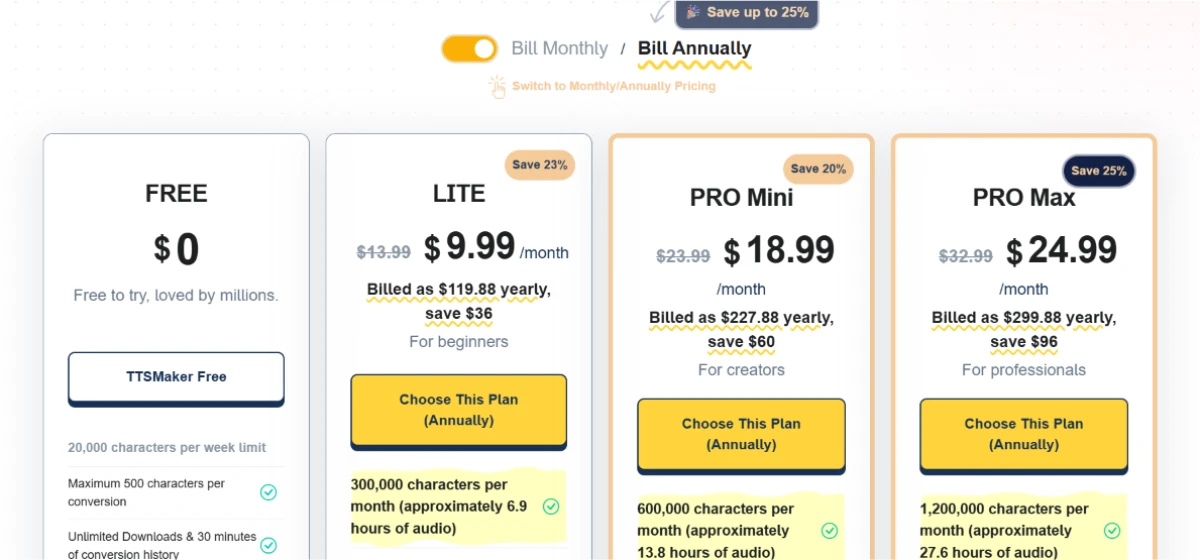
Pricing is accurate as of November 21, 2026 and was captured from the official TTSMaker website. Plans, prices and character limits change often, so check the official TTSMaker pricing page for the current figures before you subscribe.
Pros & cons
Patterns from real user reviews, not generic filler.
✅ Pros
- No registration needed, so users convert text the moment the page loads
- Covers 100+ languages with 300+ selectable voice styles
- Generated audio carries full commercial rights at no charge
- Reviewers rate the output quality highly for a free tool
- Pause-insertion syntax gives precise control over silence timing
- Downloads available in MP3 and WAV among other formats
⛔ Cons
- Multiple reviewers single out a lack of third-party integrations
- Some users report specific features they wanted are missing
- A minority find the interface harder to use than expected
- Not every reviewer feels the paid tiers are worth the price
Synthesized from real reviews on Product Hunt and third-party AI tool directories, where 70% of 20 reviewers recommend it · paraphrased, not quoted
TTSMaker alternatives
| TTSMakerReviewed | Mage Space | ImagineArt AI | |
|---|---|---|---|
| Our Score | 6.9/10 | 6.8/10 | 6.6/10 |
| Core focus | Text to speech only | Image, video and audio studio | 50+ image, video and audio models |
| Entry paid plan | $9.99 / mo, billed yearly | $10 / mo | $9 / mo, billed yearly |
| Free tier | 20,000 characters per week | 300 one-time Gems | 100 credits per day |
| Free commercial use | Yes, full rights | Yes, no watermark | Yes, no watermark |
| Signup to use | Not required | Required | Required |
Who Should Use TTSMaker, and Who Should Avoid It?
TTSMaker splits cleanly between short-clip creators who get a lot for free and long-form narrators who hit its caps fast.
Who Should Use TTSMaker?
Best suited for these workflows
Short-clip video creators
Intros, captions and voiceovers under a minute fit inside the free caps, with full commercial rights and a free SRT for each clip.
Multilingual and dialogue needs
100+ languages plus a free multi-speaker mode cover translated clips and two-character conversations most free tools cannot touch.
Anyone who hates signups
No account is required, so you can audition a voice and download a usable clip within a minute of opening the page.
Who Should Avoid TTSMaker?
Consider an alternative if you need
Long-form narration in one pass
The per-voice character cap forces audiobook and long-article work into a split-convert-stitch routine rather than a single render.
Reliable audio storage
Free clips vanish after 30 minutes and live only in the current browser, so there is no safety net if you forget to download.
Deep tool integrations
Reviewers repeatedly flag a lack of third-party integrations, so it fits a manual download workflow more than a connected pipeline.
Our Recommendation
TTSMaker is one of the most generous free TTS tools going, and for short clips with commercial rights it is hard to beat. If your work is long-form or needs to slot into a wider toolchain, the free caps and missing integrations will slow you down, and the Lite plan is where that friction eases. Before you rely on it, run a real clip, confirm the voice quality in your language, and download immediately so the 30-minute timer never catches you out.
TTSMaker scorecard
Rated against what a free text-to-speech tool is actually built to do.
| Dimension | Verdict | Score |
|---|---|---|
| Language & voice range Languages and styles on offer | Excellent |
9.0
|
| Commercial-use terms Rights on generated audio | Excellent |
9.0
|
| Free-tier generosity What you get before paying | Good |
8.0
|
| Voice controls Speed, volume, pitch, pauses | Good |
8.0
|
| Multi-speaker mode Dialogue with per-block voices | Good |
8.0
|
| Export format options MP3, OGG, AAC, Opus, WAV, SRT | Good |
8.0
|
| Voice quality & naturalness How human the output sounds | Good |
7.0
|
| Integrations Connections to other tools | Weak |
5.0
|
| Per-conversion length cap How much text goes in at once | Weak |
4.0
|
| Audio storage How long clips survive | Weak |
3.0
|
| Scrutool Score Equal-weight average of all 10 dimensions |
6.9
|
The most honest free TTS tool, as long as your clips stay short
TTSMaker earns its reputation. You open the page, type, and download a clean, commercially usable clip in under a minute, with no account and no hidden credit requirement. The language and voice range is wide, the voice controls are open on free, and multi-speaker dialogue mode is something most paid tools treat as a premium add-on. For short-form creators, this is close to the best free deal in text to speech. The limits are real and they all point the same way: the per-voice character cap splits any long script into pieces, the 30-minute retention window means a forgotten download is a lost file, and reviewers consistently note the lack of integrations. None of that matters for a 60-second voiceover. All of it matters for an audiobook. Use the free plan for clips and captions, and move to Lite at $9.99 a month billed yearly the moment your work runs long or needs to live inside a larger pipeline.
Discussion
Join the discussion and share your perspective.