
Pika AI
Pika is an AI video platform that turns prompts and images into short clips across a bench of models like Kling, Seedance and its own engines. Clean watermark-free exports, but a free tier with zero credits.

A fast, model-rich video playground with clean watermark-free downloads, undercut by a free plan that ships zero credits and a billing and support record users rate harshly.
Should you use Pika?
Short-form creators who want to try many video models in one place and download clean, watermark-free clips for social.
You expected a usable free tier . A new account holds zero credits, so you cannot finish a single video without paying.
Plans start at Starter, $10/mo , but credits burn fast: a premium model like Seedance can cost over 120 credits for one 5-second clip.
Users rate the company 1.6 on Trustpilot , with repeated reports of billing charges and support emails that go unanswered.
Key features & how they perform
Each feature rated from hands-on testing and aggregated review sentiment.
A model bench, not one engine
Pick from Pika H3 Flex, Kling 4.0, Seedance 2.5, MiniMax, Wan 3.0 and more. You choose the engine per clip instead of being locked to one.
Image-to-video that holds
Feeding a source image fixes composition, clothing and face, so the model spends effort on motion. Reviewers call it the safer, more recognisable workflow.
Camera Director reshoots
Upload a clip and pick a new angle, framing and camera move, from extreme wide to close-up. It gives you b-roll from a single take, at a steep credit cost.
Effects and transforms
Pikaffects, Pikaswaps and Pikadditions drive memes and social hooks. They can also decay into noise or leak into nearby surfaces when pushed.
Native sound and speech
Pika Soundtrack scores clips with music, ambience and foley, and Speech Studio adds voice. Audio sits in the same workflow, not a separate tool.
Clean, watermark-free export
Downloads carry no Pika logo on any plan, including clips shared from the public feed. That alone sets it apart from several rivals.
Feature ratings blended from Trustpilot, Product Hunt, Apple App Store, Google Play & competitor hands-on reviews + testing.
What a free Pika account actually lets you do
From a first prompt to the download folder, testing where the free plan opens and where it stops.
Writing a prompt and picking quality
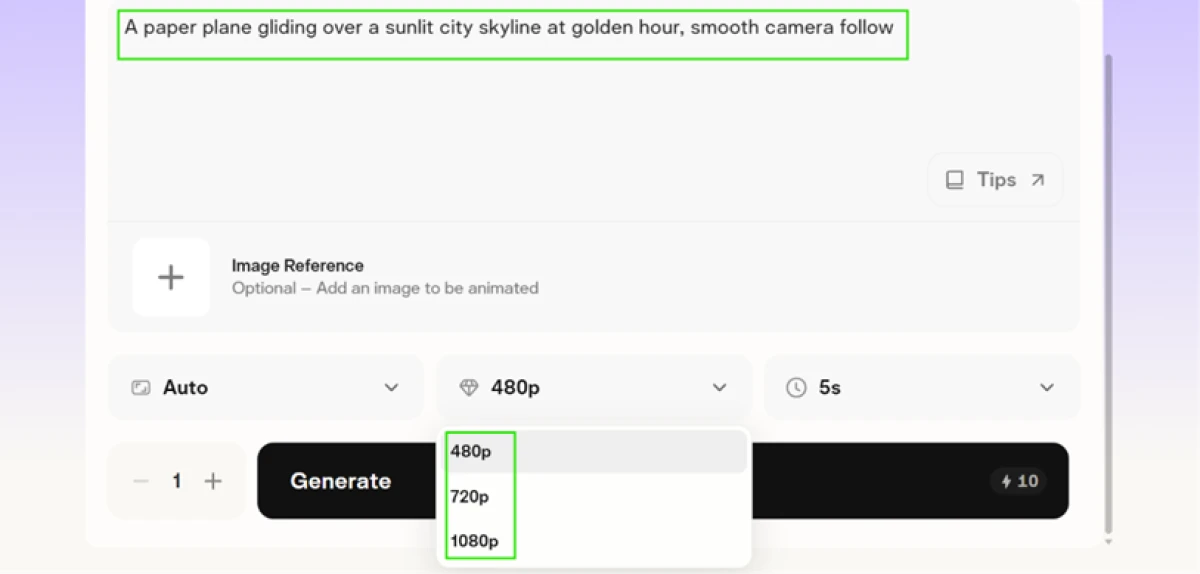
The setup is clean. The prompt box, the image-reference slot, and the quality and length controls all sit in one panel, so a first-time user is not hunting for anything.
Three resolutions are offered, from 480p up to 1080p. The detail that matters sits on the Generate button itself: even a 5-second clip at the lowest 480p setting carries a 10-credit cost. Quality is not the gate here. Credits are.
"A paper plane gliding over a sunlit city skyline at golden hour, smooth camera follow"
Hitting the free-plan wall
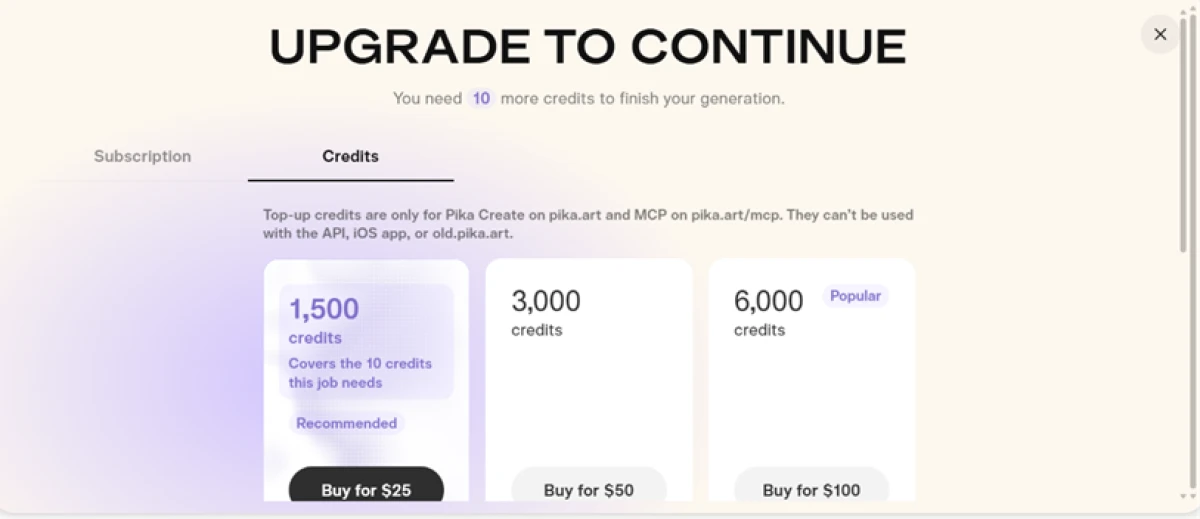
I clicked Generate. Instead of a video, I got a paywall.
This is the single most important finding of the test. The free plan does not come with a usable credit allowance. My balance sat at zero, and the only way forward was to buy a credit pack, the smallest being 1,500 credits for $25.
Camera Director and the paid creative tools
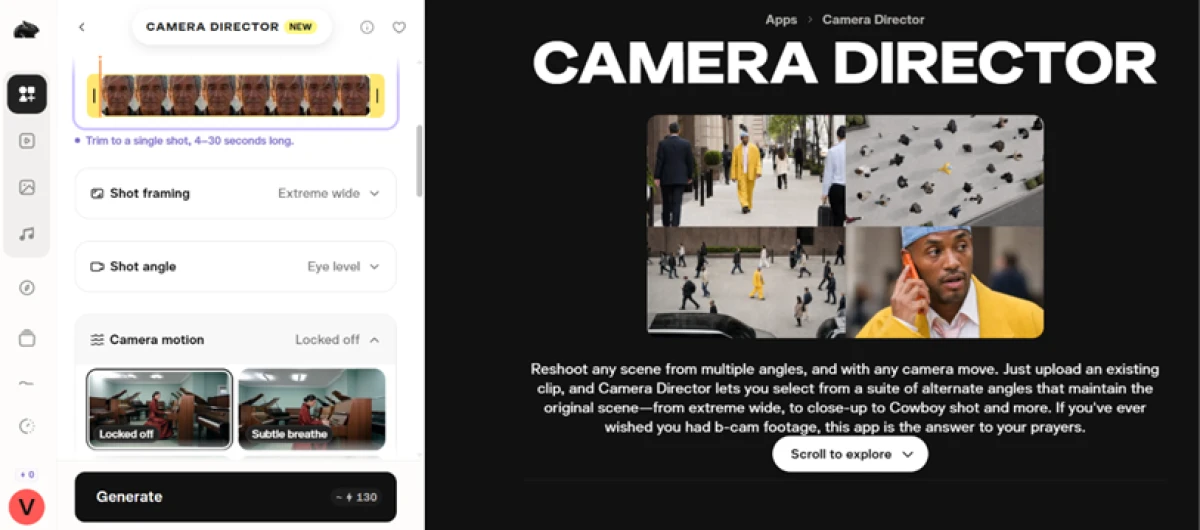
I opened Camera Director, the tool that lets you reshoot a scene with a different framing, angle and camera motion.
The feature itself is useful. You upload a clip, then pick an alternate angle and a camera move, which gives you something close to b-roll from a single take. Shot framing runs from extreme wide to close-up.
Learning from the public feed
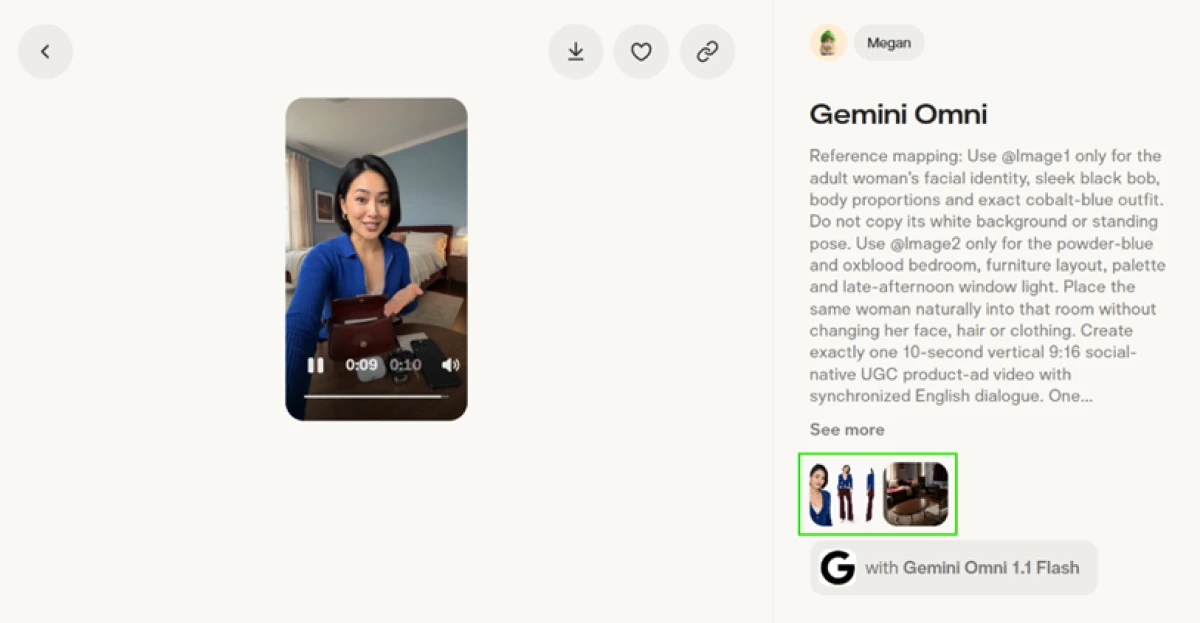
Since I could not generate, I spent time in the public Discover feed, where other creators' videos are shared. This turned out to be one of the better parts of the free experience.
Every public post exposes the full prompt, the reference images the creator fed in, and the model used. For anyone learning to write video prompts, that is a free reference library.
Downloading a video, watermark-free
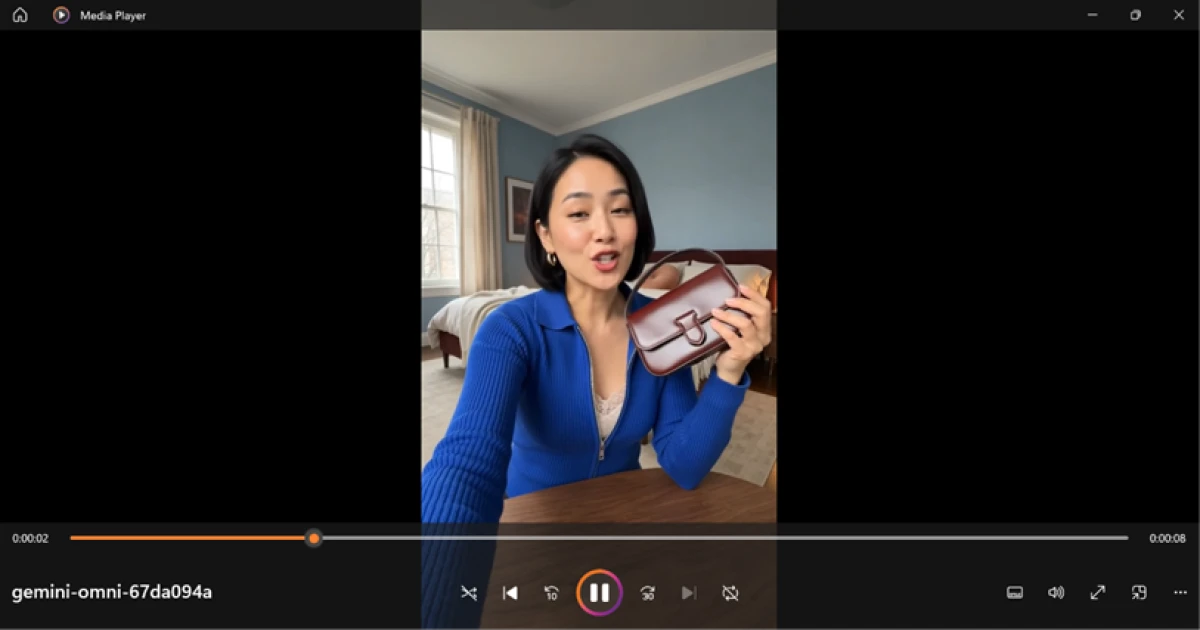
I downloaded that public clip to check what the exported file looks like, then played it back in a local media player.
The downloaded file carried no watermark. That is a real plus and sets Pika apart from several competitors that stamp their logo on free exports. The video plays clean, which makes the output usable for social posts as-is.
Using your live camera as input
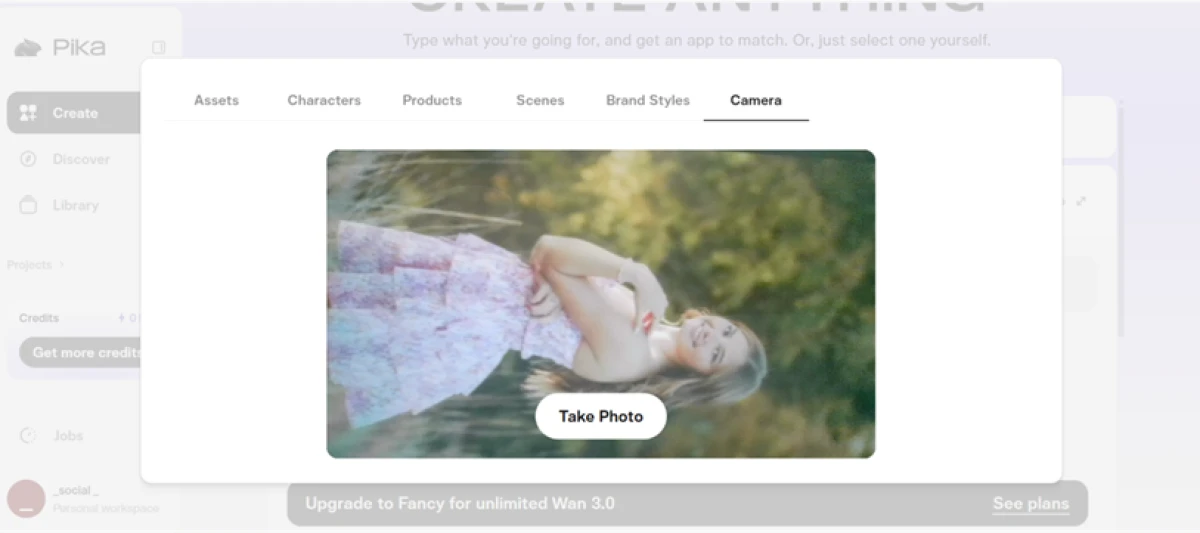
The last thing I tested was input options. Pika lets you pull in an image from your device camera directly, not only from an uploaded file.
Capturing a live photo as a reference is a nice touch for anyone working on the fly, and it sits alongside tabs for characters, products, scenes and brand styles. The same upgrade banner follows you here, and the credit counter still reads zero.
How Pika's credits actually drain
Why the plan name matters less than the model you pick and the resolution you choose.
Pika charges by credits, not by clips, and every generation draws the pool down at a rate set by the model, the resolution and the length. On the Pika 2.5 engine, a 5-second clip runs 12 credits at 480p, 20 at 720p and 40 at 1080p. Doubling the length to 10 seconds doubles the cost, and moving from 720p to 1080p doubles it again. So a 10-second 1080p clip lands at 80 credits before you have retried anything.
Then the model choice swings it hard. A premium engine like Seedance 2.5 can cost 122 to 134 credits for the same 5-second clip, while a Pika H3 Flex draft runs as low as 10. The 2,600 credits on the Creator plan sound generous until a Seedance run eats a twentieth of your month in one press.
The part that hurts is retries. AI video rarely lands on the first attempt, and every failed generation spends the same credits as a keeper. At a realistic one-in-four hit rate, a 1080p 5-second clip costs roughly 160 credits per usable result, not 40. Budget for the misses, not the demos.
Pika pricing
Figures taken from the official Pika pricing page. Monthly billing shown; annual billing is cheaper.
| Plan | Price | What's included |
|---|---|---|
| Free | $0 | 0 monthly credits (credit packs only) · all models · 2 video + 2 image or audio in parallel · no watermark · no commercial license |
| Starter | $10 /mo | 600 credits/mo ($8/mo billed yearly) · all models · 2 video + 8 image or audio in parallel · no watermark · commercial license |
| Creator Popular | $35 /mo | 2,600 credits/mo ($28/mo billed yearly) · all models · 8 video + 32 image or audio in parallel · no watermark · commercial license |
| Fancy | $95 /mo | 8,550+ credits/mo (from $76/mo billed yearly) · unlimited parallel generations · priority queue · early access · unlimited Wan 3.0 (limited-time) |
| Enterprise | Custom | Custom credits · unlimited parallel generations · commercial license · early access to new models · dedicated support |
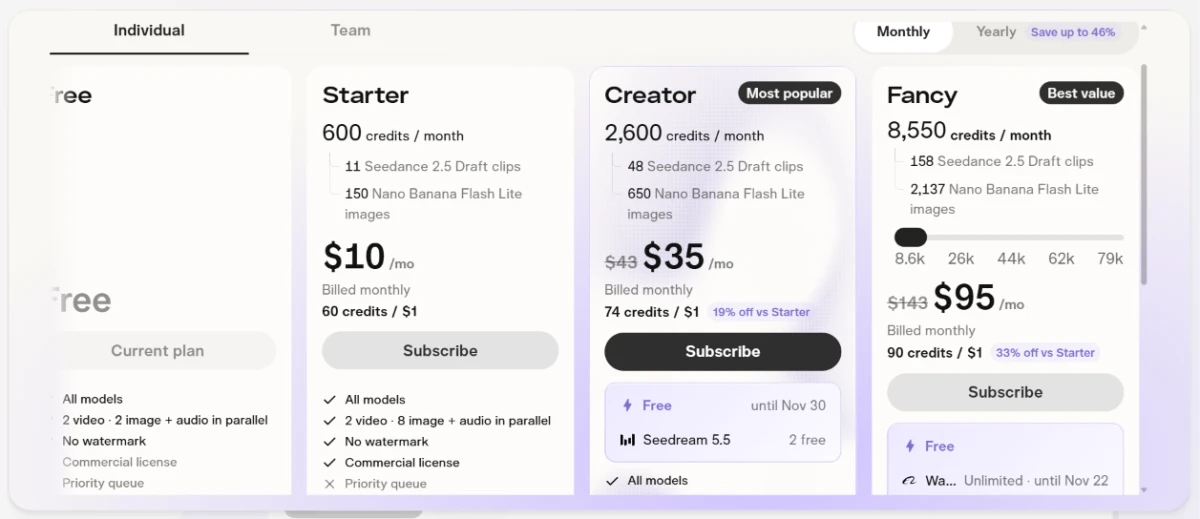
Pricing is accurate as of 20 November 2026 and was captured from the official Pika website. Plans, prices and credit limits change often, so check the official Pika pricing page for the current figures before you subscribe.
Pros & cons
Specific patterns from real user reviews, not generic filler.
✅ Pros
- Access to eight-plus video models, with Seedance singled out as cheap
- Downloads carry no watermark on any tier, free included
- Image-to-video keeps a subject recognisable better than text-to-video
- Effects like Pikaffects and Pikaswaps nail quick social transforms
- Clean interface that needs no video-editing background
- Rough concept clips render in roughly 30 to 90 seconds
- Cancelling a subscription takes about two clicks
⛔ Cons
- Trustpilot sits at 1.6 stars, with 87% one-star reviews
- Repeated reports of charges after cancelling or without a plan
- Support described as a black hole; emails go days without reply
- Prompt adherence drops when one shot does too much at once
- Faces, outfits and proportions drift across multi-shot sequences
- Physics is unreliable: objects fall or bend in impossible ways
- Output "nothing like the examples" in promotional demos
Synthesized from real reviews on Trustpilot, Product Hunt, Apple App Store, Google Play & Reddit · paraphrased, not quoted
Pika alternatives
| PikaReviewed | Mage Space | ImagineArt AI | Wan AI | |
|---|---|---|---|---|
| Our Score | 6.3/10 | 6.8/10 | 6.6/10 | 6.6/10 |
| Entry paid plan | $10 / mo ($8 yearly) | $10 / mo | $9 / mo, billed yearly | $5 / mo yearly, $10 monthly |
| Free tier | 0 credits, packs only | 300 one-time gems | 100 credits per day | Daily check-in credits |
| Watermark on free | None | None on free images | None | Yes, Wan logo |
| Model choice | 8+ video models, pick per clip | 50+ models across media | Deepest bench, 11+ video models | Wan engine plus Kling, Nano Banana |
| Best for | Trying many models, clean social clips | An all-in-one browser studio | One subscription across video and image | Targeted edits on a budget |
| Standout strength | Watermark-free export plus Camera Director | Huge model and feature spread | One of the deepest model benches around | Box Select targeted editing on free |
Who Should Use Pika, and Who Should Avoid It?
Pika is a fast, flexible way to make short social clips, but its zero-credit free tier and rough support record make it a poor fit for some users.
Who Should Use Pika?
Best suited for these workflows
Short-Form Social Creators
If you make TikTok and Reels clips, Pika turns prompts and photos into watermark-free video fast, with effects built for hooks.
People Who Want Model Choice
Pick from Kling, Seedance, MiniMax, Wan and Pika's own engines per clip, instead of being locked to one model's quirks.
Image-First Animators
Feeding a source image keeps the subject recognisable, making this the safer path when a face or product must stay on-model.
Prompt Learners on a Budget
The public feed shows every creator's full prompt, reference images and model, a free study library before you spend a credit.
Who Should Avoid Pika?
Consider an alternative if you need
A Genuinely Free Tool
A new account holds zero credits, so you cannot finish one clip for free. Rivals like ImagineArt refresh daily free credits instead.
Dependable Billing and Support
A 1.6 Trustpilot rating and repeated reports of surprise charges and silent support make this a real risk for paying freelancers.
Long, Consistent Narratives
Faces and outfits drift across multiple shots, so Pika works as a shot generator, not a continuity engine for longer stories.
Predictable Physics
Objects fall and bend in impossible ways, so anything that depends on realistic motion will take many credit-burning retries.
Our Recommendation
Pika earns its place if you make short social clips and value model choice plus clean exports more than a free tier. If you want to test before paying, start with a tool that gives real free credits, since Pika's does not. Before you subscribe, run a small credit pack on your own prompts, confirm the current per-model credit costs, and weigh the billing complaints against your tolerance for risk.
Pika scorecard
Rated against what an AI video generator is actually built to do.
| Dimension | Verdict | Score |
|---|---|---|
| Model choice Range of video engines to pick from | Excellent |
8.5
|
| Ease of use Setup, navigation, first generation | Excellent |
8.5
|
| Watermark & export freedom Clean, usable downloaded files | Good |
8.0
|
| Resolution & length Quality tiers and clip duration | Good |
7.5
|
| Output quality Short-form creative results | Good |
7.5
|
| Character consistency Holding a subject across shots | Average |
6.0
|
| Prompt adherence Following complex instructions | Average |
5.5
|
| Value for credits Cost per usable clip, free pool | Weak |
4.5
|
| Billing & support Charges, cancellation, responsiveness | Weak |
3.5
|
| Free plan usability What you can do without paying | Weak |
3.0
|
| Scrutool Score Equal-weight average of all 10 dimensions |
6.3
|
A fun model playground with a free tier that forgot the free part
Pika gets the creative side right. The model bench is wide, the interface is clean enough for a first-timer, image-to-video keeps subjects on-model, and the watermark-free download is a genuine edge over rivals that brand every free clip. The problems start at the checkout and the support desk. The free plan hands you zero credits, so there is no real way to test before paying, credits drain fast once a premium model is involved, and the company carries a 1.6 Trustpilot rating with repeated reports of surprise charges and unanswered support emails. For a short-form creator who already trusts the platform and shares by the clip, there is a lot to like here. Anyone who wants to try before they buy, or needs dependable billing and long, consistent sequences, should start with a tool that gives real free credits and a steadier track record, then come back to Pika for the model variety once the budget is set.
Discussion
Join the discussion and share your perspective.