
Felo AI
Felo is a multilingual AI answer engine that searches across 100+ languages and turns answers into mind maps, slides, pages and video. Strong cross-language research, uneven creation tools.

A genuinely strong cross-language answer engine with one-click mind maps and a surprising video tool, let down by credit-hungry slides and follow-up prompts that come back in the wrong language.
Should you use Felo?
Cross-border researchers who need answers built from sources in languages they cannot read, handed back in clean English with clickable citations.
Your main job is finished slide decks . The free credit pool runs dry mid-deck, and some finished slides render with broken layouts.
Free covers a real research session. Paid starts at $12.50/mo billed yearly , adding 15,000 monthly credits plus a 200 daily bonus.
Visual features are credit-hungry : one real-time visualization cost 150 credits, and follow-up questions can come back in the source language you do not read.
Key features & how they perform
Each feature rated from hands-on testing and aggregated review sentiment.
Cross-language retrieval
Ask in English, and Felo pulls sources in Japanese, Chinese or Korean, then answers in your language. For local-only topics, that is the whole point.
Footnoted citations
Every answer carries clickable source footnotes that users single out for making verification fast, a step above tools that cite loosely.
One-click mind maps
Turn any answer into a mind map with structure styles, color themes and an AI Diagram mode, no regenerating or re-prompting needed.
Wide export reach
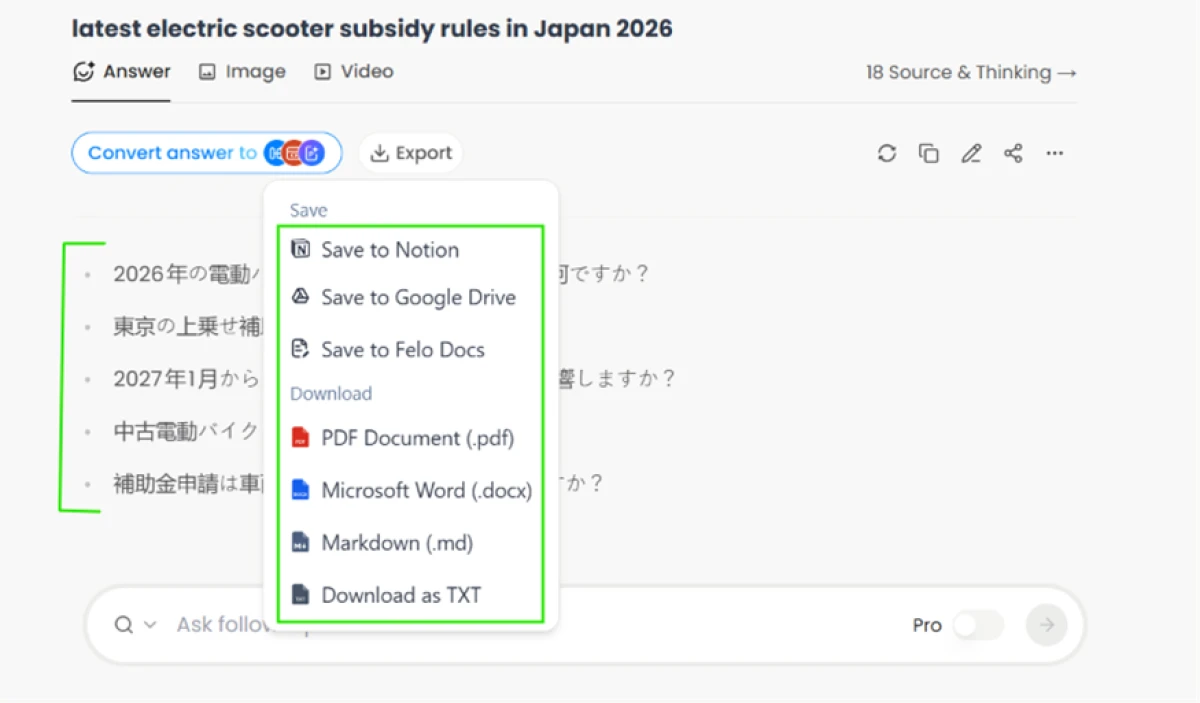
Push an answer straight to Notion, Google Drive or Felo Docs, or download it as PDF, Word, Markdown or plain text, generous for a free tier.
Felo Video from a link
Feed it one URL and it builds a short narrated video using real screenshots from the page, with no watermark on the download.
AI slide generation
It drafts decks from a prompt, but the free credit ceiling can pause a job mid-build, and some finished slides arrive with empty blocks.
Feature ratings blended from Product Hunt, Apple App Store, Google Play, Chrome Web Store & hands-on testing.
A day of testing Felo
From a cross-language search to mind maps, slides and video, tracking where the free credits hold and where they break.
Cross-language search is the real strength
I started on the home screen with the Pro toggle off, so this ran as a standard free search, 500 credits showing.
"latest electric scooter subsidy rules in Japan 2026"
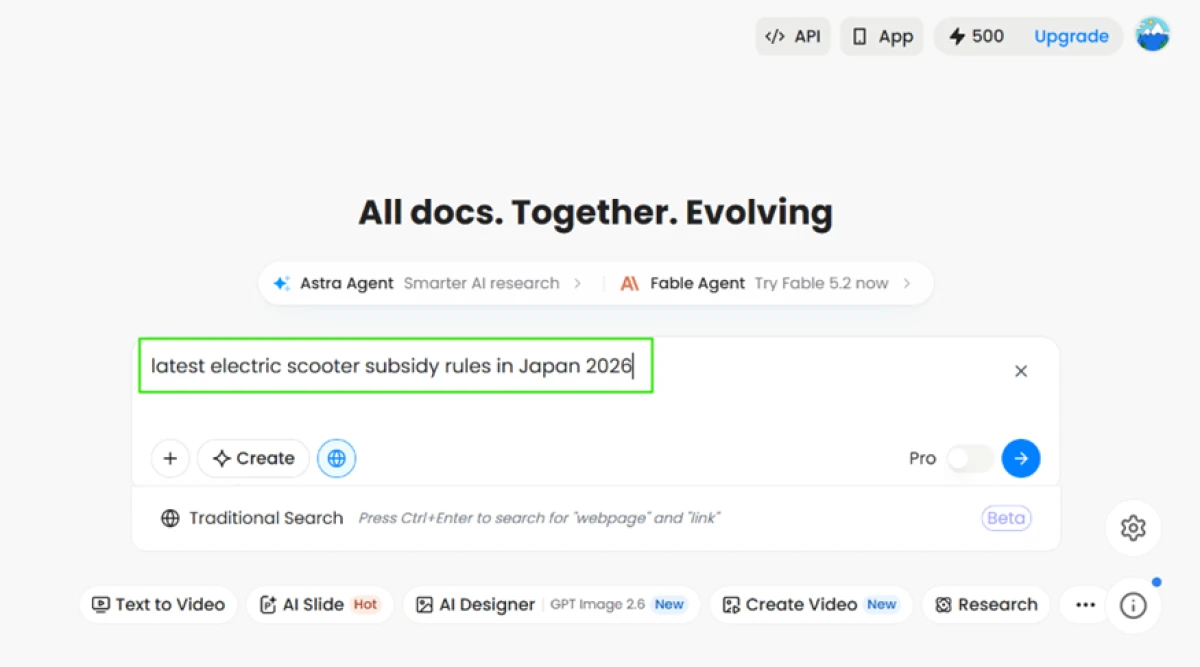
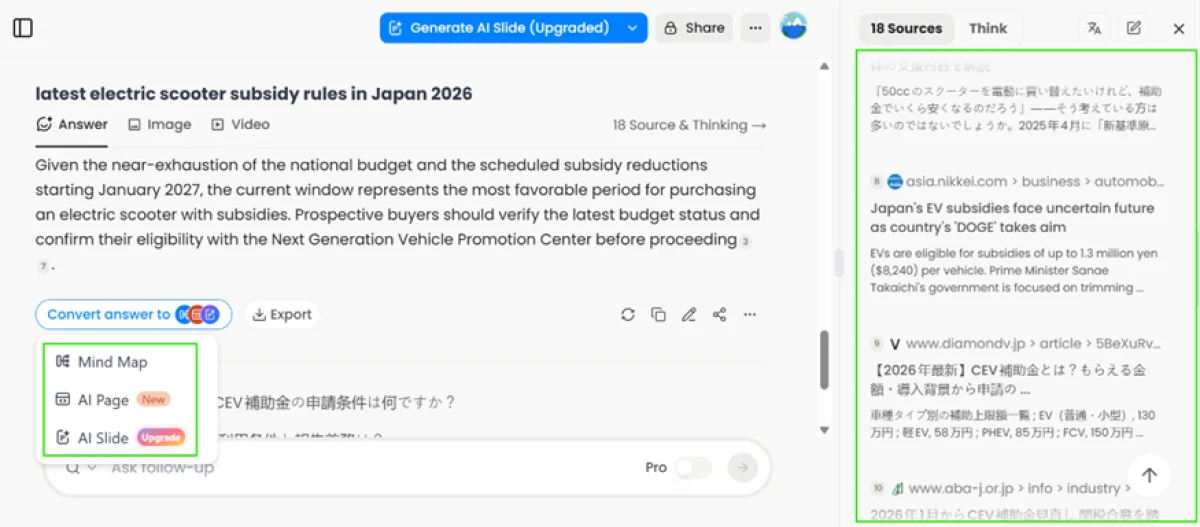
This is where Felo did something most AI search tools get wrong. I asked in English and it pulled 18 sources that were mostly Japanese, including asia.nikkei.com and diamondv.jp alongside local industry sites, then handed back a clean English answer built from them.
The export options went further than I expected from a free tool. I could push the answer straight to Notion, Google Drive or Felo Docs, or download it as a PDF, Word file, Markdown or plain text.
The follow-up suggestions came back in Japanese
The feature that makes Felo good is the same one that tripped it up. Because the answer was built from Japanese sources, every follow-up question it suggested was written in Japanese.
I typed my question in English and read an English answer, then got handed next steps I could not read. For an English-only user, that cancels out the benefit of guided follow-ups.
Mind maps and diagrams in one click
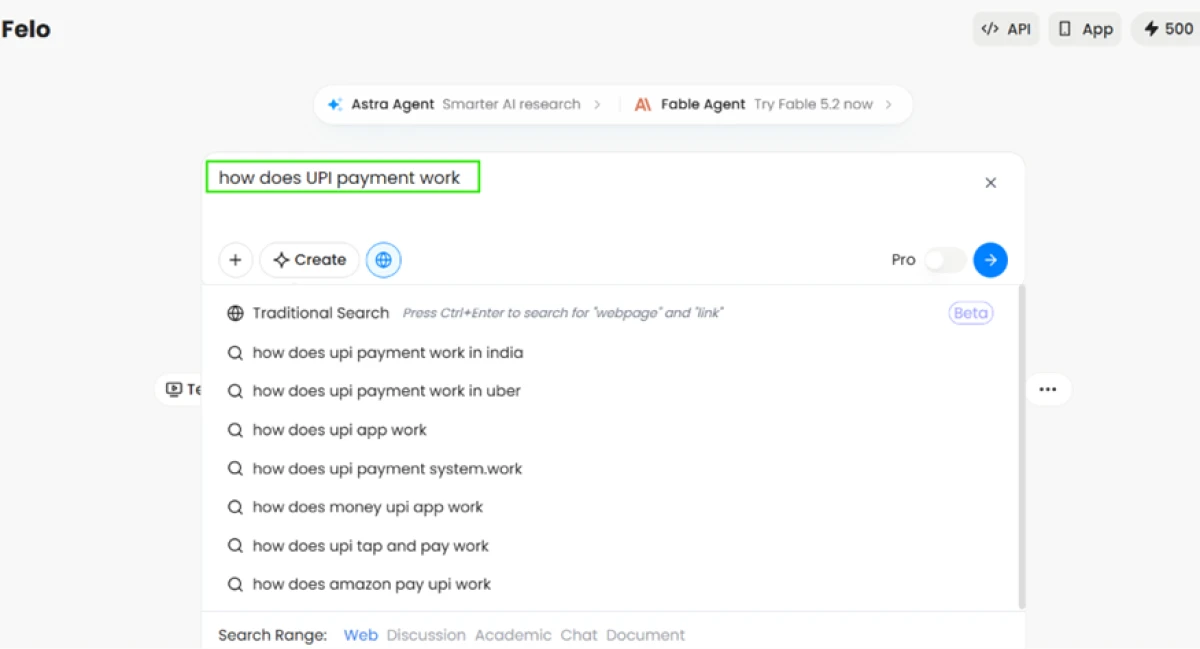
For the visual features I switched to a topic I know well and ran a new prompt. The mind map generated in a single click off the answer, and Felo offered several structure styles plus a theme switcher and an AI Diagram option.
"how does UPI payment work"
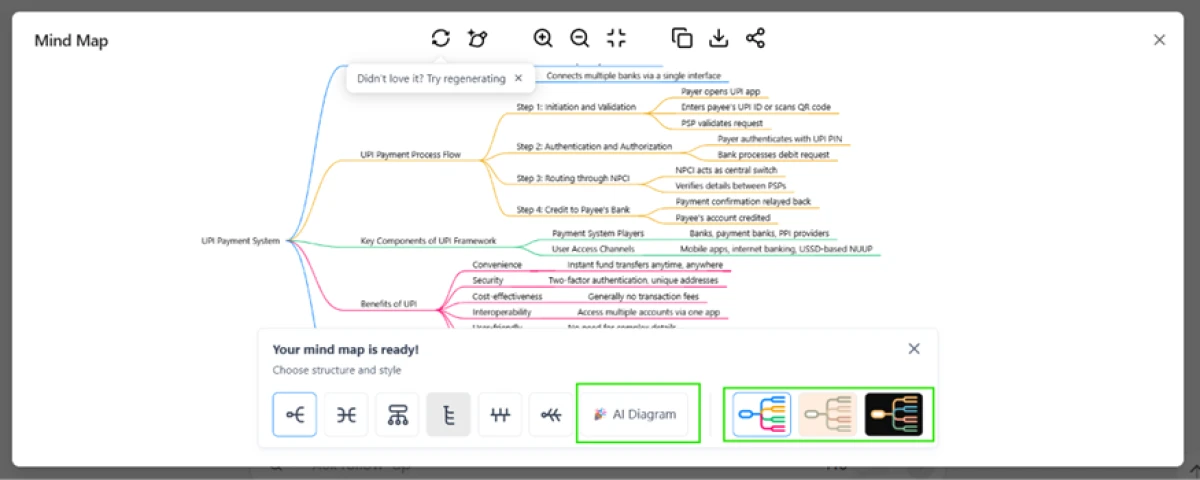
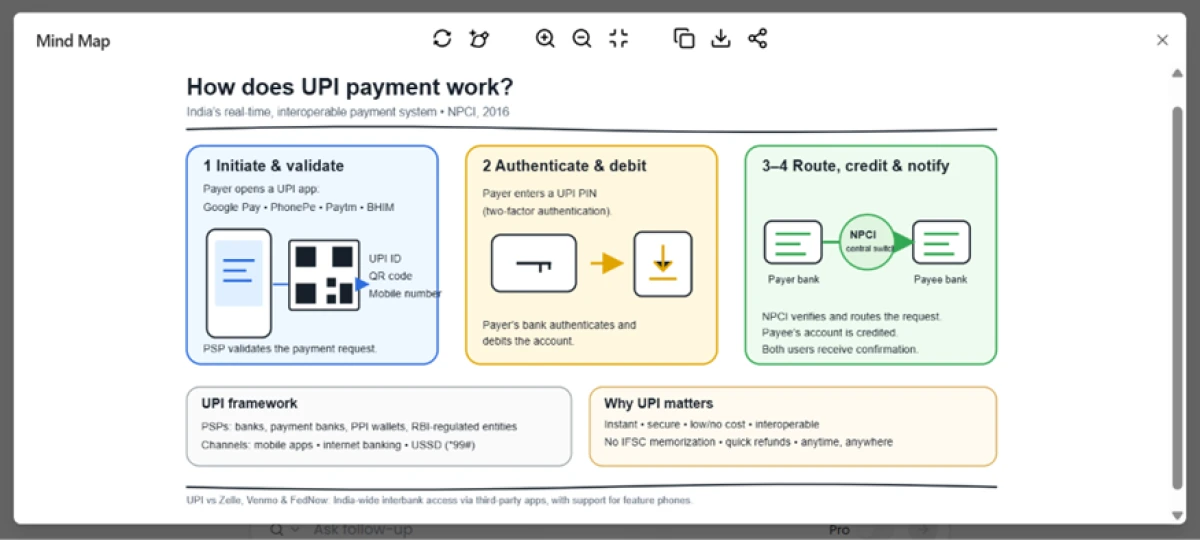
Switching it to the AI Diagram took one more click and gave me a cleaner layout I would actually drop into a blog post. No regenerating, no re-prompting.
The AI slide maker ran out of credits mid-job
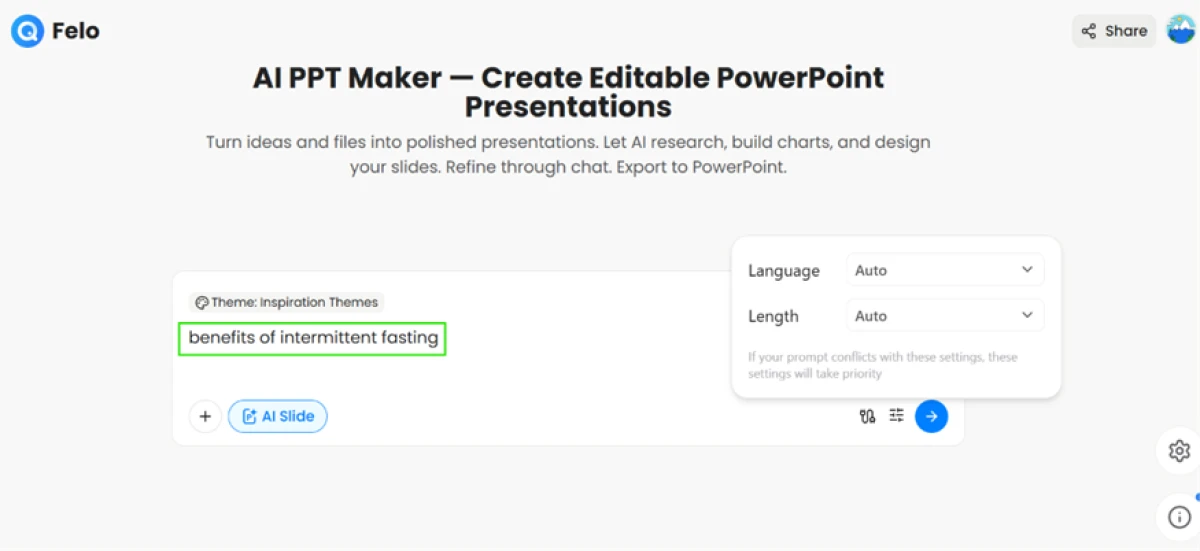
The slide generator is where the free ceiling showed up. I set language and length both to Auto and let it run.
"benefits of intermittent fasting"
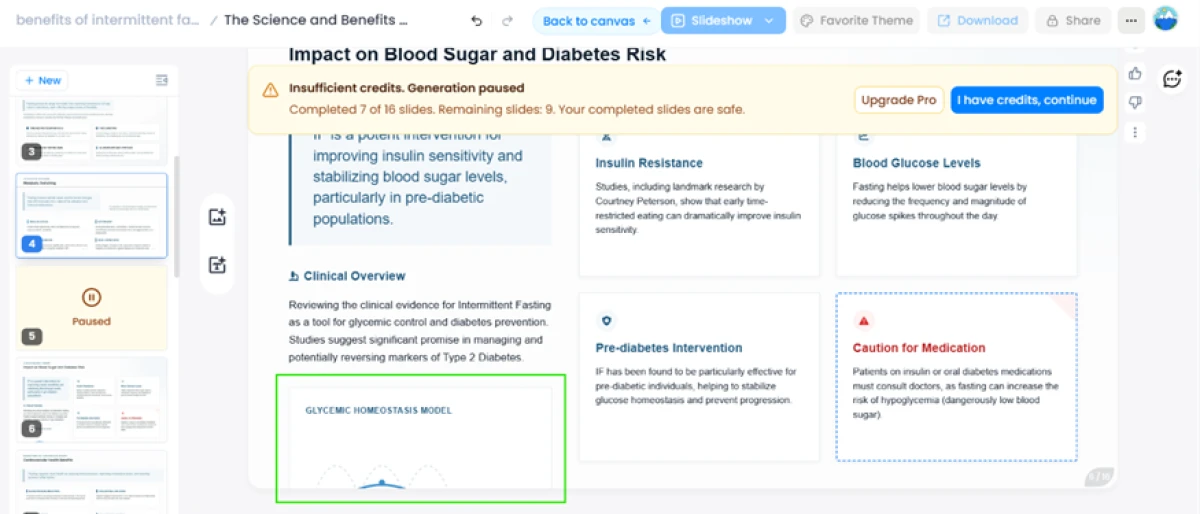
It began building a 16-slide deck and stopped halfway with the message that generation had paused on insufficient credits, completing 7 of 16 slides with 9 remaining. I was left with a partial deck and an upgrade button.
The slides it did finish had their own problem. Several carried broken layouts where a chart or visual block rendered empty, so even the completed half needed manual fixing.
The video feature surprised me
I expected the least here and got the opposite. I gave Felo Video one input, the link to scrutool.com, and asked it to build a video from the page.
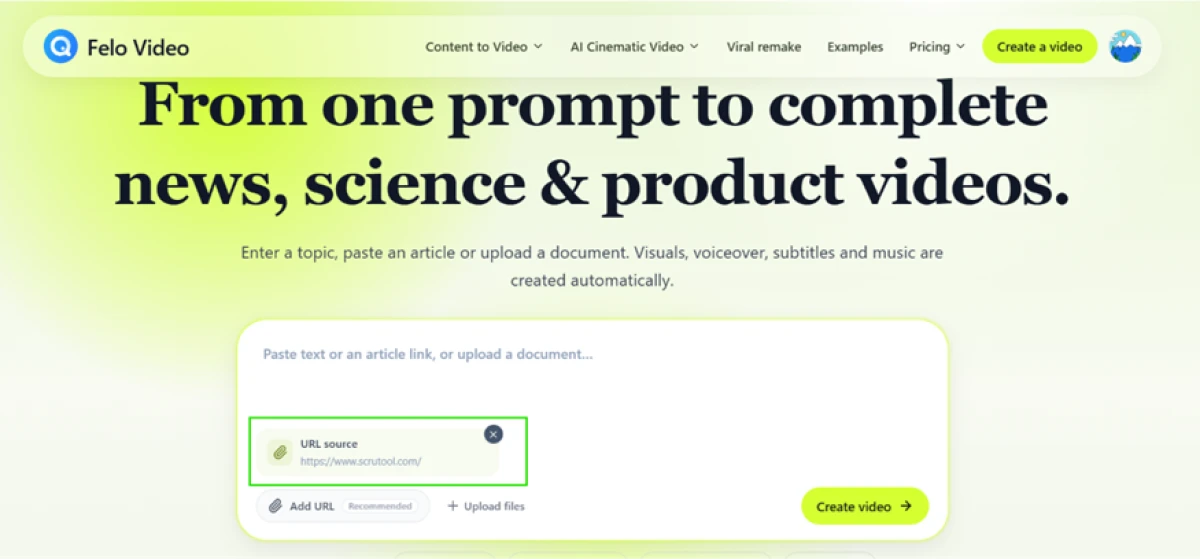
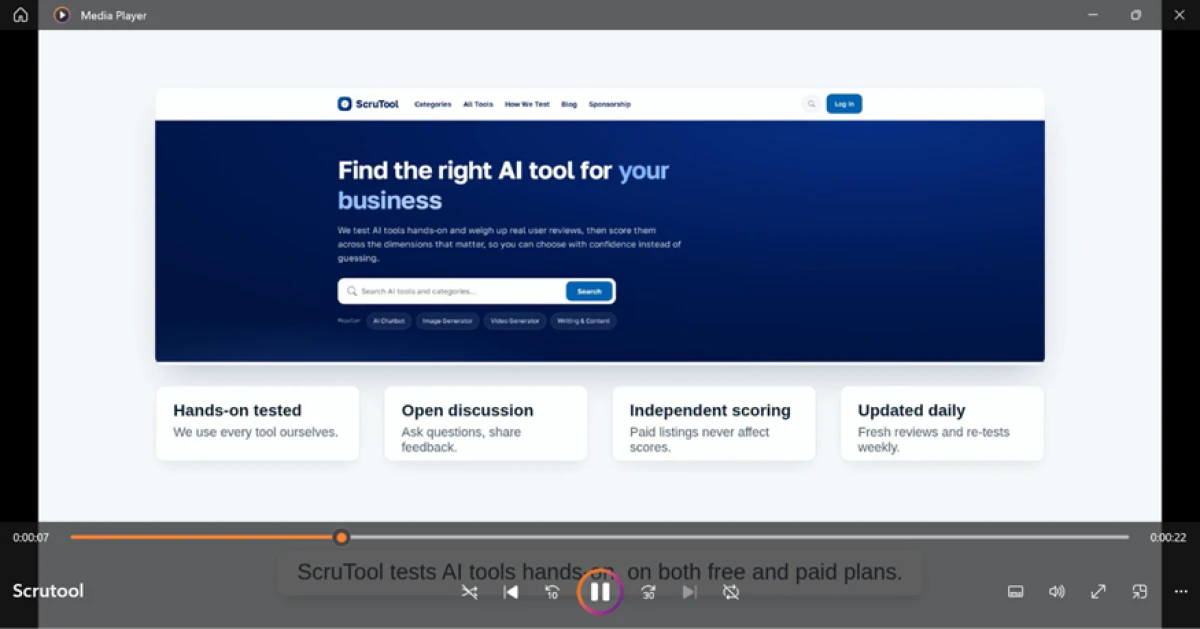
It produced a 22-second video that used actual screenshots from the live site instead of generic stock footage. The voiceover and subtitles matched the page, and the download carried no watermark, which almost no free AI video tool manages.
Where the free credits actually go
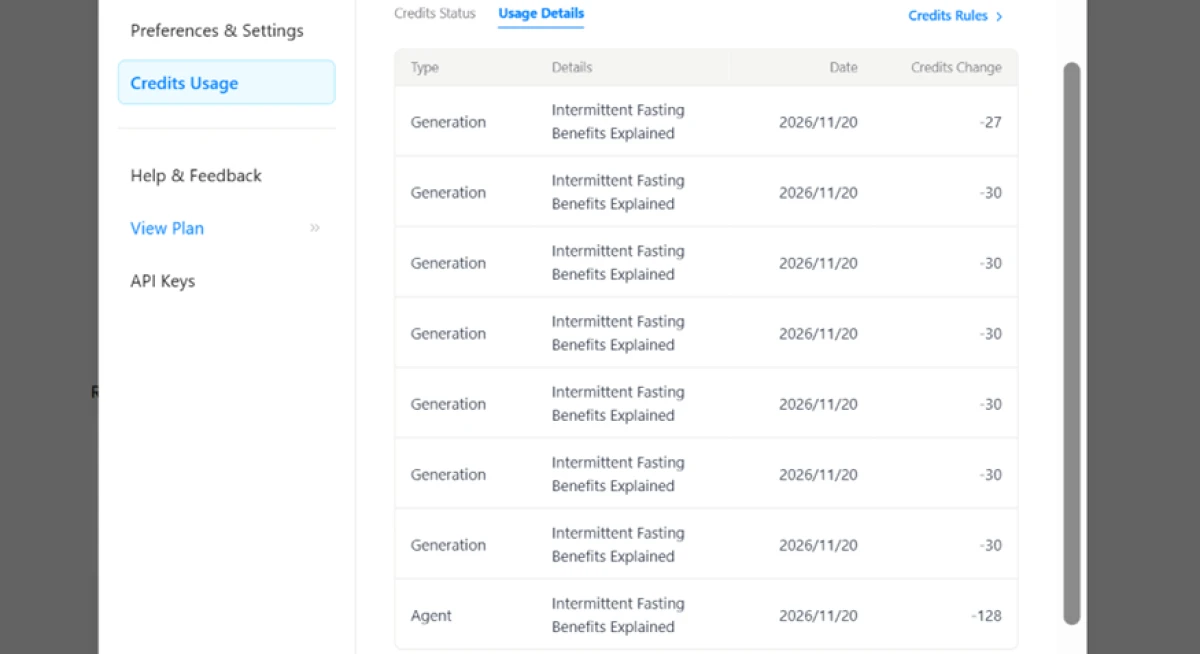
After a day of testing I opened the usage log to see what drained the pool. The presentation run alone fired off a stack of generation entries at 27 to 30 credits each, plus a single agent task that cost 128. That is why the slide deck died before it finished.
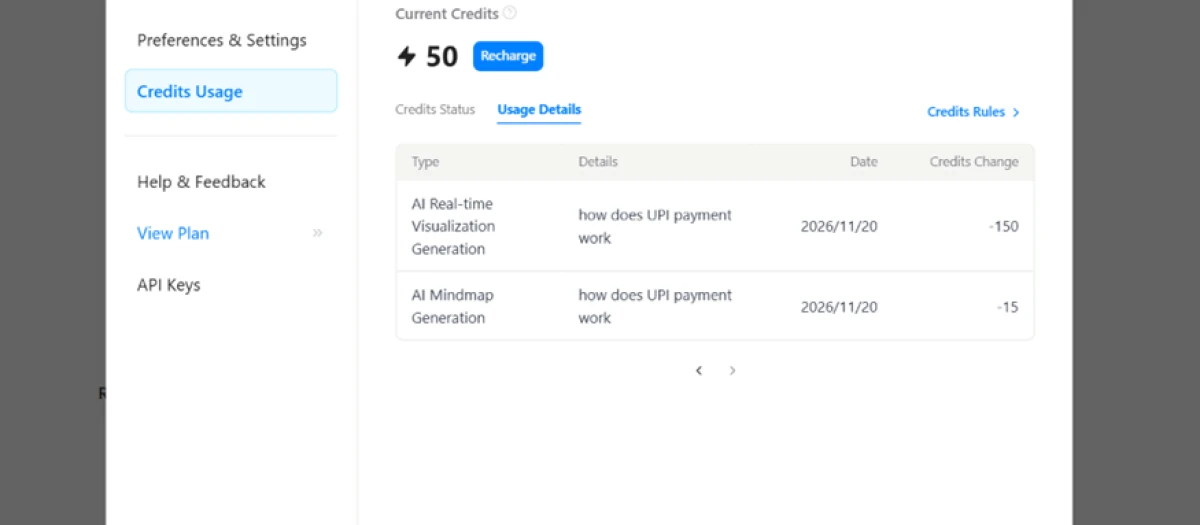
The visual features were just as hungry. On the UPI test, the real-time visualization cost 150 credits and the mind map another 15, leaving me at 50 for the day.
Felo pricing
Figures taken from the official Felo pricing page. Monthly and annual billing shown.
| Plan | Price | What's included |
|---|---|---|
| Standard | Free | Unlimited high-speed search · 3 file analyses per day · limited-time gift of 200 credits/day for new users · basic search, mind map and creation tools |
| Annual Most Popular | $12.50 /mo | Billed $149.99/year (save 16%) · 15,000 credits/mo + 200 bonus/day · about 300 AI images, up to 500 slide pages, about 100 deep research tasks · every model, tool and the API |
| Monthly | $14.99 /mo | Flexible monthly billing, no lock-in · 15,000 credits/mo + 200 bonus/day · about 300 AI images, up to 500 slide pages, about 100 deep research tasks · the full model lineup and pro tools |
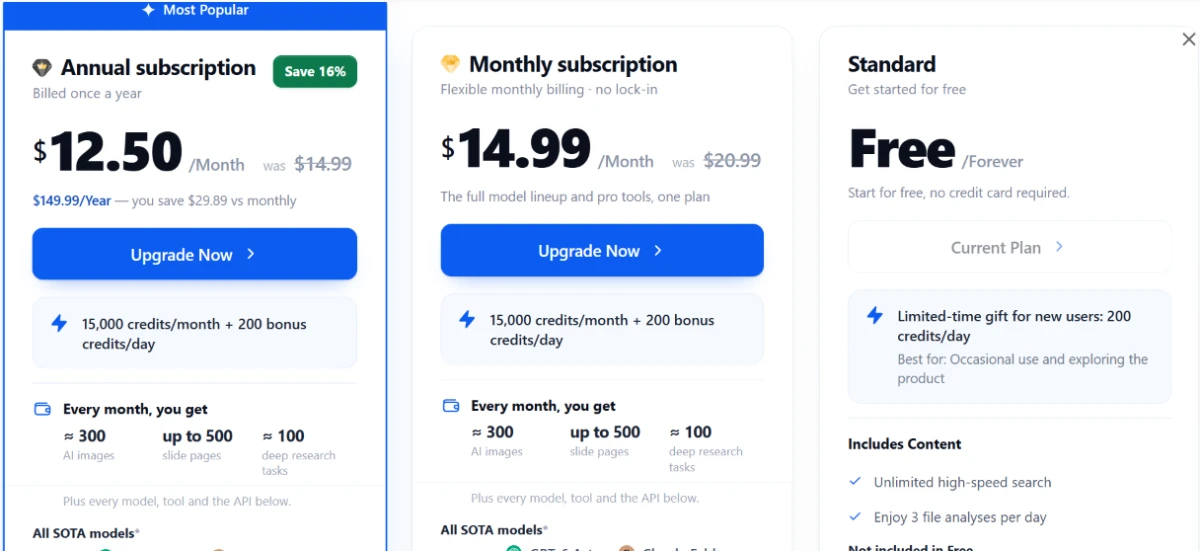
Pricing is accurate as of 20 November 2026 and was captured from the official Felo website. Plans, prices and credit limits change often, so check the official Felo pricing page for the current figures before you subscribe.
Pros & cons
Specific patterns from real user reviews, not generic filler.
✅ Pros
- Reads Japanese and Chinese papers in English without extra translation tabs
- Clickable footnote citations make source verification fast
- Surfaces PubMed papers that Google Scholar missed on the first pass
- Fast on complex queries, with a visible breakdown into sub-tasks
- Clean, ad-free layout across iOS and the Chrome extension
- Mind maps make long results easier to scan than text
⛔ Cons
- Free cap of a few professional searches a day feels like a demo
- Recent searches only appear after refreshing the mobile app repeatedly
- Translations can miss technical nuance in engineering documents
- Responses slow down on complex multilingual queries
- Slide generator leaves users wanting more templates
- Pro pricing feels steep to occasional, lighter-use researchers
Synthesized from real reviews on Product Hunt, Apple App Store, Google Play, Chrome Web Store & Reddit · paraphrased, not quoted
Felo alternatives
| FeloReviewed | Genspark AI | Consensus AI | ResearchRabbit AI | |
|---|---|---|---|---|
| Our Score | 7.0/10 | 6.4/10 | 7.5/10 | 7.5/10 |
| Entry paid plan | $12.50 / mo yearly, $14.99 monthly | $19.99 / mo, billed yearly | $8.99 / mo, billed yearly | $10 / mo yearly, $12.50 monthly |
| Free tier | Unlimited search, 200 bonus credits/day | Create but no file export | Limited Pro messages per month | Free Forever, unlimited searches |
| Searches across | The live web, 100+ languages | The live web, 100+ models | 200M+ academic papers | 310M+ academic articles |
| Best for | Cross-language web research with visuals | Search delivered as a finished artifact | Evidence-backed answers from studies | Mapping a research field from one paper |
| Standout strength | Answers built from other-language sources | Breadth of tools in one workspace | Consensus Meter across many studies | Seed-to-network literature discovery |
Who Should Use Felo, and Who Should Avoid It?
Felo is built for research that crosses languages, but its credit ceiling and uneven creation tools make it a poor fit for some workflows.
Who Should Use Felo?
Best suited for these workflows
Cross-Border Researchers
If the answers you need live in Japanese, Chinese or Korean sources, Felo retrieves them and hands back readable English with citations.
Fact-Checkers and Analysts
Clickable footnote citations make it fast to trace a claim to its source, which users repeatedly call out as a real time-saver.
Visual Note-Takers
One-click mind maps and AI Diagrams turn a long answer into something scannable you can drop straight into a doc or post.
Light, Occasional Users
If your day is a handful of searches plus the odd map or short video, the free plan covers a real session without paying.
Who Should Avoid Felo?
Consider an alternative if you need
Finished Slide Decks on Free
The slide maker can pause mid-build on a credit limit, and some finished slides arrive with empty chart blocks to fix by hand.
Heavy Visual Generation
A single real-time visualization costs around 150 credits, so visual-heavy work drains a free pool inside one sitting.
An English-Only Guided Flow
After a foreign-source answer, the suggested follow-up questions can come back in the source language you cannot read.
A Rock-Solid Mobile App
Users report recent searches only showing after several refreshes, so the mobile experience is less dependable than the web.
Our Recommendation
Felo earns its place as a cross-language answer engine first and a creation suite second. If multilingual research is your core need, it does something rivals do not, and the free tier is enough to prove that on your own topics. If you mainly want polished slides or heavy visuals, test the credit burn before paying, and treat the slide maker as a draft tool rather than a finisher.
Felo scorecard
Rated against what a multilingual AI search and creation platform is actually built to do.
| Dimension | Verdict | Score |
|---|---|---|
| Cross-language search Retrieval across other-language sources | Excellent |
9.0
|
| Citation quality Source footnotes and verification | Good |
8.0
|
| Search speed Response time on complex queries | Good |
8.0
|
| Ease of use Clean, ad-free interface | Good |
8.0
|
| Mind maps & diagrams One-click visual output quality | Good |
7.5
|
| Export options Notion, Drive, PDF, Word, Markdown | Good |
7.5
|
| AI video Watermark-free clip from a link | Good |
7.0
|
| Follow-up UX Language consistency and mobile sync | Average |
5.5
|
| AI slides quality Finished deck reliability | Weak |
5.0
|
| Credit value (free) How far the free pool stretches | Weak |
4.5
|
| Scrutool Score Equal-weight average of all 10 dimensions |
7.0
|
The best cross-language answer engine I have tested, with a creation suite that is still catching up
Felo does one thing better than almost anything else: it reads the world in languages you cannot, and hands the answer back in yours with sources you can click. The citations are clean, the search is quick, and the mind map tools are a smooth way to turn an answer into something visual. The creation suite is where the cracks show. The slide maker paused halfway through a deck on a credit limit and still produced slides that needed fixing, the visual features drain the free pool fast, and the follow-up prompts came back in the source language, which undercuts the very benefit the tool is built on. The video feature, oddly, was the pleasant surprise, watermark-free and built from real page content. For anyone whose work crosses languages, Felo is worth a serious try, and the free tier is enough to prove the point. If you are buying it mainly to produce slides or heavy visuals, test the credit burn first and keep your expectations set on drafts, not finished files.
Discussion
Join the discussion and share your perspective.