
OpenDream
OpenDream is a free, browser-based AI art generator that turns text prompts into images using four Stable Diffusion models, with a strong lean toward anime and stylized illustration.

A free, anime-leaning AI art generator with a welcoming front page, undercut by a sign-up page that would not load, so we could not generate a single image during testing.
Should you use OpenDream?
Curious users chasing free anime art who are willing to gamble on whether the account page loads on the day they try it.
You need to generate an image today . The sign-up page returned a "still being built" error, which locks the whole tool.
The free plan gives 24 credits a day with no card . Paid plans run $12/mo (Core) and $24/mo (Pro) for more credits and all four models.
The login was broken during testing, template thumbnails failed to load, and the NSFW filter tagged a frog and a sleeping baby as adult content.
Key features & how they perform
Each feature rated from hands-on testing and the tool's documented capabilities.
Text-to-image art
The core workflow spans anime, logos, 3D and scenery from a prompt, but it is gated behind an account we could not create.
Four Stable Diffusion models
Dreamlike Photoreal 2.0, Dreamlike Anime 1.0, Stable Diffusion 2.1 and Deliberate. The free plan unlocks only the first two.
Anime & stylized output
The promoted anime and painterly samples are the tool's clear visual high point, stronger than its attempts at photorealism.
Template library
Ready-made styles like Angelic Art and Modern Logo give beginners a start, but several thumbnails loaded broken on test day.
NSFW content filter
A red NSFW pill appears on plainly harmless images in the gallery, so the tagging cannot be trusted at a glance.
Free-first access
A forever-free plan offers daily credits with no card, though the broken account page blocked us from claiming them.
Feature ratings from hands-on testing and documented capabilities. Independent user reviews for OpenDream are not yet available.
Trying to make a single image, and hitting a locked door
We clicked through every section a first-time user would touch and tried to do the one thing the product is built for: make an account and generate art.
The landing page sets a clean, free-first expectation
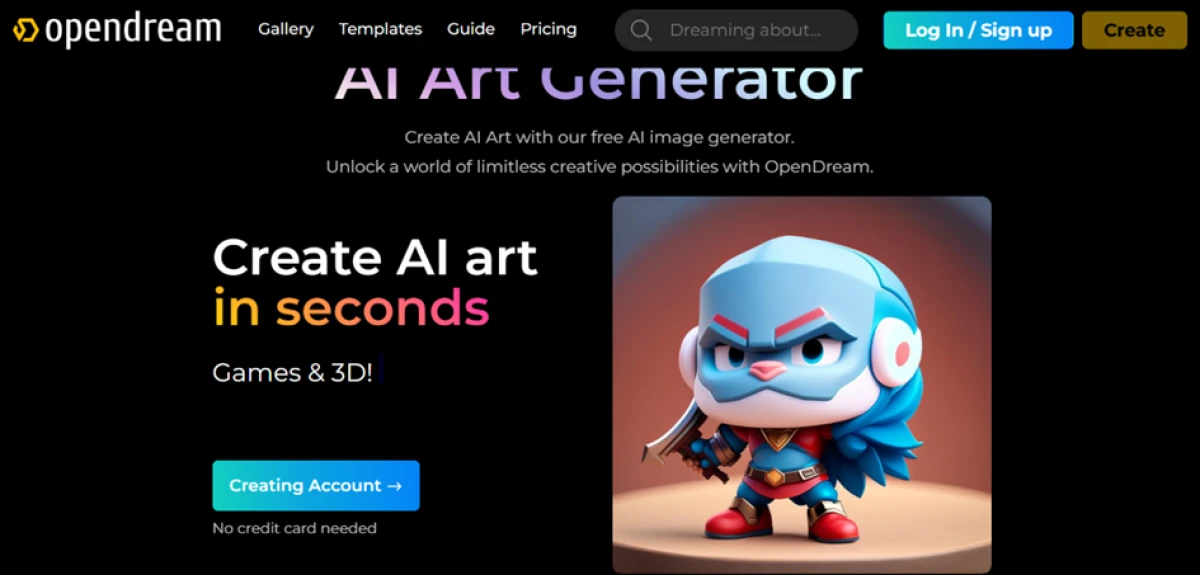
OpenDream pitches itself as a free AI art generator where anyone can make digital art from a text prompt. The homepage leads with "Create AI art in seconds" and a line that says no credit card is needed.
For a creator who just wants to test a tool without handing over card details, that is a welcoming start. The page loads fast and the sample art looks polished.
The sign-up and login page is broken
From the homepage, the natural next step is to create an account, since OpenDream requires one before it will generate anything.
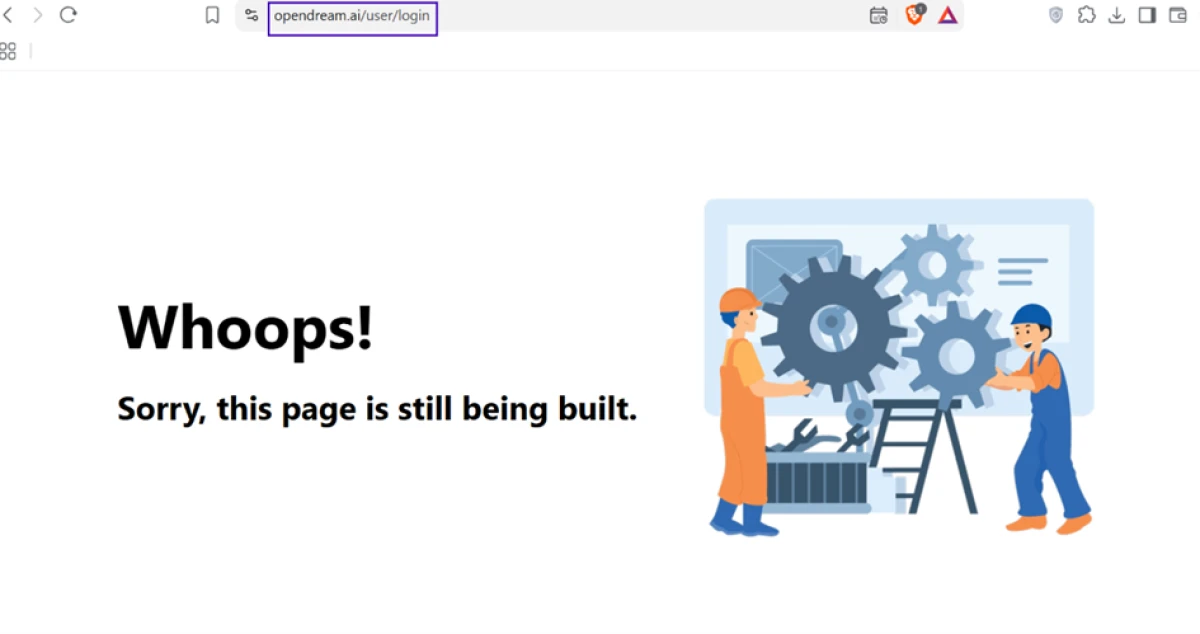
When we followed the log-in link, the site sent us to a page that simply does not work. Instead of a sign-up form, we got a "Whoops! Sorry, this page is still being built" message at opendream.ai/user/login. The address bar shows the real login URL, not a stray dead link.
The template library loads with broken images
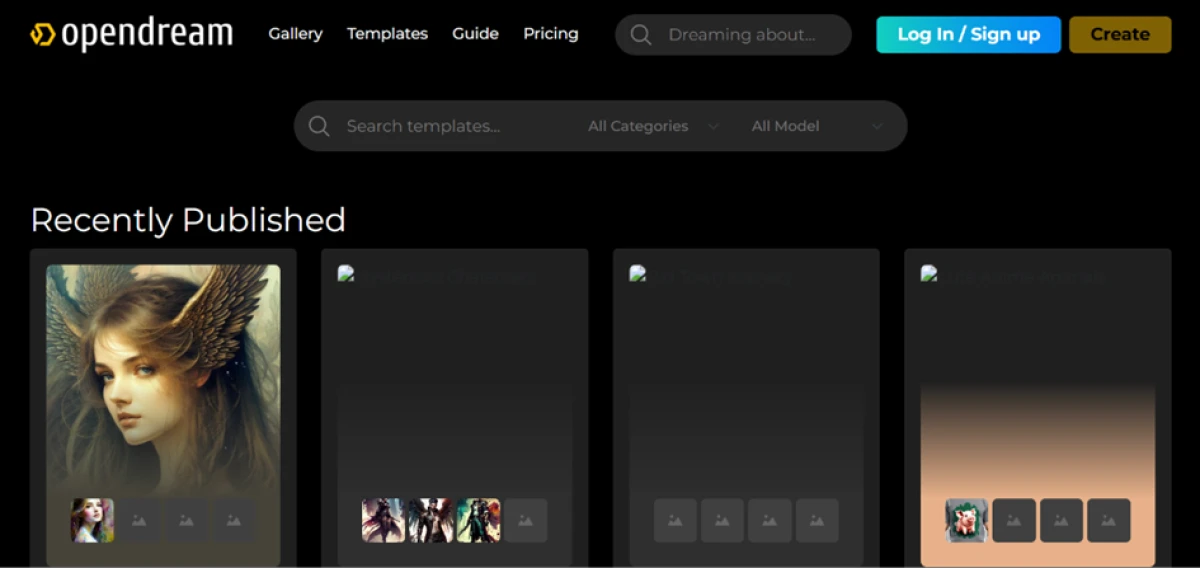
The Templates section is meant to give beginners a running start with ready-made styles like Angelic Art, Modern Logo Designs and Exterior Building.
The idea is good. On the day we tested, the execution was not.
The gallery flags harmless images as NSFW
The community gallery is where OpenDream shows off what the tool can produce, with category filters for logos, anime, animals and 3D.
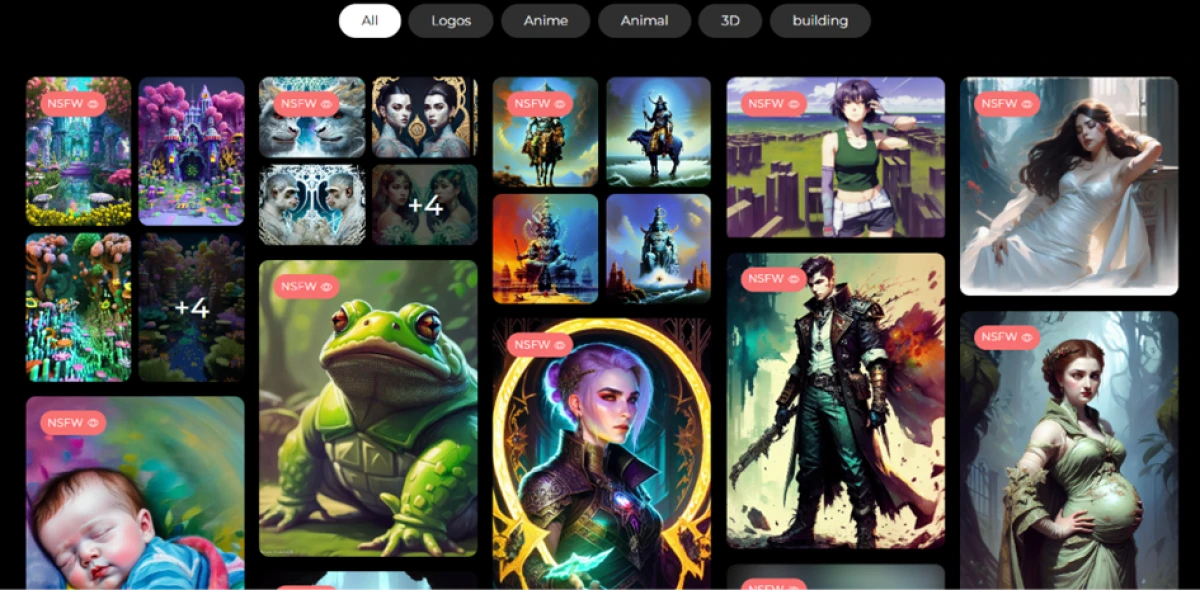
Browsing it, we noticed something odd about the content filter. Several completely harmless images carry a red NSFW warning pill.
The anime and stylized art is where OpenDream looks strongest
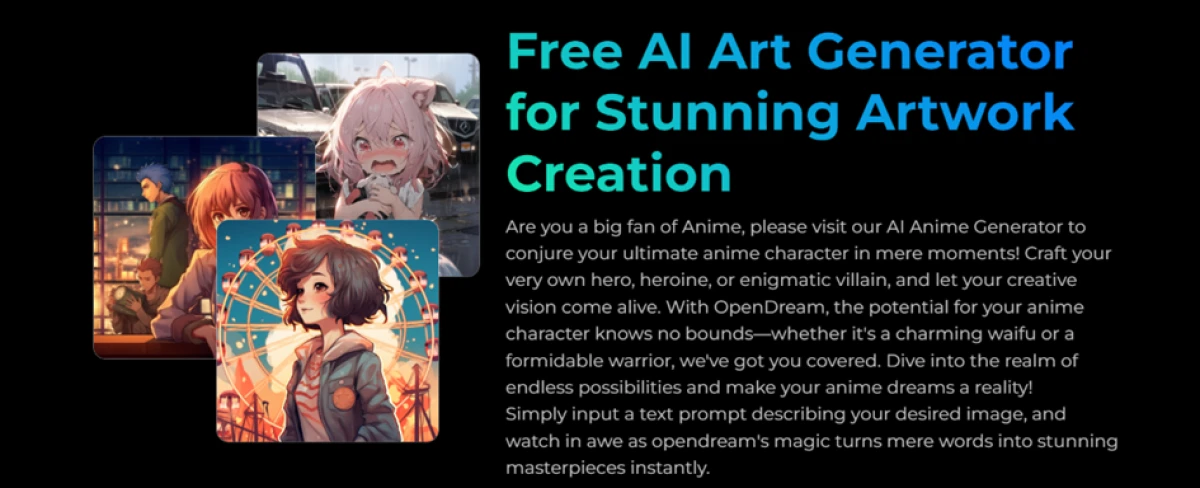
Not everything disappointed. OpenDream leans hard into anime and stylized illustration, and the work it promotes there holds up better than its attempts at photorealism.
The free plan runs on two models here, Dreamlike Photoreal 2.0 and Dreamlike Anime 1.0, with Stable Diffusion 2.1 and Deliberate reserved for paid plans.
Read the footer before you sell anything
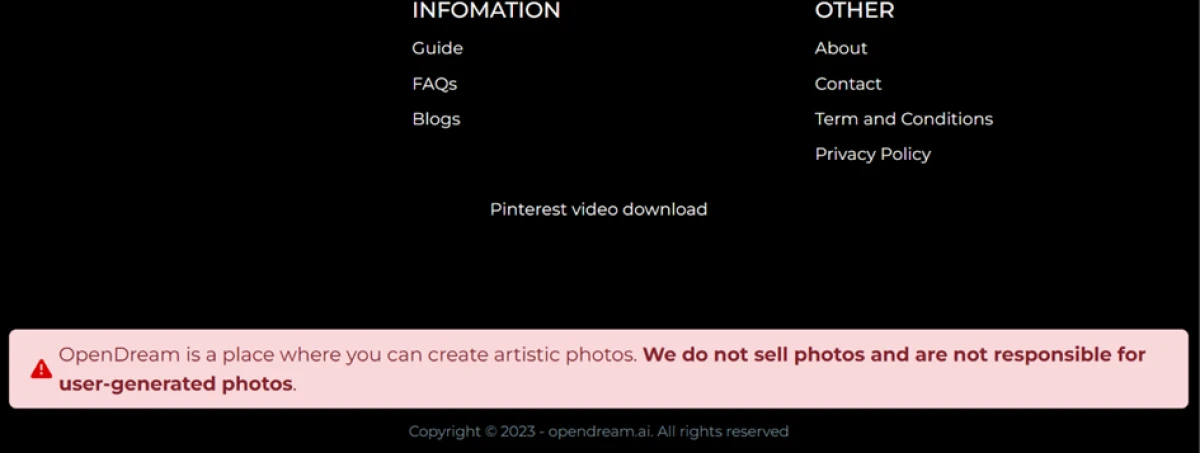
There is a bigger caveat, and it lives in the footer. The pricing card says you can use images commercially, and review sites repeat that OpenDream grants full commercial rights.
But a highlighted footer disclaimer complicates that claim.
OpenDream pricing
Figures taken from the official OpenDream pricing page, billed monthly.
| Plan | Price | What's included |
|---|---|---|
| Free Recommended | $0 | 24 credits per day, forever free · low-priority generation, one image at a time · two models (Photoreal and Anime) · commercial use · no credit card |
| Core | $12 /mo | 3,000 credits per month · billed monthly · all four models · commercial use |
| Pro | $24 /mo | 12,000 credits per month · billed monthly · all four models · higher-volume generation |
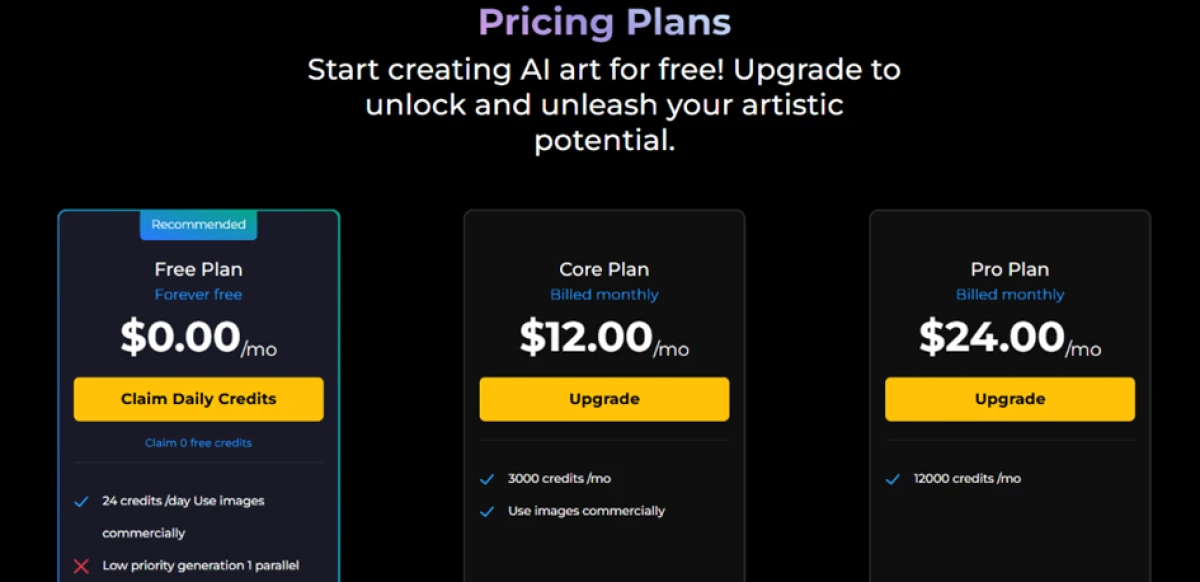
Pricing is accurate as of 21 October 2026 and was captured from the official OpenDream website. Plans, prices and credit limits change often, so check the official OpenDream pricing page for the current figures before you subscribe.
Pros & cons
Drawn from what the product is built to do and where its structure limits it.
✅ Pros
- A dedicated anime model drives the stylized character art it does best
- Browser-based text-to-image, with nothing to install
- Gallery with category filters for logos, anime, animals and 3D ideas
- Creators keep ownership of the artwork they generate
- Generates across varied subjects: characters, logos, animals, 3D and scenery
⛔ Cons
- Models are older Stable Diffusion builds (SD 2.1 era), behind current engines
- An account is mandatory before you can generate a single image
- Only text-to-image, with no editing, upscaling or image-to-image tools
- The commercial-use claim is undercut by a footer liability disclaimer
- No native mobile app, the tool runs only in a browser
- The footer carries unrelated third-party links, a sign of thin upkeep
Independent user reviews for OpenDream are not yet published on G2, Product Hunt, Trustpilot or the app stores, so these points come from the tool's documented features and structure, not from user sentiment.
OpenDream alternatives
| OpenDreamReviewed | Perchance AI | TensorArt AI | Frosting AI | |
|---|---|---|---|---|
| Our Score | 4.1/10 | 7.0/10 | 7.2/10 | 6.0/10 |
| Models / engine | Four older Stable Diffusion models | Stable Diffusion community models | 400,000+ SD and LoRA community models | Stable Diffusion with ControlNet |
| Free tier | 24 credits per day, forever free | Fully free, no signup | 50 credits per day, no card | 100 credits per day |
| Entry paid plan | $12 / mo (Core) | None, free only | $9.90 / mo (Pro) | $7 / mo (Planet) |
| Signup required | Yes | No | Yes | Not required |
| Standout strength | Anime and stylized samples | Free with no account and easy remixing | Huge community model and LoRA library | Browser Stable Diffusion with ControlNet |
| Best for | Free anime and stylized art | Casual, no-login generation | Anime fans who want custom checkpoints | Controlled SD art in the browser |
Who Should Use OpenDream, and Who Should Avoid It?
OpenDream has a free, anime-friendly pitch, but a broken sign-up and visible signs of neglect make it a hard tool to recommend for real work.
Who Should Use OpenDream?
Best suited for these workflows
Anime & Stylized Hobbyists
If the account page is working, the anime models are the tool's strongest output and the reason to bother at all.
Curious First-Timers
People who want to try text-to-image for free, with no card, just to see what the tool can do.
Idea Browsers
Anyone happy to scroll the gallery and templates for inspiration without generating anything themselves.
Who Should Avoid OpenDream?
Consider an alternative if you need
To Generate Something Today
The sign-up page returned a "still being built" error during testing, which locks the whole tool behind a dead door.
Clear Commercial Rights
The footer disclaimer undercuts the commercial-use promise, so read it closely before you sell anything you make.
Current-Grade Quality
The models are older Stable Diffusion builds, behind today's engines on photorealism and fine detail.
A Safe Shared Screen
The NSFW filter mislabels harmless images, which makes the gallery awkward to browse at work or in public.
Our Recommendation
OpenDream shows flashes of promise in its anime art and its free, no-card pitch, but the fundamentals were broken on test day: the sign-up page would not load, so we could never generate an image, and the broken thumbnails, mislabeled gallery and neglected footer all point the same way. Try the sign-up yourself before you invest any time, and if you need reliable output now, one of the alternatives above is the safer pick.
OpenDream scorecard
Rated against what a free AI art generator is actually built to do.
| Dimension | Verdict | Score |
|---|---|---|
| Anime & stylized output Quality of the stylized samples | Average |
6.5
|
| Free tier value Daily credits and no-card access | Average |
6.5
|
| Pricing & credit value Paid credits for the money | Average |
6.0
|
| Photorealism Realistic output from the models | Weak |
4.5
|
| Model range & recency How many models, and how current | Weak |
4.0
|
| Commercial rights clarity Clarity of the usage rights | Weak |
4.0
|
| Content filter accuracy Whether NSFW tagging is trustworthy | Weak |
3.0
|
| Onboarding & first run How far a first-timer gets | Weak |
2.5
|
| Site reliability & upkeep Broken thumbnails, placeholders, stray links | Weak |
2.5
|
| Signup & account access Whether a new user can create an account | Weak |
1.5
|
| Scrutool Score Equal-weight average of all 10 dimensions |
4.1
|
The front door is locked, and the tool sits behind it
OpenDream knows how to make a good first impression. The homepage is clean, the promise is free with no credit card, and the anime and stylized samples are genuinely the nicest thing here. The trouble is that almost none of it is reachable. The sign-up page returned a "still being built" error during testing, which means we could not claim the free daily credits or generate a single image, and the tool the whole site is built around stayed closed to us. The broken template thumbnails, the placeholder text on cards, the NSFW filter that flags a frog and a sleeping baby, and the unrelated links buried in the footer all tell the same story of a site that is not being looked after. The underlying models are older Stable Diffusion builds, so even past the login, photorealism would trail today's generators, though anime fans would fare better. If you want to try it, test the sign-up first before you spend any time on it. If you need art today, a free alternative like Perchance, or a deeper Stable Diffusion platform like TensorArt, will get you there without the locked door.
Discussion
Join the discussion and share your perspective.