
Creen AI
Creen AI puts 40-plus image, video and voice engines (Sora, VEO, Kling, Nano Banana) in one tab. Strong on simple images, but its “no login” promise does not hold.

A rare all-in-one that puts 40-plus image, video and voice engines in one tab, undercut by a "no login" promise it breaks and credits that drain fast on anything premium.
Should you use Creen AI?
Creators who want many engines in one tab and mostly make simple, single-subject images on the cheap in-house model.
You need truly anonymous, login-free generation , or prompts with layered rules that a model has to obey exactly.
Free gives 100 daily credits, but premium engines eat them fast. Paid starts at Plus, $7.5/mo billed yearly , then climbs steeply.
The "no login" promise is false . Nothing generates until you sign in with Google or Apple, and media is deleted after 7 days on free.
Key features & how they perform
Each feature rated from hands-on testing and aggregated review sentiment.
One tab, 40-plus models
Sora 2, VEO, Kling and Seedance for video; Nano Banana, SeeDream and Grok for image; seven voices for audio, all under one Models page.
Image generation
Clean output on simple scenes at up to 4K, with seed values, prompt weighting and negative prompts for repeatable results.
Text and image to video
Clips up to 10 seconds at 1080p are possible, but a 5-second 480p clip already costs 50 credits, so the free budget barely stretches.
Text-to-speech library
Voices filter by language, gender, accent and style, with voice cloning and dubbing, though symbol handling in scripts is unreliable.
Cost meter before you commit
Each generation shows its credit cost up front, which changes by model, resolution and duration, so there are no billing surprises mid-render.
Access & storage limits
Despite the login-free pitch, creation needs a Google or Apple account, and free media is wiped after 7 days.
Feature ratings blended from Apple App Store, Trustpilot & hands-on testing.
Testing the free plan from first click to final render
I ran Creen AI myself instead of trusting the marketing copy, and started with the claim that mattered most: no login.
The sign-in wall comes first
Creen markets itself as login-free. My first test broke that claim in under a minute.
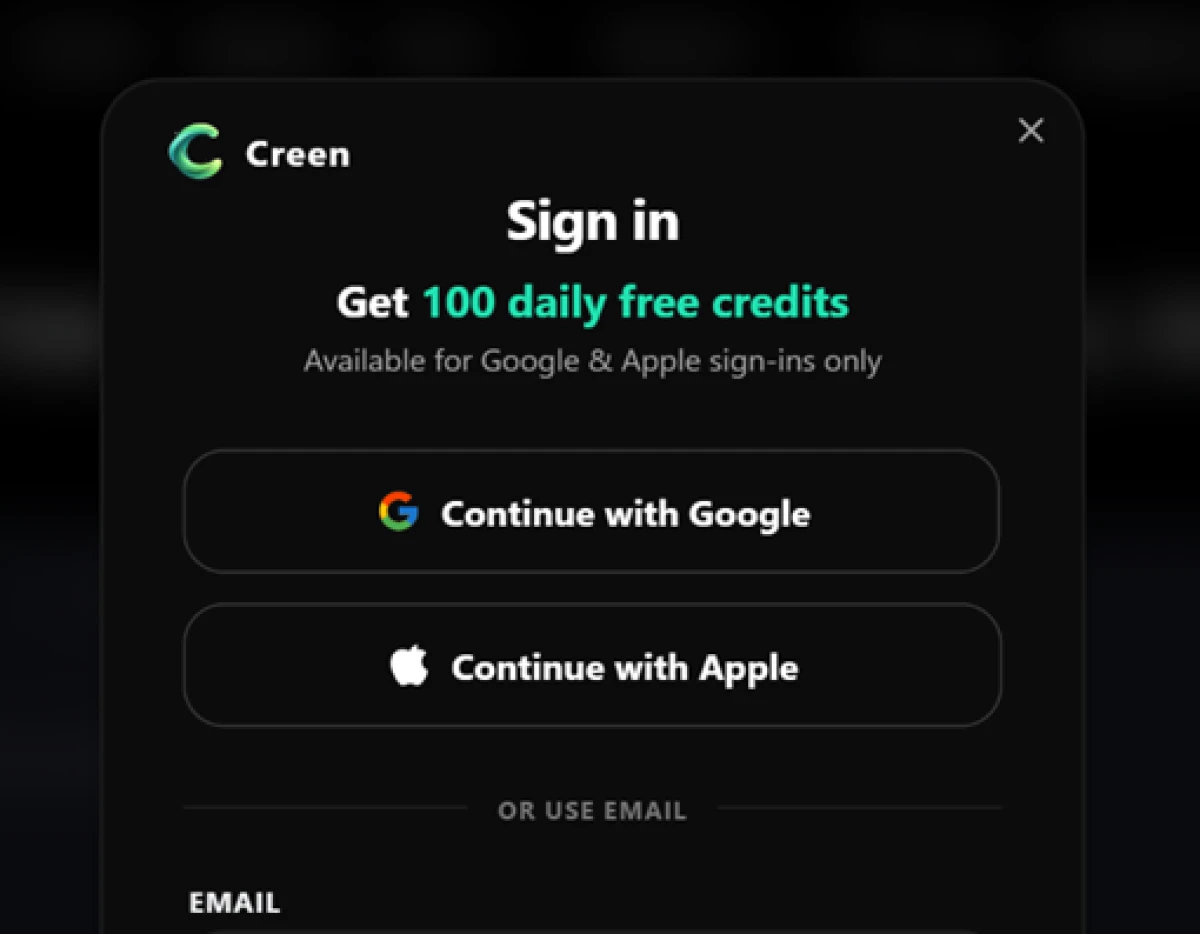
The moment I landed on the homepage, a sign-in popup appeared offering 100 daily free credits, available for Google and Apple accounts only.
I closed it and typed my diner prompt into the image box without signing in, with GPT Image2.5 Flare as the default model.
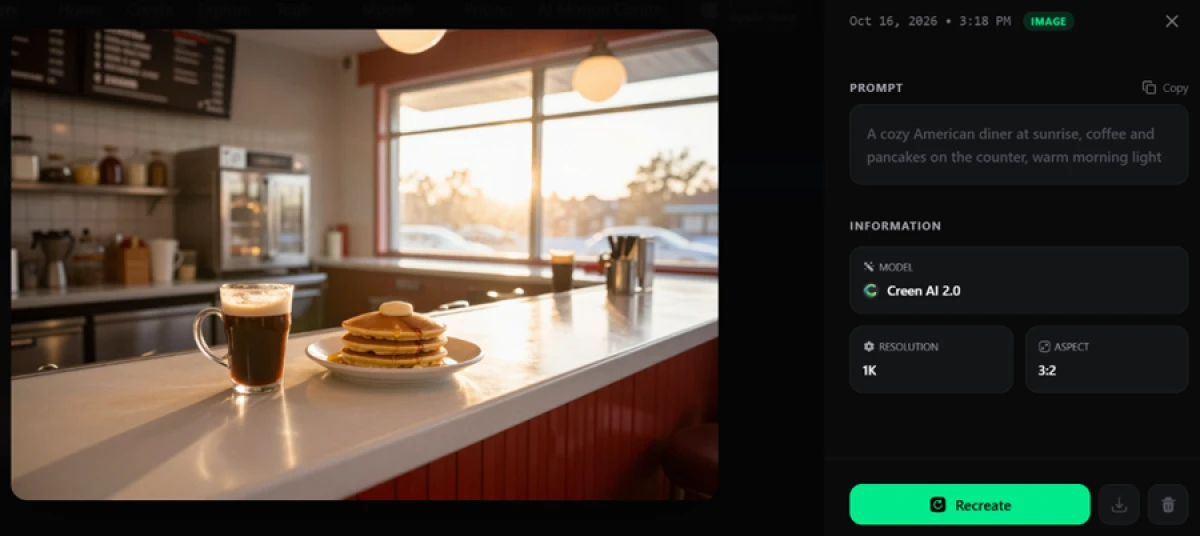
"A cozy American diner at sunrise, coffee and pancakes on the counter, warm morning light"
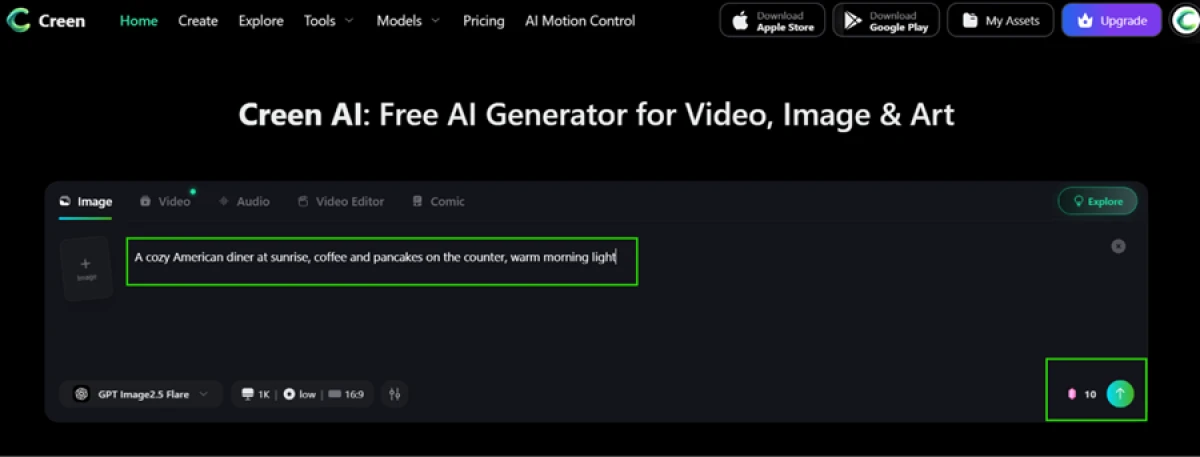
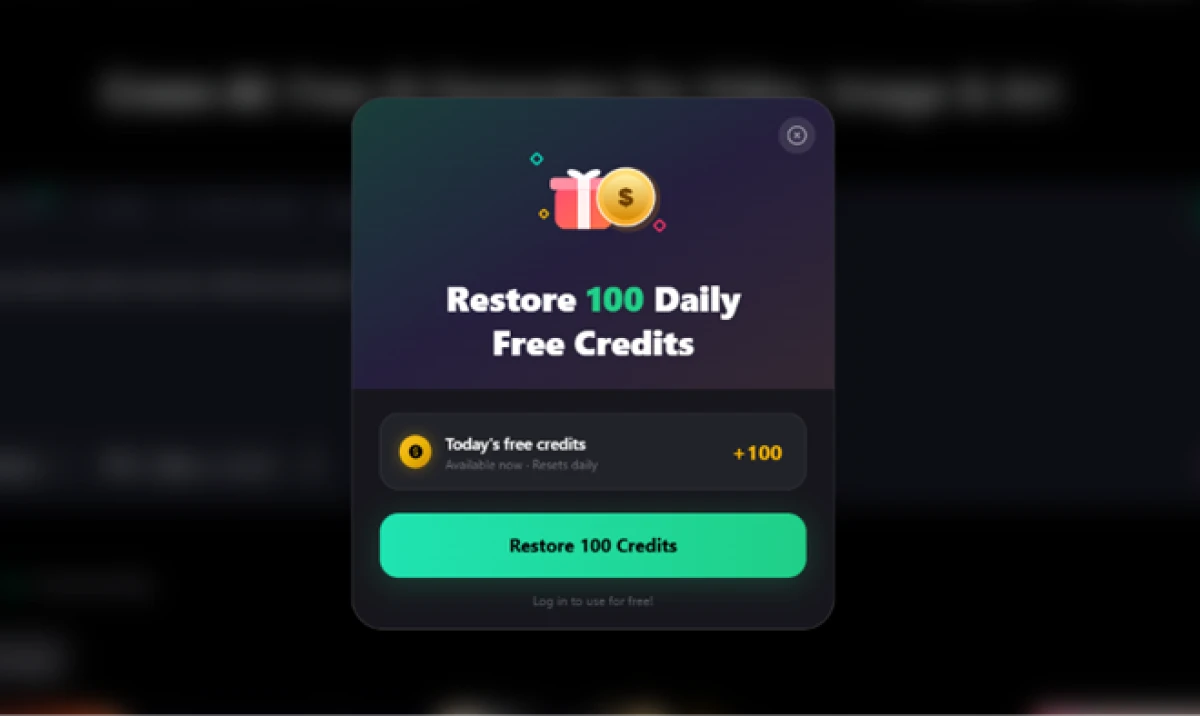
The cost meter read 10 credits before I pressed generate. The moment I did, the login wall returned and stopped me cold. After I logged in, the credits arrived through a panel reading "Restore 100 Daily Free Credits."
What one credit actually buys
With credits in hand, I re-ran the same diner prompt on Creen's own model, Creen AI 2.0. The cost dropped to a single credit per image.
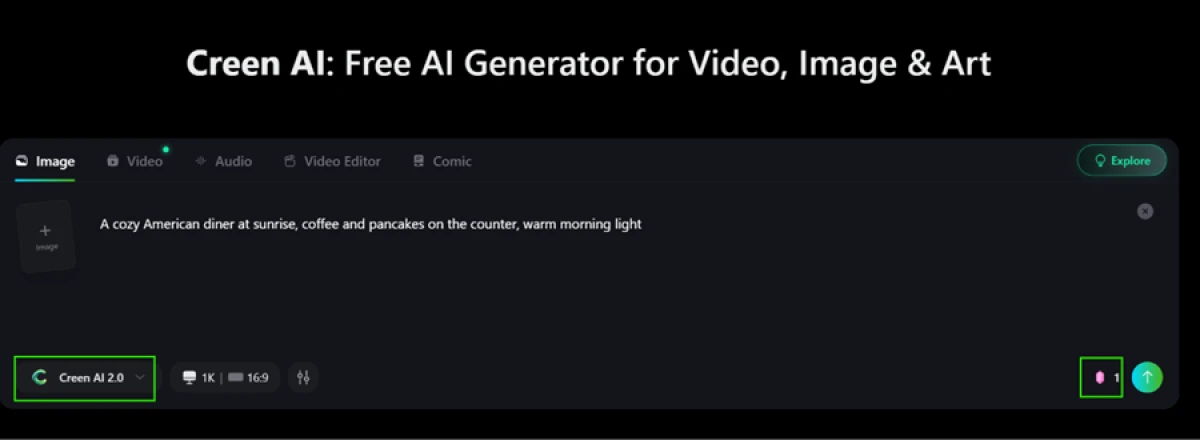
Image quality on a simple scene
The diner image came out well. Warm sunrise light fell through the window, the pancakes carried a believable pat of butter, and the counter and kitchen behind it held together without warping.
Model range in one place, with a rough edge
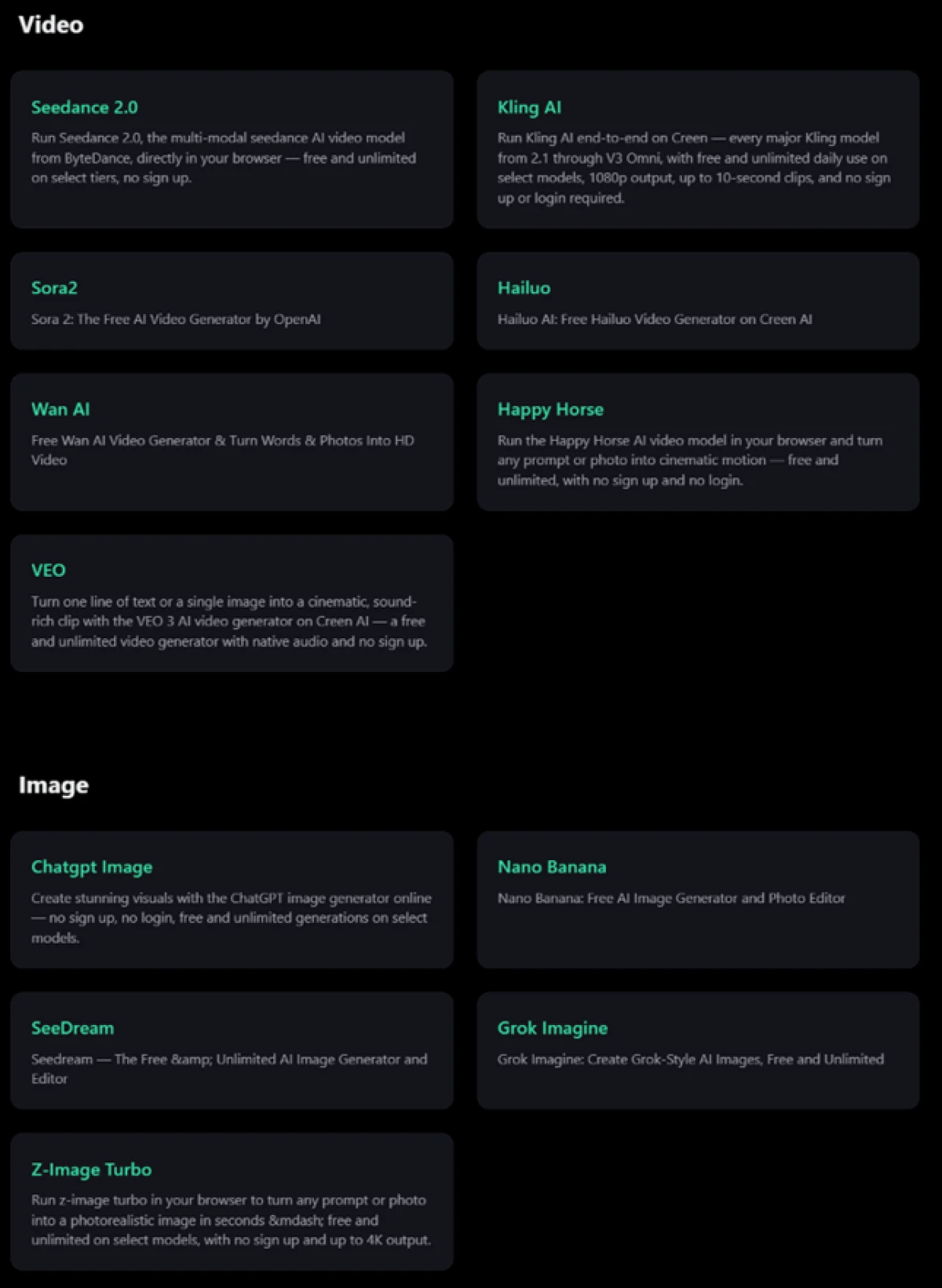
One thing Creen gets right is choice. A single Models page lists a wide spread of engines. On video I counted Seedance 2.0, Kling, Sora2, Hailuo, Wan, Happy Horse and VEO. On image the lineup included ChatGPT Image, Nano Banana, SeeDream, Grok Imagine and Z-Image Turbo.
Video, and the upgrade nudge
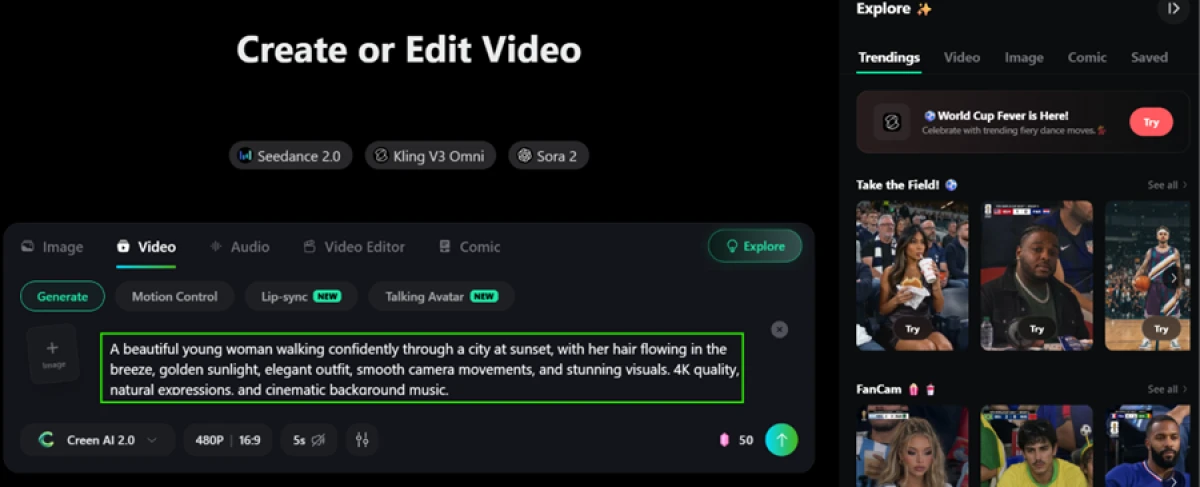
Video exists on the free plan, but it burns through credits. A 5-second clip at 480p costs 50 credits, half the daily free allowance for one short, low-resolution video, so the free tier realistically gives you two clips a day.
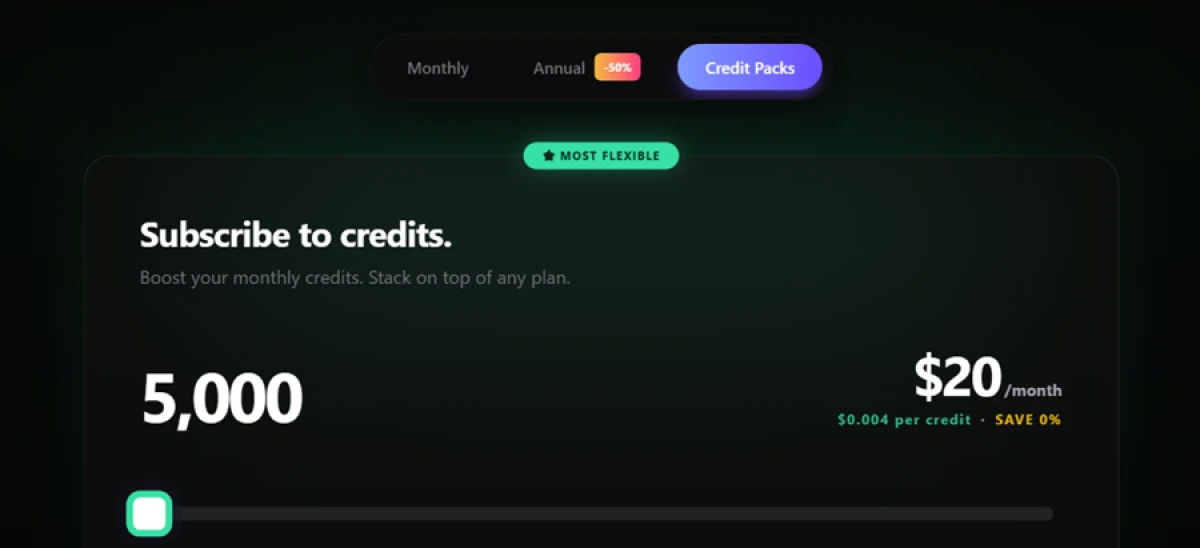
Push the free tier even a little and Creen reminds you where the exit is. An upgrade popup surfaced mid-session, pushing paid credit packs.
Where it struggles: layered prompts
Simple scenes are easy. I wanted to see what happens when a prompt carries several instructions at once, so I asked for a photorealistic woman facing an antique mirror with one hard rule: her reflection had to match perfectly except for a different facial expression.
"Create a photorealistic image of a young woman facing an antique mirror, holding a glass in her left hand and a camera in her right. Her reflection must match perfectly except for a different facial expression. Include realistic hands, accurate reflections, readable text, complex lighting, and flawless anatomy. 8K detail."
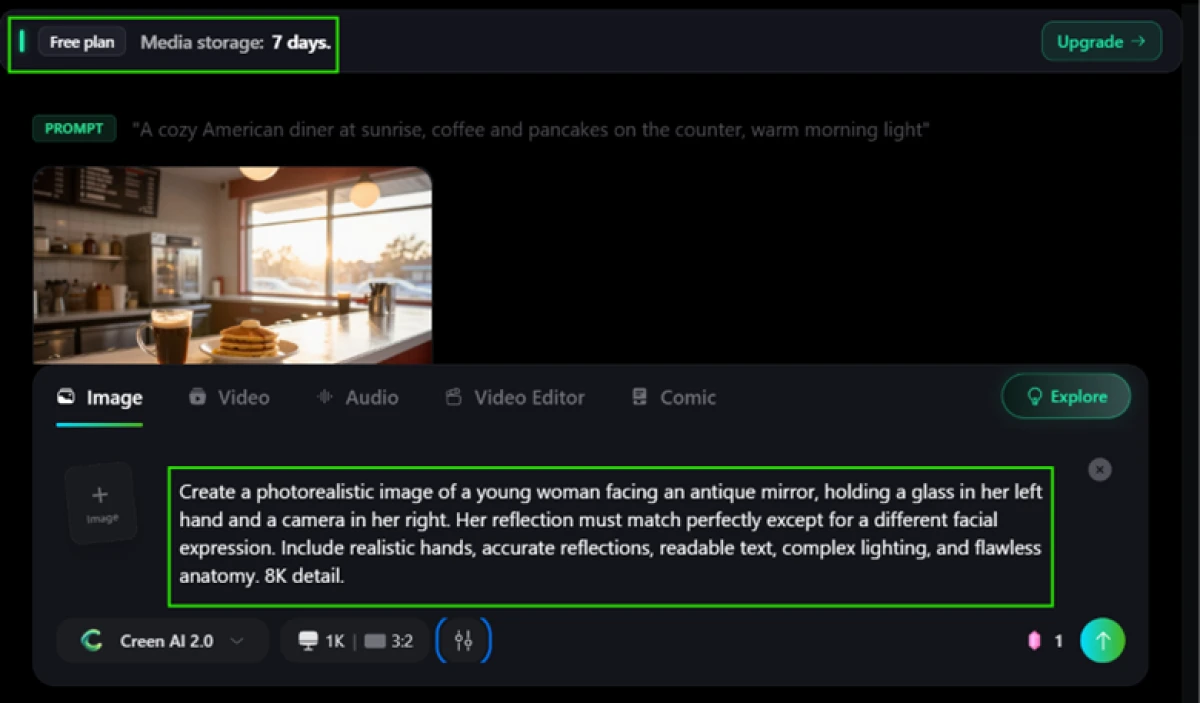
The same screen showed the free plan's 7-day media storage limit at the top, a detail to catch before you grow attached to anything you make. Here is the output.

Text-to-speech and the voice library
Text-to-speech gave a mixed result. I fed it a line with a dollar amount to see how it handled symbols.
"This is a demo test, say $789,678."
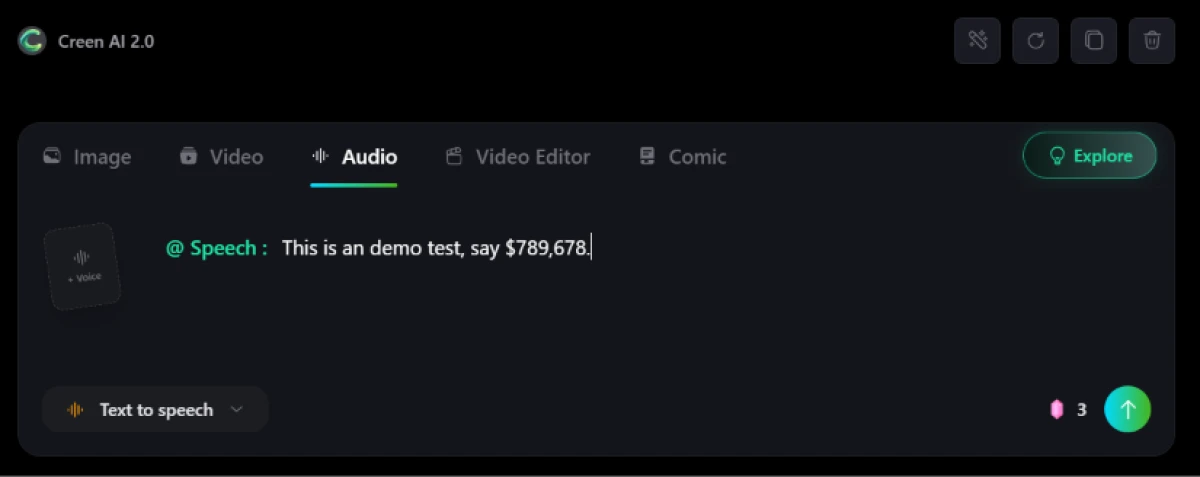
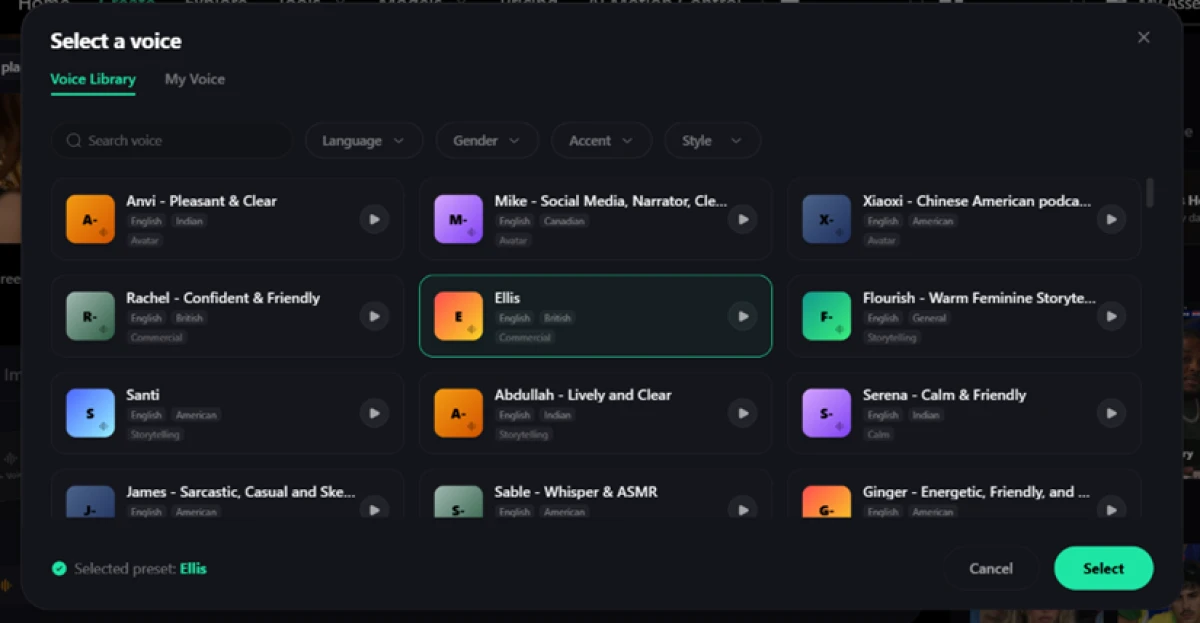
The voice library itself is well stocked. Filters cover language, gender, accent and style, with American and British options among others. I selected a commercial-style voice called Ellis without any trouble.
Creen AI pricing
Figures taken from the official Creen AI pricing page, annual billing shown.
| Plan | Price | What's included |
|---|---|---|
| Free | $0 | 100 daily credits (login required) · in-house model at 1 credit/image · 7-day media storage · premium engines drain credits fast |
| Plus | $7.5 /mo | 3,000 monthly credits · roughly $0.0025 per credit · first paid step up from the free daily pool |
| Pro Popular | $14.5 /mo | 8,000 monthly credits · about $0.0018 per credit · aimed at daily creators |
| Max | $29.5 /mo | 20,000 monthly credits · about $0.0015 per credit · marketed for studios shipping projects |
| Ultra | $94.5 /mo | 80,000 monthly credits · about $0.0012 per credit · plus a +20% bonus on Credits Pack top-ups |
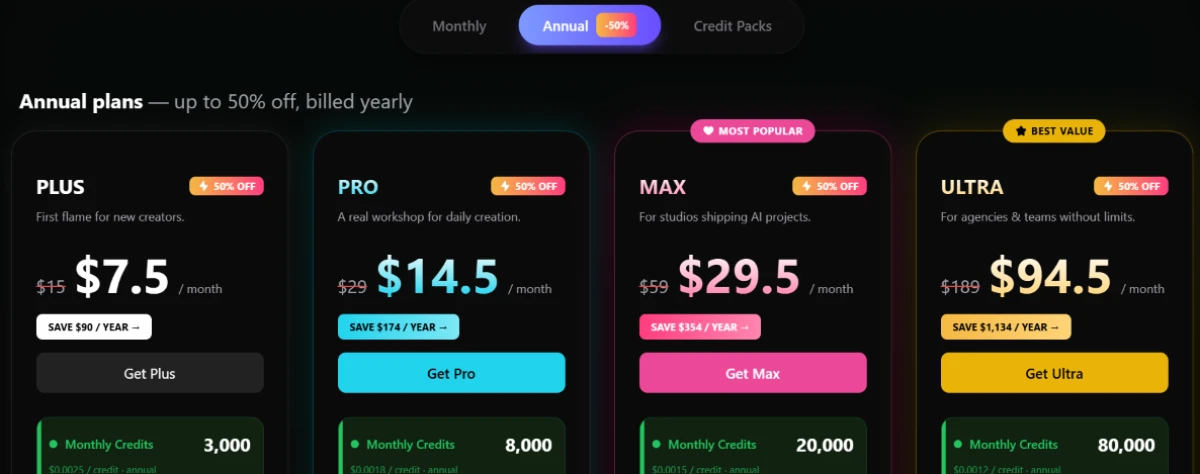
Pricing is accurate as of 16 October 2026 and was captured from the official Creen AI website. Plans, prices and credit limits change often, so check the official Creen AI pricing page for the current figures before you subscribe.
Pros & cons
Specific conclusions from real user reviews, not generic filler.
✅ Pros
- Reviewers call out the breadth of big-name engines in one place
- Generation is genuinely free when it works, no upfront payment
- Image output up to 4K lands well on straightforward subjects
- App bundles image, video and voice under a single account
⛔ Cons
- "No sign-up" claim fails; users hit a login or subscription wall
- Paid credits reportedly fail to renew, leaving the app unusable
- Video output drifts far from the prompt (a tank became a helicopter)
- Harmless prompts get flagged as sensitive with no cause
- Editing an existing project is gated behind a subscription
- Multiple reviewers warn others off, calling it a scam
Synthesized from real reviews on the Apple App Store & Trustpilot · paraphrased, not quoted · sentiment volume is still low
Creen AI alternatives
| Creen AIReviewed | Perchance AI | Genspark AI | DeepAI | Frosting AI | |
|---|---|---|---|---|---|
| Our Score | 5.7/10 | 7.0/10 | 6.4/10 | 6.0/10 | 6.0/10 |
| Works without login | No, blocks generation | Yes, truly no sign-up | No, account required | No, account required | No, account required |
| Entry paid plan | $7.5/mo, billed yearly | Free, donation-supported | Free tier, paid from $24.99/mo | From about $5/mo | Free tier, paid add-ons |
| What it makes | Image, video and voice | Image only | Image, plus research and slides | Image and short video | Image only |
| Model choice | 40-plus engines in one tab | A handful of built-in styles | Routes across many models | In-house models only | Stable Diffusion variants |
| Best for | Trying many engines from one account | Fast, free image art with zero friction | Research and slides alongside images | Quick image and clip generation | Casual free image art in-browser |
Who Should Use Creen AI, and Who Should Avoid It?
Creen's one-tab access to dozens of engines is real, but the login wall, credit drain and weak complex-prompt handling rule it out for some workflows.
Who Should Use Creen AI?
Best suited for these workflows
Model Hoppers
Creators who want to compare Sora, VEO, Kling, Nano Banana and SeeDream side by side without opening a separate account for each one.
Simple-Scene Image Makers
Anyone generating single-subject, straightforward images gets clean output at one credit each on the in-house model.
Light, Occasional Users
The 100 daily free credits stretch to around a hundred in-house images, which is plenty for a casual creator who stays off premium engines.
Multi-Format Hobbyists
People who dabble across image, short video and voiceover like having all three behind one login rather than three subscriptions.
Who Should Avoid Creen AI?
Consider an alternative if you need
Genuinely Anonymous Creation
The login-free pitch does not hold. Nothing generates until you sign in with Google or Apple, so account-free users should look elsewhere.
Precise, Rule-Heavy Prompts
Layered instructions get ignored. In testing the model rendered a clean image but dropped the one constraint that defined the brief.
Heavy Video Output
A single 5-second 480p clip costs 50 credits, half the daily free pool, so sustained video work pushes you onto a paid plan quickly.
Reliable Billing
Reviewers report paid credits failing to renew and edits locked behind a subscription, so anyone depending on it for work should test billing first.
Our Recommendation
Creen AI is worth a look if you value one-tab access to a huge model lineup and mostly make simple images on the free in-house engine. If you need truly login-free use, strict prompt adherence, or heavy video, you will hit its limits fast. Before you pay, run your real prompts on the free tier, confirm the credit math for your chosen models, and check that renewals and editing behave the way the plan promises.
Creen AI scorecard
Rated against what a free, multi-model AI generator is actually built to do.
| Dimension | Verdict | Score |
|---|---|---|
| Model range Engines available in one place | Excellent |
9.0
|
| Image quality Output on simple scenes | Good |
7.5
|
| Pricing value Cost per credit across tiers | Average |
6.0
|
| Text-to-speech Voice library and accuracy | Average |
6.0
|
| UI polish Interface finish and stability | Average |
5.5
|
| Video generation Quality and credit cost | Average |
5.5
|
| Free tier value What 100 daily credits buy | Weak |
5.0
|
| Output & storage freedom Download and retention limits | Weak |
5.0
|
| Prompt adherence Obeying layered instructions | Weak |
4.5
|
| "No login" honesty Marketing claim vs reality | Weak |
3.0
|
| Scrutool Score Equal-weight average of all 10 dimensions |
5.7
|
One tab, every engine, and a promise it does not keep
Creen AI does one big thing well. Collecting 40-plus image, video and voice engines behind a single account is genuinely useful, and on simple scenes the in-house model turns out clean work for a single credit. The problems start with the pitch. The headline sells login-free creation, and in testing nothing generated until I signed in with Google or Apple. From there the friction stacks up: premium engines and video drain the 100 daily credits fast, free media is wiped after 7 days, layered prompts get rendered beautifully and then ignored, and reviewers report paid credits failing to renew. Casual creators making straightforward images on the free in-house model will get real value here. Anyone who needs anonymous access, strict prompt control or steady billing should test those exact points first, or pick a more honest free tool like Perchance.
Discussion
Join the discussion and share your perspective.